
Experiencing issues with your Samsung VRT Plus washer? You’re not alone.
Many users face common problems with this advanced washing machine. Samsung’s VRT Plus washer boasts impressive technology, but like any appliance, it can encounter problems. Troubleshooting these issues can feel daunting. Don’t worry, though; many solutions are straightforward and can save you time and money.
This guide will help you understand common issues and provide easy-to-follow steps to fix them. Whether your washer is making strange noises, not spinning, or showing error codes, we’ve got you covered. Let’s dive into the common problems and how you can troubleshoot them effectively.
Common Issues
The Samsung Vrt Plus Washer is a reliable appliance for many households. Yet, like all machines, it can have issues. Understanding common problems can save you time and stress. Below, we discuss some frequent issues and their solutions.
No Power
If your Samsung Vrt Plus Washer won’t turn on, check the power supply. Ensure the washer is properly plugged in. Verify that the outlet is working. Try plugging another device into the same outlet. If the outlet works, inspect the power cord for damage. Sometimes, the problem lies within the washer’s internal components. This may require professional help.
Water Not Filling
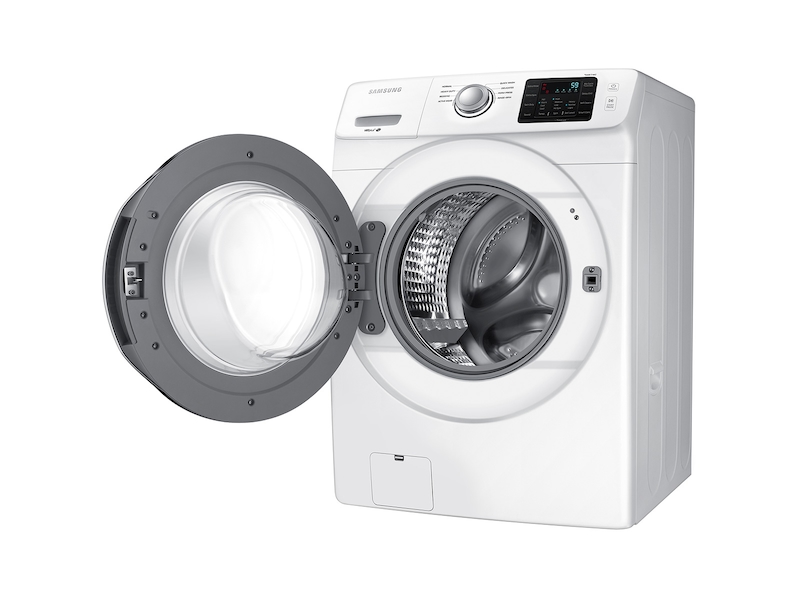
Water issues can disrupt your laundry routine. First, check the water supply. Ensure both hot and cold water taps are open. Next, inspect the hoses for kinks or blockages. Clean the inlet filters if necessary. If the problem persists, the water inlet valve might be faulty. In this case, a replacement could be necessary.
Credit: www.samsung.com
Error Codes
One common issue with the Samsung Vrt Plus Washer is error codes. These codes can appear on the washer’s display. They help identify problems. Understanding these codes can save time and frustration. Let’s explore some common error codes and how to resolve them.
Understanding Codes
Error codes on your Samsung Vrt Plus Washer are a form of communication. Each code points to a specific issue. For example, code “4E” means a water supply problem. Code “5E” indicates a drainage issue. Knowing what each code means is the first step to fixing the problem.
Refer to your user manual for a list of codes. Many codes are easy to understand. They often relate to water, drainage, or electrical issues.
Resetting Codes
Resetting error codes can sometimes resolve the issue. Start by turning off the washer. Wait a few minutes before turning it back on. This can clear minor errors.
If the code persists, try unplugging the washer. Leave it unplugged for five minutes. Then, plug it back in and restart the cycle. This can reset the system and clear the error.
If the error code still shows, consult your user manual. Some errors need professional help. Always ensure the washer is off and unplugged before troubleshooting.
Noise Problems
Noise problems in your Samsung VRT Plus Washer can be frustrating. Loud sounds disrupt your peace and may indicate a problem. Addressing these issues promptly ensures smooth operation. Let’s dive into how to identify and reduce noise in your washer.
Identifying Noise
First, determine the type of noise your washer makes. Is it a banging, rattling, or humming sound? Each noise type points to different issues. Banging sounds often come from an unbalanced load. Rattling may indicate loose objects. Humming could signal an issue with the motor.
Listen carefully to locate the noise source. Check inside the drum for any loose items. Examine the washer’s exterior for anything out of place. Identifying the exact noise helps in finding the right solution.
Reducing Vibration
Vibration can cause noise and damage your washer. Start by ensuring your washer is on a level surface. Use a spirit level to check this. Adjust the washer’s feet if needed. Tighten them until the washer sits firmly.
Next, avoid overloading the washer. Distribute clothes evenly inside the drum. Uneven loads can cause excessive shaking. Use the correct wash cycle for the type of clothes you are washing.
Consider using anti-vibration pads. Place these pads under each corner of the washer. They absorb vibrations, reducing noise. Regular maintenance helps keep your washer running smoothly. Clean the drum and check for wear and tear regularly.

Credit: www.youtube.com
Drainage Issues
Drainage issues in your Samsung VRT Plus washer can disrupt your laundry routine. Identifying the root cause is essential. This section covers common drainage problems and how to fix them. Understanding these will help you maintain your washer’s efficiency.
Clogged Drains
A clogged drain is a common cause of drainage issues. Lint, small clothing items, or other debris can block the drain.
Here’s how to check for a clogged drain:
- Unplug the washer.
- Locate the drain filter at the bottom of the washer.
- Open the filter cover and remove any visible debris.
- Run a test cycle to see if the issue is resolved.
If the drain is still clogged, you may need to use a drain snake. This tool can remove deeper blockages.
Pump Problems
The drain pump helps remove water from the washer. If it’s faulty, water won’t drain properly.
Signs of a faulty pump:
- Strange noises during the drain cycle.
- Water remaining in the drum after a cycle.
- Error codes related to drainage.
Follow these steps to check the pump:
- Unplug the washer and move it to a well-lit area.
- Locate the pump behind the front panel.
- Inspect the pump for visible damage or obstructions.
- If damaged, replace the pump with a new one.
Consult the user manual for specific part numbers and replacement instructions.
Regular maintenance can prevent these issues. Clean the drain filter monthly and inspect the pump periodically. This will ensure your Samsung VRT Plus washer runs smoothly.
Spin Cycle Problems
The Samsung Vrt Plus Washer is known for its advanced features. Yet, even the best machines can face issues. One common issue is with the spin cycle. Let’s explore the common spin cycle problems and their solutions.
Not Spinning
If your washer is not spinning, it can be frustrating. Here are a few steps to troubleshoot this issue:
- Check the Power Supply: Make sure the washer is plugged in properly.
- Door Lock: Ensure the door is firmly shut. The washer will not spin if the door is open.
- Load Balance: The washer might not spin if the load is unbalanced.
- Motor Reset: Sometimes, resetting the motor can help. Unplug the washer for a few minutes, then plug it back in.
Uneven Loads
Another common issue is uneven loads. This can cause the washer to vibrate or make noise. Here’s how to fix it:
- Stop the Washer: Pause the cycle and open the door.
- Redistribute the Load: Evenly distribute the clothes inside the drum.
- Remove Items: If the load is too large, remove some items.
- Resume the Cycle: Close the door and restart the spin cycle.
Always ensure that the loads are balanced to avoid this issue.
Leaking Water
Leaking water from your Samsung Vrt Plus washer can be a frustrating issue. It can cause damage to your floor and waste water. Understanding the potential causes can help you fix the problem quickly. Let’s explore some common reasons for leaks and how to address them.
Seal Inspection
The door seal, or gasket, is a common source of leaks. Over time, dirt and debris can build up. This buildup can cause the seal to wear out or tear. Inspect the door seal carefully. Look for signs of damage or trapped debris. If you find a tear, replace the seal immediately. Clean the seal regularly to prevent future issues.
Hose Issues
Hoses can also cause leaks. Check the water inlet hoses first. Ensure they are securely connected to the washer and the wall. Look for cracks or splits in the hoses. Replace any damaged hoses promptly. Next, inspect the drain hose. Make sure it is properly attached and free from obstructions. A clogged drain hose can cause water to back up and leak.
Cleaning And Maintenance
Maintaining your Samsung Vrt Plus Washer ensures it runs smoothly. Regular cleaning and maintenance can prevent many common issues. This guide will help you keep your washer in top condition.
Regular Cleaning
Regular cleaning is key for your washer’s performance. Wipe the drum and door seals after each use. This prevents mold and mildew. Use a damp cloth and mild detergent. Avoid harsh chemicals.
Run a cleaning cycle monthly. Use a washer cleaner or vinegar and baking soda. This removes residue and keeps the drum fresh. Check the detergent drawer for buildup. Clean it with warm water.
Filter Maintenance
Maintaining the filter is crucial. The filter catches debris and lint. A clogged filter can cause drainage issues. Locate the filter at the bottom front of your washer. Refer to your manual for exact location.
Check the filter every month. Remove any debris and rinse it under running water. Make sure the filter is dry before reinstalling it. This ensures proper water flow and prevents blockages.
When To Call A Professional
Contact a professional if your Samsung Vrt Plus Washer shows error codes or unusual noises. Expertise ensures safe and accurate repairs.
Even the best Samsung Vrt Plus Washer can run into issues. Some problems are easy to fix. Others need a professional touch. Knowing the difference can save time and money.Complex Repairs
Some repairs are too complex for a DIY approach. If the washer makes strange noises, it could be an internal issue. Problems with the drum or motor usually need a professional. These parts are hard to access and fix.Water leaks can also be tricky. If the source is not obvious, it is best to call a technician. They have the tools to find and fix hidden leaks.Warranty Coverage
Always check your warranty before attempting repairs. Doing it yourself might void the coverage. Most warranties cover parts and labor for a set period. If your washer is still under warranty, use it. Repairs done by a professional are often covered. This ensures the job is done right.Using the warranty can save costs. It also ensures your washer stays in good condition. Always keep your warranty information handy.“`:max_bytes(150000):strip_icc()/troubleshooting-samsung-washer-problems-2147298-final-1-f27acce116a8464794c9daec061156fc.png)
Credit: www.thespruce.com
Frequently Asked Questions
Why Is My Samsung Vrt Plus Washer Not Spinning?
A common reason is an unbalanced load. Check and redistribute clothes evenly.
How Do I Reset My Samsung Vrt Plus Washer?
Unplug the washer for a few minutes. Plug it back in to reset.
What Does 4e Error Code Mean?
The 4E error code signals a water supply issue. Check the water hoses and taps.
Why Is My Washer Making Loud Noises?
Loud noises often mean something is stuck in the drum. Check for foreign objects.
How Do I Clean The Washer’s Filter?
Locate the filter at the front bottom. Remove and rinse it under running water.
Conclusion
Fixing your Samsung Vrt Plus Washer is simpler than you think. With these tips, you can address many common issues. No need to stress over minor problems. Regular maintenance helps keep your washer in good shape. Always consult the user manual for guidance.
If issues persist, contact a professional. Ensuring your washer runs smoothly saves time and money. Happy washing!




why does my washer leave sentiments on the bottom and in my clothing after a load? i keep it clean , monthly self cleans, as well as a washing machine cleaner, new drain hose as well. Also, I cannot seem to see a filter anywhere?
Samsung VRT Plus
model WA-45M7050 AWA4
The sediment left in your clothing and at the bottom of the tub, despite your diligent cleaning, can stem from a few common factors.
Regarding the filter, your Samsung VRT Plus model WA-45M7050 AWA4, like many modern front-load and top-load high-efficiency washers, does not have a user-cleanable lint filter in the same way older machines or dryers do. Instead, it has a drain pump filter. This filter is designed to catch small items and lint before they reach the pump and drain hose. This filter is located behind a small access panel at the bottom front of the washer. While you’ve cleaned the machine and replaced the drain hose, this specific filter can still accumulate debris and affect draining, potentially contributing to residue issues if it’s clogged. Check your washer’s manual for its exact location and cleaning instructions.
My Samsung activewash™ SuperSpeed SmartCare VRTplus does not spin the water out of the clothes as it did when purchased 9 years ago. The machine leaves the clothes 15% wet after the spin cycle is finished. What is wrong with the spin cycle.
It’s certainly frustrating when your washer isn’t spinning clothes out properly and leaves them damp. A 15% wetter load after a spin cycle definitely indicates something isn’t quite right.
Here are a few things that often cause this issue with a washer, especially as they get older:
If checking the load and drainage doesn’t help, it might be time to have a technician take a look. They can diagnose if it’s a motor issue, a suspension problem, or something else that requires replacement.
I have samsung smart care vrt plus top load washer. I nned to know where is the water filter? I nned to cleanit . it is not in front , side or in back side of washer.
Thank You.
Ken
PS please send me pictures or vedio of water filter location.
Hi Ken,
For your Samsung Smart Care VRT Plus top-load washer, the inlet filters are typically small screen filters located where the hot and cold water supply hoses connect to the back of the machine. To find them, you would need to pull the washer away from the wall and look at the connection points where the water hoses attach. You can then unscrew the hoses and carefully pull out these screen filters with a pair of needle-nose pliers to clean them.
Regarding other types of water filters, most Samsung top-load washers, including the VRT Plus, do not have a separate, user-accessible drain pump filter like some front-load models often feature. Lint and debris are usually managed through the washer’s internal circulation system, sometimes with a lint trap integrated into the agitator or wash plate itself. These integrated lint traps are typically not designed for regular user removal and cleaning in the same way a drain pump filter is.