If your doorbell has stopped ringing or your smart video camera is failing to receive a consistent power signal, you’re likely in need of doorbell transformer troubleshooting to identify the root cause of the electrical failure. A doorbell transformer is a small, typically box-shaped device that steps down standard household line voltage to a lower, safer voltage—usually 16V, 24V, or 30V—compatible with your chime or smart device. The cost of a replacement transformer typically ranges between $15 and $45, while professional installation services generally cost between $120 and $250 depending on your local market and the complexity of your wiring.
Key Takeaways
- Always turn off the circuit breaker before touching any wiring to prevent accidental electrical shock.
- Check for loose connections at the chime and the transformer before assuming the hardware is faulty.
- Verify that your doorbell transformer meets the specific voltage and volt-ampere (VA) requirements of your device.
Safety: Inside a mains-powered machine, the parts behind the outer cover can hold a dangerous electrical charge even after it has been unplugged — that’s why they sit behind a cover. Opening the housing, or testing or replacing anything behind it, is a job for a qualified technician, never a home repair.
How Do I Find the Transformer?
Locating the device is often the most difficult step in the process. Manufacturers typically install these units in areas where they can be easily serviced but kept out of sight.
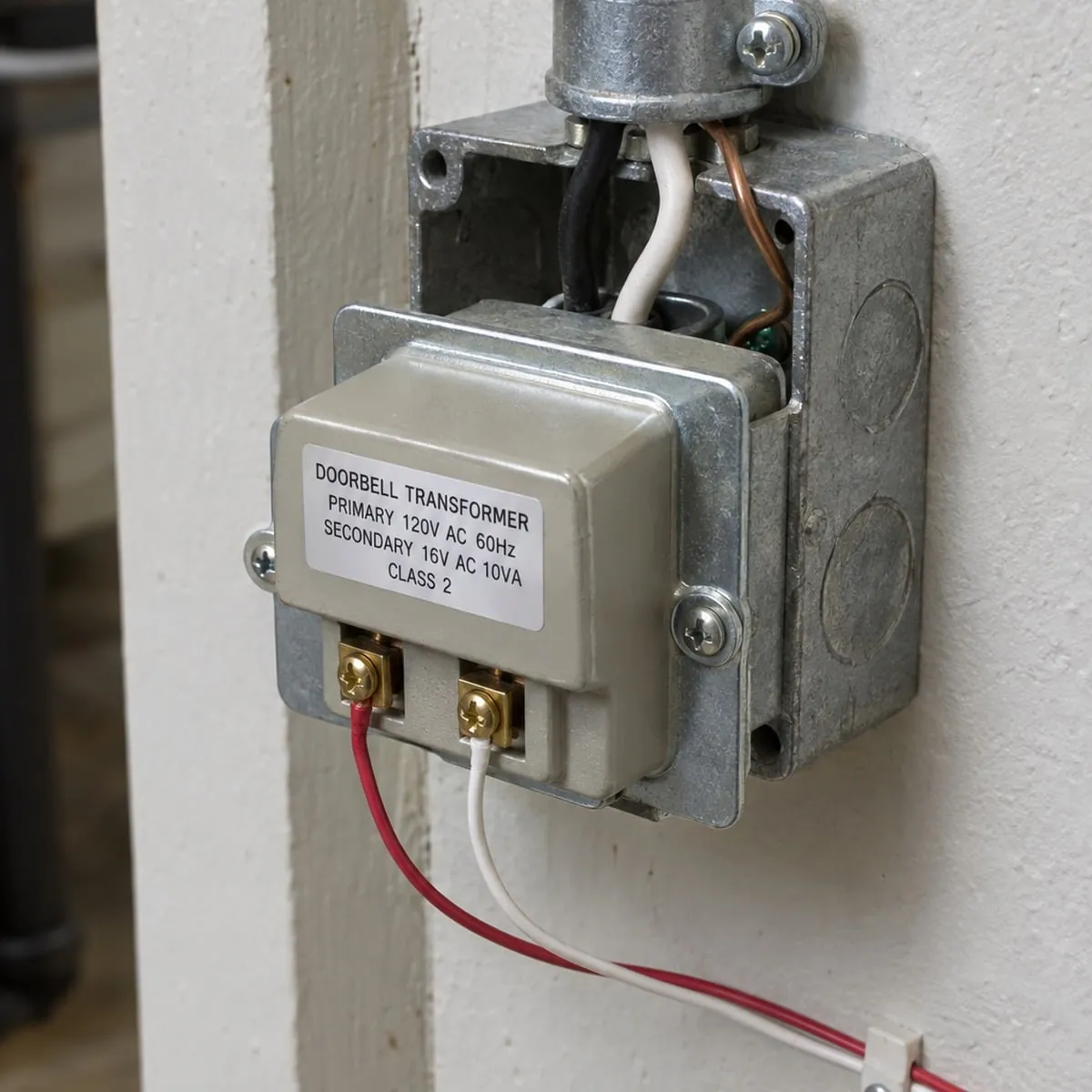
In most homes, you’ll find the transformer mounted on the outside of your main electrical service panel, attached to a junction box in the basement, or tucked away in an attic crawl space near the doorbell chime wiring. If you can’t find it, look for a pair of thin, low-voltage wires originating from your doorbell chime and follow their path back through the wall or ceiling.
Is My Transformer Actually Faulty?
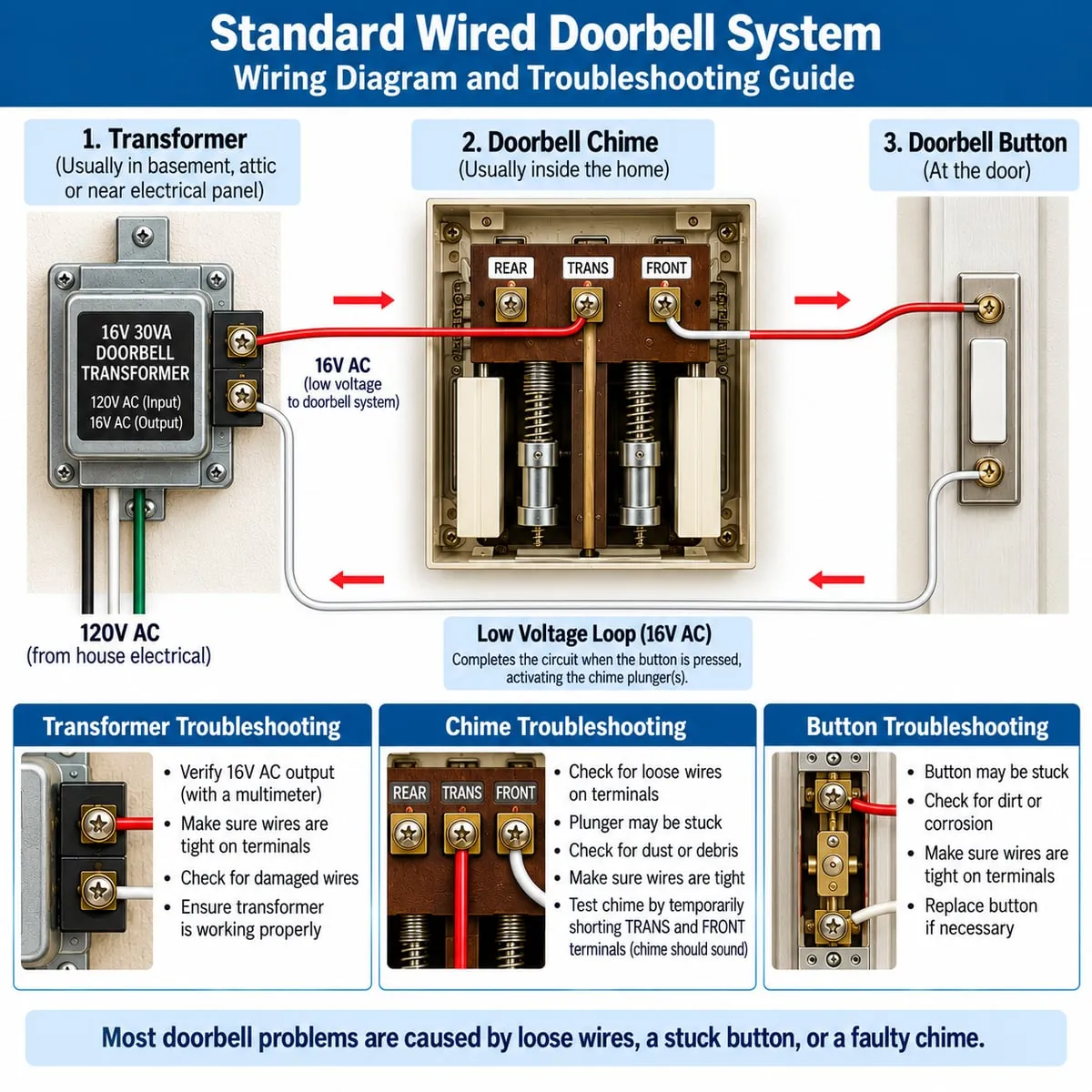
Before replacing hardware, you must verify the failure. A common misconception is that a silent chime always indicates a dead transformer. However, the issue might be a broken wire, a corroded push-button, or a stuck plunger inside the mechanical chime unit. A dead transformer will provide no output voltage regardless of the state of the chime or push-button.
Troubleshooting Steps for Verification
- Locate the transformer and expose the two low-voltage screw terminals.
- Place one probe on each of the two low-voltage screws.
- If the meter reads zero or significantly below the rated output, the transformer is likely defective.
- If the meter reads the correct voltage, the problem lies in the wiring or the chime itself.
Electrical Safety and Precautions
Warning: Electricity is dangerous and can be fatal if handled improperly. Always identify the correct circuit breaker and turn off the power to the transformer before loosening any screws or inspecting wiring. Use a non-contact voltage tester to confirm that the power is truly off before you touch any metal components. Never attempt to work on the high-voltage side of the transformer unless you’re a licensed electrician, as this involves direct access to your home’s main electrical supply.
| Component | Potential Issue | Recommended Action |
|---|---|---|
| Transformer | Internal coil failure | Replace the entire unit |
| Doorbell Button | Corrosion or oxidation | Clean contacts or replace button |
| Chime Unit | Stuck plunger/debris | Clear debris and test movement |
| Wiring | Loose or frayed wire | Re-strip wire and tighten screws |
Tools Needed for Repairs
You don’t need a specialized toolkit to perform these repairs, but having the right equipment will make the process much safer and faster. A digital multimeter is the single most important tool for diagnostic work. You should also keep a set of insulated screwdrivers on hand to prevent accidental shorts while working in tight spaces.
- Non-contact voltage tester
- Needle-nose pliers
- Wire strippers
- Replacement wire nuts
- Electrical tape
What Are Common Transformer Ratings?
Transformers are rated by their voltage output and their Volt-Ampere (VA) capacity. The VA rating indicates the maximum power the transformer can supply. If you have installed a modern video doorbell, you may find that your old 10VA transformer is insufficient for the power demands of the camera, leading to connectivity issues or a lack of night vision. According to the National Electrical Code, all electrical installations must be performed in accordance with local safety standards to prevent fire hazards.
Selecting the Right Replacement
If your current unit is underpowered, look for a replacement that offers a higher VA rating. For example, upgrading from a 10VA unit to a 30VA unit can provide the extra power needed for smart features. Ensure the voltage output (e.g., 16V) matches your existing chime requirements; using a 24V transformer on a 16V chime can cause the chime to overheat and malfunction.
Steps to Replace the Unit
Why Does My Chime Hum?
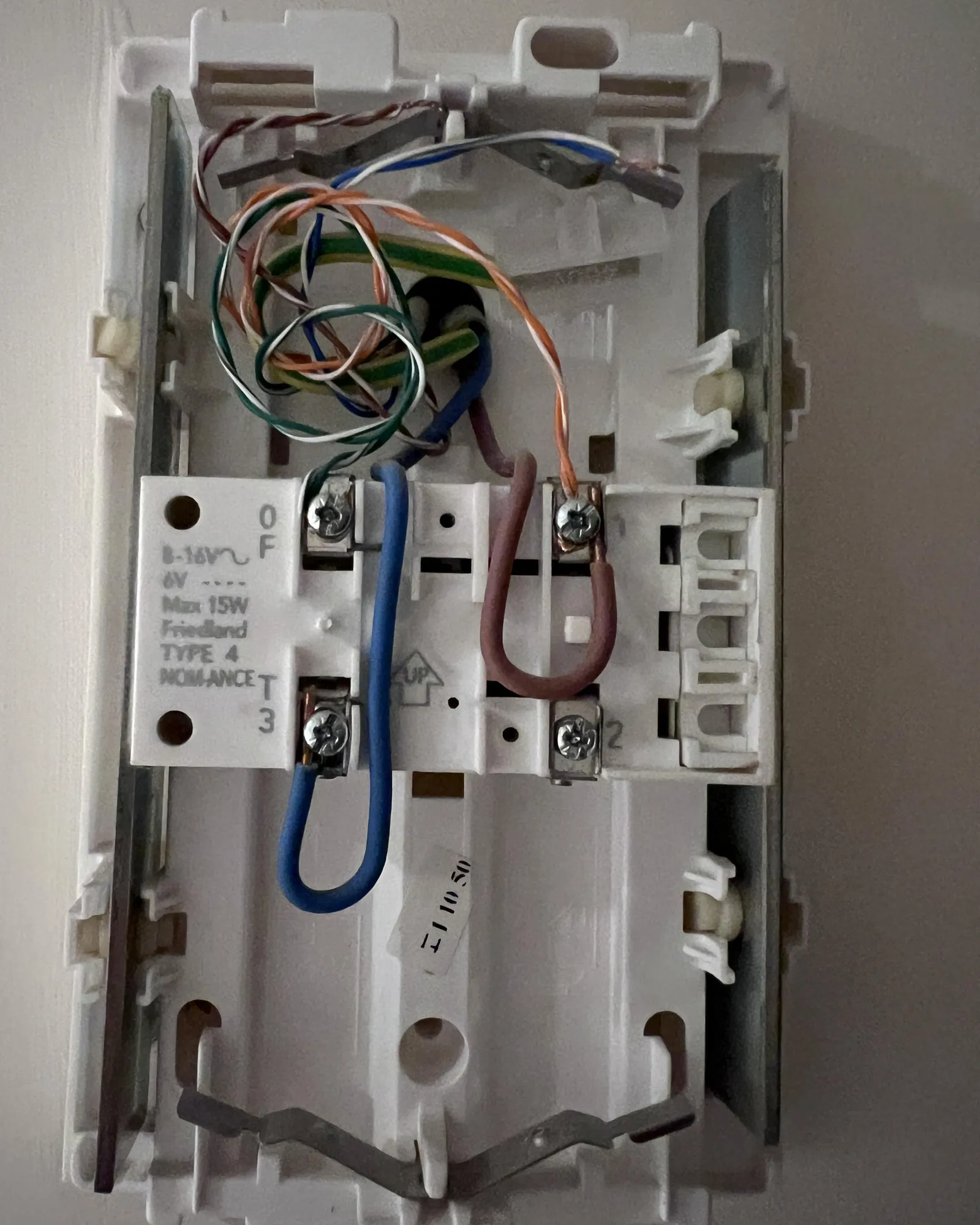
A humming chime is often a sign of a short circuit in the wiring or a transformer that’s providing inconsistent voltage. If the transformer is vibrating, it may be loose on its mounting bracket. Tighten the mounting screws first. If the humming persists, check the push-button at your front door. Sometimes, a button that has become stuck in the “on” position will cause the chime to hum continuously, which can lead to the transformer overheating and failing.
Can Low Voltage Damage Devices?
Troubleshooting Smart Video Doorbells
Smart doorbells often require a specific power range to charge their internal batteries or maintain a wireless connection. If your video feed is pixelated or keeps cutting out, the transformer might be struggling to keep up with the power draw. Smart doorbell compatibility is a major factor in modern home maintenance. Check the manufacturer’s website for the specific VA requirements of your device, as some high-end cameras require a minimum of 20VA to function correctly during colder months.
| Transformer Spec | Compatibility | Typical Use Case |
|---|---|---|
| 16V / 10VA | Basic mechanical chimes | Standard legacy doorbells |
| 16V / 30VA | Smart video doorbells | Modern connected home systems |
| 24V / 40VA | Premium video systems | Multi-chime or commercial setups |
Understanding Wiring Configurations
Doorbell wiring is generally simple, consisting of a single loop. Power flows from the transformer to the button, then to the chime, and back to the transformer. If any part of this loop is broken, the circuit remains open, and the chime won’t sound.
Use your multimeter to test for continuity between the transformer and the button terminals. If you find no continuity, there’s a break in the wire somewhere along the wall path, which may require a professional wiring repair.
Identifying Damaged Insulation
Over time, the insulation on the low-voltage wires near the transformer can become brittle and crack. This can cause the wires to touch, creating a short circuit that will trigger your circuit breaker or blow the internal fuse of the transformer. Inspect the wiring carefully for signs of fraying or exposed copper. If the insulation is damaged, wrap the area with electrical tape or replace the wire segment entirely to ensure a reliable connection.
Frequently Asked Questions
Why does my doorbell only work sometimes?
Intermittent operation is often caused by loose wire connections at the chime or the transformer terminals. Over time, heat expansion and vibration can loosen these connections. Additionally, if you have a smart doorbell, the internal battery may be struggling to charge due to a transformer that’s slightly underpowered. Check all terminal screws for tightness and ensure your transformer meets the VA requirements of your video device.
Can I leave a dead transformer installed?
It isn’t recommended to leave a failed transformer connected to the electrical system. A faulty transformer can sometimes continue to draw power or cause intermittent shorts that stress your electrical panel. If you have confirmed the unit is dead, remove it from the junction box and cap off the high-voltage wires with wire nuts until you can install a working replacement.
Does the transformer need to be replaced?
How do I know if the transformer is compatible?
Check the voltage rating on your existing mechanical chime or the manual for your smart doorbell. Most standard chimes operate at 16V. If you install a 24V transformer on a 16V system, you risk damaging the chime mechanism. Always match the voltage exactly and ensure the VA rating is equal to or greater than the minimum requirement specified by your doorbell manufacturer.
Is it safe to replace the transformer myself?
Replacing a transformer is considered a moderate DIY task, provided you’re comfortable working with electrical components. You must be able to identify the correct circuit breaker to shut off power and use a voltage tester to verify the line is dead. If you’re uncomfortable working inside an electrical junction box or if the wiring appears damaged or burnt, it’s best to contact a qualified electrician.
What happens if the transformer is too strong?
Using a transformer with a significantly higher voltage than your chime is designed for will cause the chime to sound distorted or loud, and it will eventually burn out the solenoid coil. If you must use a higher-voltage transformer for a smart doorbell, verify that your chime is compatible with that voltage or consider bypassing the chime entirely by using a smart chime or a digital notification system.
Conclusion
Replacing your doorbell transformer is a manageable project that can restore functionality to your home security system. By systematically checking your voltage, ensuring that all connections are secure, and verifying that your hardware matches your power requirements, you can resolve most doorbell issues without the need for an expensive service call.
If you have confirmed the transformer is the culprit, purchase a replacement with the correct voltage and VA rating, turn off your power, and follow the manufacturer’s installation guide carefully. Once the new unit is installed and tested, your doorbell will be back in service and ready to alert you to visitors.