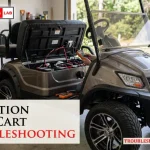
When your cart fails to move or charge, the most effective way to start evolution golf cart troubleshooting is to check the battery state of charge and the main power connections for any loose wires or corrosion. Most issues with these vehicles stem from simple power delivery problems rather than complex internal motor failures. If you see a warning light on the dash, verify that the key switch is fully turned and the forward-neutral-reverse rocker switch is firmly set in the desired position.
Why your evolution golf cart loses power
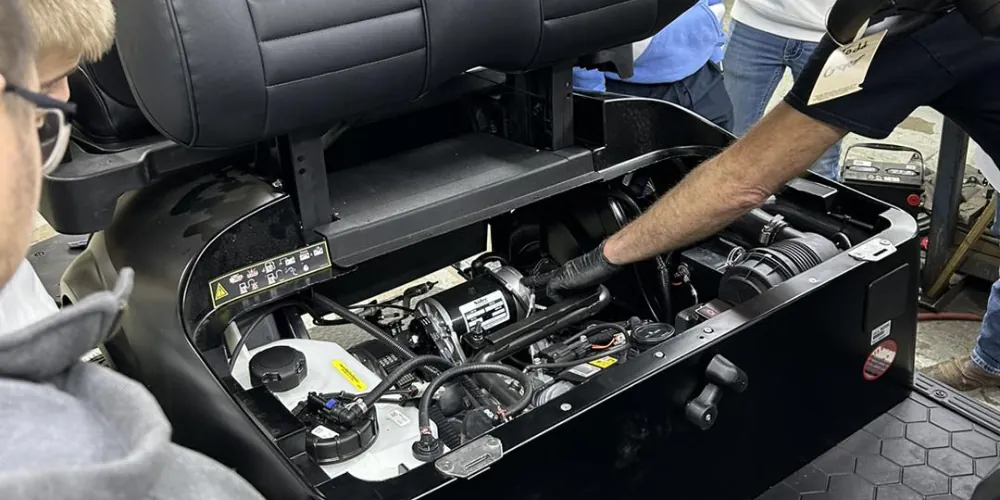
Another frequent issue involves the solenoid. When you press the accelerator pedal, you should hear a distinct click coming from the controller area. If you don’t hear this sound, the solenoid is likely not engaging, which prevents power from reaching the drive motor. This can happen due to a blown fuse, a faulty pedal sensor, or a loose signal wire.
Environmental factors also play a significant role. If you store your cart in a humid area, corrosion can build up on the battery terminals or the main controller pins. This creates resistance that limits current flow, leading to sluggish performance or a complete refusal to start. Always inspect these connections for white or blue powdery buildup, which is a clear sign of oxidation that needs cleaning to restore proper electrical contact.
Check the battery pack connections
The first step in fixing a cart that won’t move is to inspect the battery terminals and the main power cables. Ensure every nut is tight and that there’s no visible fraying on the wires. If you find loose connections, tighten them with a wrench, but don’t overtighten them, as this can crack the battery casing.
If the cart still refuses to move, look at the state of charge indicator on your dashboard. If it shows empty or flashes a code, confirm your charger is working correctly by checking the Evolution Electric Vehicles owner support page for your specific model’s charging sequence. If the charger doesn’t turn on when plugged in, the fault might lie with your household outlet rather than the cart itself.
This fix is intended for owners who can safely access the battery compartment. If you notice any signs of melting plastic, a burning smell, or leaking fluid from the batteries, stop immediately. These are signs of a critical failure that requires a certified technician to handle, as battery acid is corrosive and high-voltage systems pose a serious shock risk.
Inspect the pedal and switch assembly
If your battery pack is healthy but the cart stays still, the problem often lies with the signal circuit. The accelerator pedal contains a sensor that tells the controller you want to move. If this sensor fails to send a signal, the controller won’t engage the motor. Check that the floor mat isn’t bunched up under the pedal, as this often prevents the pedal from reaching its full travel position.
Next, toggle the forward-neutral-reverse switch several times while the cart is turned on. Sometimes the internal contacts in this switch become dirty or stuck, preventing the controller from knowing which direction to engage. If you hear a click when moving the switch, it’s likely functioning, but if it feels loose or doesn’t click at all, the switch itself may need replacement.
This troubleshooting step is for those who are comfortable inspecting basic electronic switches. If you don’t feel confident working near the pedal assembly, or if the wires appear damaged, don’t attempt to bypass the switch. A faulty signal circuit can cause the cart to lurch forward unexpectedly, which is dangerous in a garage or driveway setting.
Reset the main controller system
Sometimes the onboard computer simply needs a reset to clear a temporary fault code. Turn the key to the off position, then locate the tow/run switch under the seat. Flip this switch to the “tow” position and wait for at least 60 seconds. This allows the capacitors in the controller to fully discharge and reset the internal software.
After the wait, flip the switch back to “run” and try to operate the cart. If it works, the issue was likely a minor software glitch that occurred during a power surge or a low-voltage event. If the cart still fails to move, you have likely ruled out a software error and should look toward physical components like the motor brushes or the controller itself.
This is a great step to try before calling a mobile mechanic, as it costs nothing and takes very little time. However, if the cart displays a persistent error code on the dash after the reset, you’ll need to contact an authorized dealer to read the specific fault code. Never attempt to open the controller housing, as the internal components aren’t user-serviceable and contain high-voltage parts.
Avoid these common troubleshooting mistakes
Bypassing the solenoid: Never use a screwdriver to jump the solenoid terminals. This creates a massive electrical arc that can weld the contacts or ignite wiring. If the cart fails to click, have a technician test the activation circuit.
Cleaning with water: Don’t spray water or pressure washers into the battery or motor compartment. Moisture causes permanent corrosion on the electronic controller pins and sensitive hall-effect sensors. Use compressed air or a dry microfiber cloth instead. If you must remove thick mud, use a damp rag and wipe only the non-electrical frame components.
Ignoring weird noises: Never continue to drive a cart that makes a grinding or whining sound. This indicates a transaxle bearing failure. Driving further can shatter internal gears, turning an inexpensive bearing repair into a total transmission replacement.
Using the wrong charger: Avoid using a charger meant for a different voltage or chemistry. Mismatched chargers bypass the battery management system, causing thermal runaway. If your charger displays a fault code, don’t attempt to “reset” it by unplugging and plugging it back in repeatedly. You’ll likely fry the onboard computer.
Maintenance and prevention table
| If you’re doing this | Do this instead | Why |
|---|---|---|
| Leaving it uncharged | Keep it plugged in | Deep discharge kills battery life |
| Loose battery nuts | Tighten with a wrench | Prevents heat and power loss |
| Ignoring corrosion | Clean with baking soda | Corrosion stops electrical flow |
| Washing with a hose | Use a dry microfiber cloth | Water destroys electronic boards |
| Driving on low power | Charge at 20% capacity | Protects the battery chemistry |
A common mistake is waiting until the indicator hits zero. If your device sits idle for more than a week, store it at a 50% charge level. This specific percentage balances chemical stability against degradation.
Use a torque wrench for those battery nuts. Overtightening often cracks the plastic casing, while undertightening causes arcing. If you see white, crusty buildup on the terminals, you must neutralize it immediately. Mix two tablespoons of baking soda with a cup of water to create a paste. Scrub gently, then rinse with a damp cloth. Never use a wire brush, as it leaves conductive metal shards behind. If the battery feels hot to the touch during operation, stop immediately.
Frequently asked questions
How long do evolution golf cart batteries last?
Most battery packs last 4 to 6 years with proper maintenance. This assumes you follow charging guidelines and avoid long periods of inactivity. Lifespan may decrease in hot climates due to the effects of heat on lead-acid chemistry.
Why does my cart click but not move?
A clicking sound indicates the solenoid is engaging, but power isn’t reaching the motor. This usually results from a poor connection or worn motor brushes. Ensure your gear selector is fully engaged, as partial positions prevent the cart from moving.
Is it safe to drive if the cart is slow?
Driving a cart that’s significantly slower than usual is unsafe because it indicates a failing battery or heating controller. A slow cart can suddenly lose all power, leaving you stranded. Have the motor and controller inspected by a professional shop.
How often should I check the battery water?
Check water levels in flooded-cell batteries every 30 days. Only add distilled water, and never fill to the top, as liquid expands during charging and will overflow. Maintenance-free or lithium batteries don’t require this check.
What happens if I leave the cart in tow mode?
Leaving the cart in tow mode allows it to roll freely by removing motor resistance. You should never drive the cart in this mode, as it can damage the controller. Always ensure the switch is set to “run” before driving.
Can I use a regular car battery charger?
You can’t use a standard car charger because golf carts require a specific voltage and charging profile. Using the wrong charger can cause permanent damage to the battery cells. Always use the manufacturer-provided charger designed for your specific pack.
Conclusion
If you have tried these steps and the vehicle still fails to operate, the issue likely sits within the controller software or a mechanical failure in the transaxle. At this point, it’s time to contact a professional service technician who has the specialized tools to diagnose the internal electronic faults safely.
Related guides