Is your Frigidaire Gallery fridge acting up and leaving you puzzled? You rely on your fridge every day to keep your food fresh and safe.
When it starts making strange noises, won’t cool properly, or shows error codes, it can be frustrating and stressful. But don’t worry—you don’t have to call a technician right away or replace the whole unit. In this guide, you’ll discover simple troubleshooting tips that you can try yourself.
By understanding what’s behind common problems and how to fix them, you’ll save time, money, and avoid unnecessary hassle. Keep reading to get your Frigidaire Gallery fridge back to perfect working order quickly and easily.
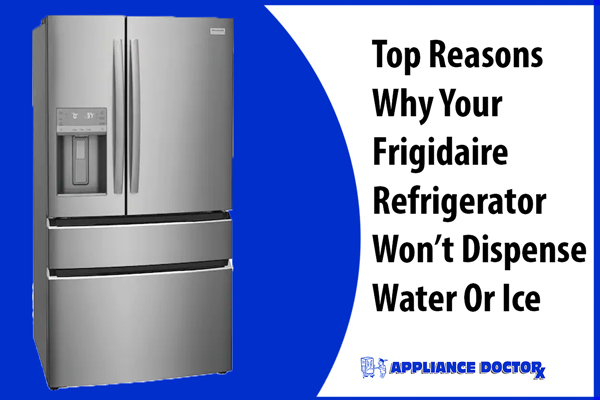
Common Frigidaire Gallery Fridge Issues
Frigidaire Gallery fridges are popular for their style and features. Yet, some common issues can affect their performance. Knowing these problems helps you fix them fast. It keeps your fridge running smoothly and saves repair costs.
Temperature Problems
One common issue is the fridge not cooling well. Food might spoil quickly or freeze unexpectedly. This happens if the thermostat is wrong or the door seal leaks. Dust on coils can also block cooling. Check and clean parts to keep the temperature steady.
Water Leakage
Water pooling inside or outside the fridge is a frequent problem. It often comes from a blocked drain or a broken water line. Leaks can damage floors and cause mold. Regularly inspect the drain and water connections to avoid leaks.
Ice Maker Malfunctions
The ice maker might stop making ice or jam often. Common causes include a frozen water line or a faulty motor. Sometimes, the ice maker needs a reset. Keeping the ice bin empty and clean helps it work better.
Noisy Operation
Strange noises can come from the fridge parts like the compressor or fan. Buzzing, clicking, or rattling sounds are signs of a problem. Dust buildup or worn parts cause noise. Cleaning the fridge and checking loose parts reduces noise levels.

Quick Fixes For Temperature Issues
Temperature problems in your Frigidaire Gallery fridge can spoil food quickly. Many times, small fixes solve these issues fast. Checking key parts can bring back the right coolness. Try these quick steps to fix common temperature troubles.
Adjusting The Thermostat
The thermostat controls the fridge’s temperature. Turn it to a colder setting if food feels warm. Wait 24 hours after changing the dial. This time lets the fridge settle at the new temperature. Avoid setting it too cold to save energy and prevent freezing.
Checking Door Seals
Door seals keep cold air inside the fridge. Check for cracks or dirt on the seals. Clean seals gently with warm, soapy water. Replace seals if they are cracked or broken. A tight seal stops warm air from entering and warms the fridge.
Clearing Air Vents
Air vents allow cold air to flow inside the fridge. Blocked vents cause uneven cooling. Remove items blocking these vents. Keep vents clear to ensure air moves freely. This helps the fridge keep the right temperature everywhere.
Resolving Water Leakage
Water leakage in a Frigidaire Gallery fridge can cause damage and waste water. Fixing leaks quickly helps keep your kitchen clean and your fridge working well.
Leaks often come from simple problems. Checking certain parts can stop the water from leaking. Follow these steps to find and fix the source of the leak.
Inspecting Drain Pan
The drain pan collects water that melts from the freezer. Check the pan for cracks or holes. Clean the pan if it is dirty. Replace the pan if it is damaged to prevent leaks.
Unclogging Drain Tube
The drain tube moves water from inside the fridge to the drain pan. Sometimes, the tube gets clogged with dirt or food. Clear the clog by gently pushing a soft wire or using warm water. This helps water flow freely and stops leaks.
Leveling The Fridge
A fridge that is not level can cause water to leak. Use a level tool to check if the fridge sits flat on the floor. Adjust the fridge feet to make it even. A level fridge helps water flow to the drain pan correctly.
Troubleshooting The Ice Maker
The ice maker in your Frigidaire Gallery fridge should work without problems. Sometimes, it stops making ice or makes small or misshaped ice cubes. Troubleshooting the ice maker helps you fix these issues quickly. You can check simple causes and try easy solutions before calling a technician.
Below are some common steps to check and fix your fridge’s ice maker. These steps are simple and do not need special tools. Follow them carefully to get your ice maker working again.
Resetting The Ice Maker
Resetting the ice maker often solves minor problems. Find the reset button or switch on the ice maker unit inside the freezer. Press and hold it for about 10 seconds. Wait a few minutes for the ice maker to restart. This can clear small errors and restart the ice-making cycle.
After resetting, listen for sounds of ice making. If the ice maker stays silent, move to the next step.
Checking Water Supply
The ice maker needs water to work. Check if the water line is connected and not kinked. Make sure the water valve is open. If water flow is weak, the ice maker may stop producing ice.
Look for any ice blockages in the water line. Clear any frozen or clogged parts carefully. Also, check the water filter. A dirty filter can reduce water flow. Replace the filter if it is old or dirty.
Replacing The Ice Maker Assembly
If the ice maker still fails after resetting and checking water supply, it may need replacement. The ice maker assembly can wear out or break. Buy a compatible replacement part for your Frigidaire Gallery model.
Turn off the fridge and unplug it before starting. Remove the old ice maker by unscrewing or unclipping it. Install the new unit carefully, following instructions. Plug the fridge back in and test the new ice maker.
Reducing Fridge Noise
Noise from your Frigidaire Gallery fridge can be annoying. It might disturb your peace or make your kitchen less comfortable. Reducing fridge noise helps keep your home quiet and pleasant. Simple checks and fixes can lower the sounds your fridge makes.
Tightening Loose Parts
Loose parts inside the fridge cause rattling or buzzing sounds. Check screws, shelves, and panels. Use a screwdriver to tighten any loose screws. Make sure shelves sit firmly in their slots. Tight parts stop vibrations that create noise.
Cleaning Condenser Coils
Dirty condenser coils make the fridge work harder and louder. Unplug the fridge before cleaning the coils. Use a coil brush or vacuum to remove dust and dirt. Clean coils help the fridge cool quietly and save energy.
Inspecting The Fan
The fan moves cold air but may get noisy if blocked or broken. Look inside the fridge or freezer for the fan. Clear any ice or debris around the blades. If the fan is damaged, replace it to stop loud sounds.

Maintenance Tips For Longevity
Maintaining your Frigidaire Gallery fridge helps it last longer and work better. Simple care steps keep the fridge running smoothly. Follow these easy tips to protect your investment and avoid common problems.
Regular Cleaning Schedule
Clean the fridge inside and outside often. Wipe spills quickly to stop stains and smells. Remove shelves and drawers to wash them with warm water. Clean the coils at the back or bottom twice a year. Dust and dirt on coils make the fridge work harder.
Monitoring Door Gaskets
Check the door seals every month. Make sure the gaskets are soft and flexible. Clean them with mild soap and water to remove dirt. Replace gaskets if they crack or tear. Good seals keep cold air in and save energy.
Professional Servicing
Schedule a service visit every year. A technician can find small issues before they grow. They check the coolant, fans, and electrical parts. Regular service keeps the fridge efficient and reduces repair costs.
Frequently Asked Questions
Why Is My Frigidaire Gallery Fridge Not Cooling Properly?
A dirty condenser coil can cause poor cooling. Clean the coils and check the thermostat settings. Also, ensure the door seals are tight.
How Do I Fix A Leaking Frigidaire Gallery Refrigerator?
Check the drain pan and defrost drain for clogs or damage. Clean any blockages and empty the drain pan regularly.
What Causes The Fridge Light To Not Turn On?
A burnt-out bulb or faulty door switch may be the cause. Replace the bulb or test the door switch for proper function.
Why Is My Frigidaire Gallery Fridge Making Loud Noises?
Noises often come from the fan or compressor. Check if the fridge is level and remove any items blocking fans.
How Can I Reset My Frigidaire Gallery Refrigerator?
Unplug the fridge for 5 minutes to reset the control board. Plug it back in and wait for it to restart fully.
Conclusion
Troubleshooting your Frigidaire Gallery fridge can save time and money. Simple steps often fix common problems fast. Keep your fridge clean and check settings regularly. Remember to unplug before any repairs for safety. If issues persist, call a professional technician.
Regular care helps your fridge run smoothly longer. Stay patient and follow instructions carefully. Your fridge will work better and keep food fresh. Small efforts make a big difference in performance. Keep this guide handy for quick fridge fixes.