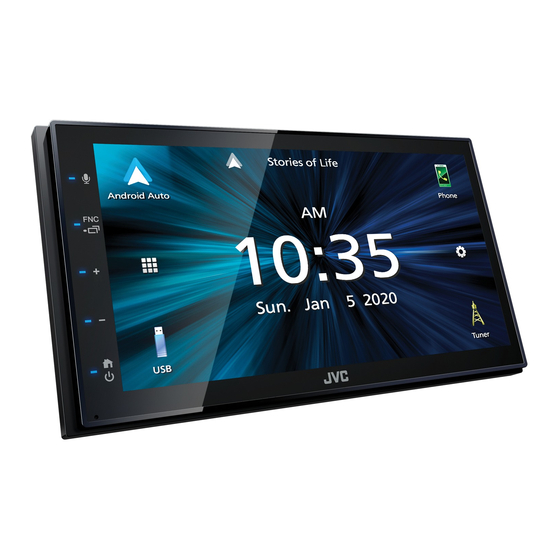
Are you having trouble with your JVC KW-M560BT? It’s frustrating when your car’s audio system doesn’t work the way it should.
Whether your screen won’t turn on, Bluetooth isn’t connecting, or sound quality drops unexpectedly, these issues can ruin your driving experience. But don’t worry—this guide is here to help you fix your JVC KW-M560BT quickly and easily. By the time you finish reading, you’ll know exactly what to do to get your system back in perfect shape.
Keep going—you’re just a few steps away from enjoying your favorite music without interruptions.

Power Issues
Power issues are common problems with the JVC KW M560BT. They can stop the unit from working properly. Fixing these problems helps keep your music and calls running smoothly. This section explains two main power problems and how to handle them.
No Power Or Display
Sometimes the unit shows no signs of power. The display stays off even when connected. First, check the car battery and ignition switch. A dead battery or off ignition can cause this.
Next, inspect the wiring harness for loose or damaged wires. A loose connection often cuts power to the unit. Also, check the fuse inside the car’s fuse box. A blown fuse will stop power flow.
Try resetting the unit by pressing the reset button. This can solve minor software glitches. If none of these steps help, the unit may have an internal fault. Consult a professional technician for repair.
Unit Shuts Off Unexpectedly
The unit may turn off without warning. This interrupts your listening experience. Check for loose wiring connections first. Wires that come loose during driving cause power loss.
Make sure the ignition key stays in the ON position. Some units power off if the key moves to ACC or OFF. Another cause is overheating. The unit may shut down to protect itself from damage.
Keep the unit in a cool, ventilated place inside the dashboard. If overheating continues, service may be needed. Regular checks prevent unexpected shutdowns and keep your system reliable.
Audio Problems
Audio problems with the JVC KW-M560BT can disrupt your listening experience. Sounds might be missing or unclear. Such issues often come from simple causes. Fixing them usually does not need expert help. Understanding common audio problems helps you solve them quickly.
No Sound Or Low Volume
No sound or very low volume is a frequent issue. Check if the volume is turned up on both the receiver and your device. Make sure the mute function is off. Inspect the speaker wires for loose or damaged connections. Sometimes, the audio source might be the problem. Try playing different files or apps to test this. Resetting the unit can also fix software glitches causing no sound.
Distorted Audio Output
Distorted or unclear sound often means a problem with the audio signal. Check the speaker wires for damage or poor connections. Overloaded speakers or wrong settings can cause distortion. Lower the volume and adjust equalizer settings to improve clarity. Using poor quality audio files may also create distortion. Ensure the audio source is clean and high quality. Updating the firmware can help fix bugs affecting sound quality.
Bluetooth Connectivity
Bluetooth connectivity is key for the JVC KW-M560BT car stereo. It lets you play music and make calls without wires. Smooth Bluetooth use makes drives safer and more fun. Yet, some users face common problems. These include pairing failures, audio dropouts, and phones not recognized. Understanding these issues helps fix them fast.
Pairing Failures
Pairing failures happen when the stereo and phone do not connect. Check that Bluetooth is on both devices. Clear old devices from the stereo’s memory. Restart both devices to refresh the connection. Keep the phone close to the stereo during pairing. Avoid pairing in areas with many Bluetooth devices nearby.
Audio Dropouts
Audio dropouts cause music or calls to cut out. This may be due to interference or weak signals. Move the phone closer to the stereo. Remove any objects blocking the Bluetooth signal. Turn off other Bluetooth devices to reduce interference. Make sure the stereo’s firmware is updated for best performance.
Phone Not Recognized
Sometimes the stereo does not recognize the phone at all. Ensure the phone’s Bluetooth is discoverable. Delete old paired devices from the stereo’s list. Reset the stereo’s Bluetooth settings if needed. Check phone compatibility with the JVC KW-M560BT. Use the correct Bluetooth profile for audio and calls.
Touchscreen Malfunctions
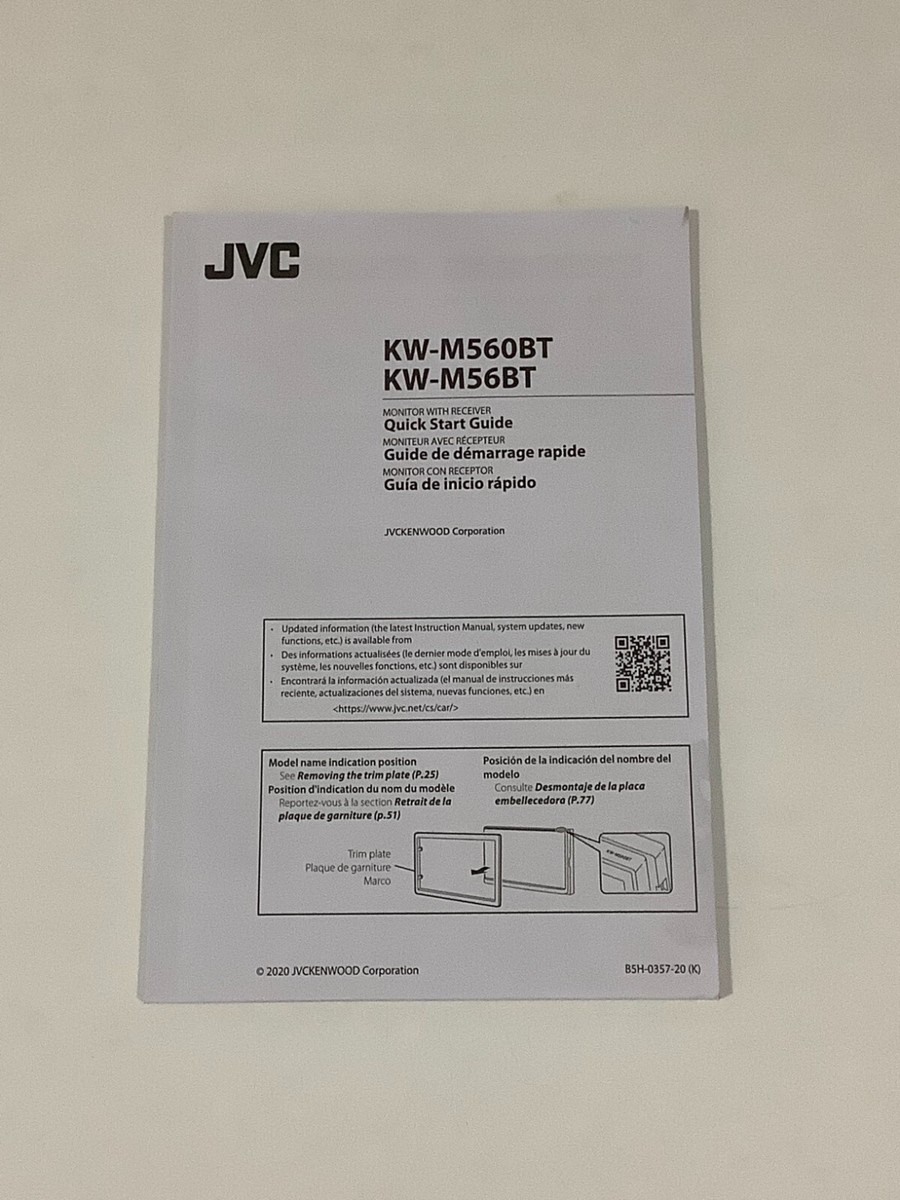
The JVC KW M560BT touchscreen is a vital part of your car’s audio system. Problems with the touchscreen can disrupt your driving experience. Simple issues like unresponsiveness or freezing are common. These problems need quick fixes to keep your system running smoothly.
Unresponsive Screen
Sometimes, the touchscreen does not respond to your touch. This can happen due to dirt or moisture on the screen. Clean the screen gently with a soft cloth. Another cause can be a software glitch. Restart the unit by turning the car off and on. If the problem stays, reset the system to factory settings. Avoid pressing the screen too hard. Use light, steady taps for better response.
Screen Freezing
The screen may freeze during use, making the system unusable. This often happens after long use or a software error. Turn off the unit and wait a few minutes. Power it back on to clear temporary bugs. Make sure the firmware is updated to the latest version. Continuous freezing might indicate a hardware problem. Contact a service center if resets do not help.
Radio Reception Issues
Radio reception issues are common problems with the JVC KW-M560BT. These problems affect how well you hear your favorite stations. Understanding these issues helps you fix them quickly.
Poor radio reception can spoil your listening experience. It causes static, fading, or no sound at all. This section explains two main problems: weak signal and no radio station found.
Weak Signal
A weak signal causes unclear or interrupted radio sound. It happens when the antenna is loose or damaged. Check the antenna connection first. Tighten or replace it if needed.
Obstacles like buildings or hills can block radio waves. Moving your car to an open area often improves reception. Also, avoid parking near tall metal objects.
No Radio Station Found
The JVC KW-M560BT may show no radio stations. This happens if the tuner cannot scan properly. Try rescanning for stations in manual or auto mode.
Another cause is a faulty antenna or wiring. Inspect the antenna cable for breaks or corrosion. Replace damaged parts to restore station detection.
Ensure the radio is set to the correct band, FM or AM. Using the wrong band stops the radio from finding stations.
Usb And Media Playback
The JVC KW M560BT offers easy USB and media playback options. Users can enjoy music from USB drives and other devices. Sometimes, issues arise that stop playback or device detection. Troubleshooting these common problems helps restore smooth operation quickly.
Usb Device Not Detected
Check if the USB drive is properly connected to the port. Use a different USB cable or port if available. The USB device should be formatted in FAT32 or exFAT for compatibility. Large or unsupported file systems may cause detection failure. Restart the car stereo to refresh the system. Avoid using USB hubs or extension cables, as they may interfere. Clean the USB port gently to remove any dust or dirt. Try connecting the USB device to a computer to ensure it works correctly.
Media Files Not Playing
The KW M560BT supports common audio formats like MP3, WMA, and WAV. Files in unsupported formats will not play. Check the file extensions before playback. Corrupted or incomplete files also cause playback errors. Try playing the files on another device to verify. Ensure the USB drive is not password protected or encrypted. Rename files with simple characters to avoid decoding issues. Update the stereo firmware if playback problems persist. This can improve format support and fix bugs.
Reset And Firmware Updates
Resetting and updating firmware are key steps in fixing your JVC KW M560BT. These actions can solve many issues like freezing, poor sound, or connection problems. Both tasks are straightforward and do not require technical skills.
Resetting clears errors and returns settings to default. Firmware updates improve the system’s performance and add new features. Follow the steps carefully to avoid complications.
Performing A Factory Reset
Turn on your JVC KW M560BT. Press and hold the “Menu” button. Keep holding until the reset option appears. Use the dial or arrow keys to select “Factory Reset.” Confirm your choice by pressing “Enter” or “OK.” The device will restart automatically. This process removes all personal settings and data. Only reset if other fixes do not work.
Updating Firmware
Check the current firmware version in the settings menu. Visit the official JVC website on your computer. Download the latest firmware file for the KW M560BT model. Transfer the file to a USB drive. Insert the USB into the car stereo’s USB port. Access the update option in the settings menu. Follow on-screen instructions to complete the update. Do not turn off the device during the update. Firmware updates enhance stability and add bug fixes.
Installation And Wiring
Installing the JVC KW-M560BT can be straightforward. Wiring plays a big role in its proper function. Poor wiring can cause issues like no power, no sound, or system errors. Understanding the basics helps avoid common problems.
Checking Connections
Start by turning off your vehicle’s power. Check each wire for tight, secure connections. Look for loose or disconnected wires. Ensure the power wire is connected to the battery. The ground wire must attach to a clean metal surface. Check the speaker wires for correct matching colors. Loose connections can cause the unit to fail or work improperly.
Common Wiring Mistakes
Wrong wire connections can cause many issues. Mixing power and speaker wires is a frequent error. Forgetting to connect the ground wire leads to electrical noise or no power. Using damaged wires or cheap connectors may cause shorts. Not securing wires properly can lead to disconnections from vibrations. Double-check wire colors and connection points carefully before powering the unit.
Frequently Asked Questions
How To Fix No Sound Issue On Jvc Kw M560bt?
Check the speaker wires and volume settings first. Make sure the mute function is off. Reset the unit if sound still doesn’t work.
Why Won’t Jvc Kw M560bt Connect To Bluetooth?
Ensure Bluetooth is enabled on both devices. Delete old Bluetooth connections and try pairing again. Restart both devices if needed.
How To Reset Jvc Kw M560bt To Factory Settings?
Press and hold the reset button using a small tool. Hold for a few seconds until the screen restarts. This clears all settings and errors.
What To Do If Jvc Kw M560bt Screen Is Frozen?
Turn off the car and remove the key. Wait a minute, then restart the system. If frozen again, try a factory reset.
How To Update Firmware On Jvc Kw M560bt?
Download the latest firmware from JVC’s official website. Transfer it to a USB drive and plug into the unit. Follow on-screen instructions to complete update.
Conclusion
Troubleshooting the JVC KW M560BT can save you time and money. Small issues often have simple fixes. Check connections, settings, and updates first. Don’t ignore error messages or unusual sounds. Staying calm helps you solve problems faster. This guide aims to make your experience smoother.
Enjoy clear sound and easy controls again. Keep your device working well with regular care. Remember, patience is key to fixing most problems. You can handle basic issues without expert help.