You can resolve most issues by checking the power supply, the door latch, and the control settings when you start ge appliance troubleshooting for a common household unit. The most frequent cause for a machine failing to start is a tripped circuit breaker or a loose power cord. If your device displays an error code, note the specific letters or numbers before resetting the unit. You can find official guidance on error codes and maintenance by visiting the GE Appliances support center.
Troubleshooting common appliance issues
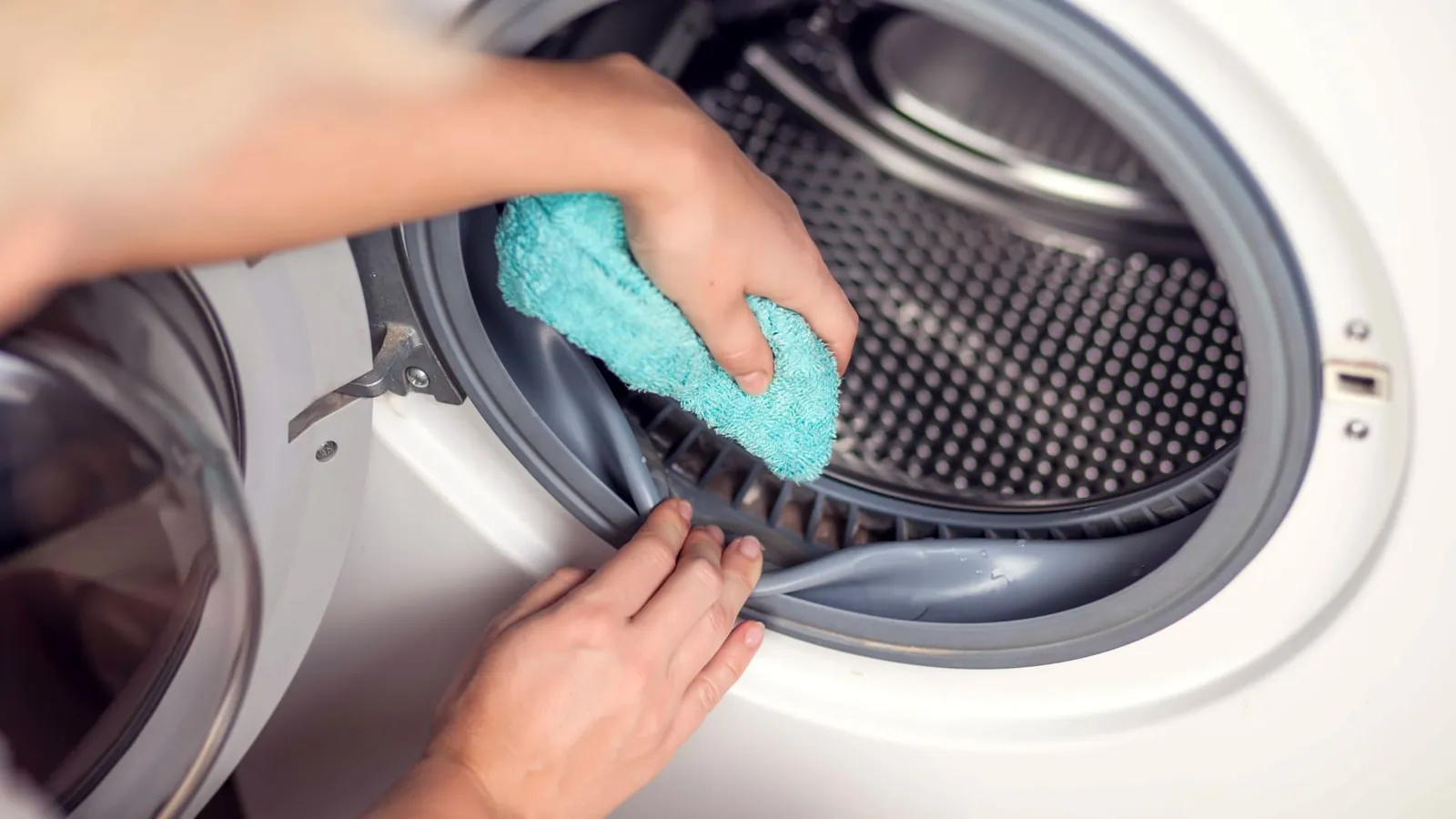
Most problems arise from simple issues like blocked airflow, uneven surfaces, or settings that don’t match the task. A dishwasher might not drain if the filter is clogged with food debris, while a refrigerator might lose cooling power if the condenser coils are thick with dust. These components need regular cleaning to function as intended.
Another common cause is the user interface or control board. If the buttons don’t respond, the control panel might be in “Control Lock” mode. This is a standard safety feature that prevents accidental changes to the settings. If you can’t clear a lock icon or a flashing light, a power cycle can often reset the internal electronics.
Environmental factors also play a role in how your machine runs. A dryer will take much longer to finish a load if the external vent is restricted or blocked by lint. If you notice your appliance is performing poorly, check the external connections first. If the unit is still under warranty, avoid taking it apart, as this can void your coverage and create safety risks.
Resetting the power supply
If your unit has no lights or response, the first step is to verify the power source. Check your home’s electrical panel to see if a breaker has flipped to the “off” or “middle” position. If it has, switch it fully to “off” and then back to “on” to restore power.
If the breaker is fine, unplug the appliance for at least 60 seconds. This wait time allows the internal capacitors to discharge fully, which clears the temporary memory of the control board. After the time passes, plug it back in firmly. If the unit starts, the issue was a minor electronic glitch.
Many users make the mistake of plugging the device back in too quickly. If you plug it in before the 60 seconds expire, the control board may not fully reset its volatile memory. This forces you to repeat the entire process from the beginning.
This fix is intended for users who can safely reach the plug or breaker panel. If the outlet itself feels loose or shows signs of heat damage, don’t use it. Electrical repairs require a licensed professional, and attempting to fix internal wiring yourself can lead to serious injury or fire. If the unit still fails to power on after a reset, check for a tripped GFCI outlet nearby.
Cleaning filters and vents
Many performance issues relate to airflow or water flow restrictions. For dryers, remove the lint trap after every load and inspect the ducting that goes to the outside wall. A blockage here makes the machine run too hot and extends the drying time significantly. If your clothes remain damp after a standard cycle, check the exterior vent hood for lint buildup or bird nests.
For dishwashers, locate the filter at the bottom of the tub. Twist it to unlock it, then rinse it under warm water to remove grease and food particles. If this filter stays dirty, the machine will struggle to drain, which often leads to standing water at the end of a cycle. Use a soft-bristled toothbrush to scrub the mesh if you notice a persistent film.
If you’re unsure how to remove a part, check your owner’s manual. Never force a plastic part that doesn’t move easily. Forcing components often leads to broken tabs or seals, which are expensive to replace. If you don’t have the manual, you can find the model number on the frame of the machine and search for a digital copy online. When in doubt, prioritize gentle pressure over brute force to preserve the integrity of the seals.
Adjusting settings and balance
If a washer is vibrating or making loud banging noises, it’s likely off-balance. Use a bubble level on the top of the machine to ensure it sits perfectly flat. If it tilts, adjust the leveling feet at the bottom by rotating them until the unit is stable.
A common mistake is assuming the floor is level just because the machine looks straight. If the washer rocks when you push on opposite corners, one foot isn’t making firm contact. You must lock the jam nut against the base of the machine after adjustment; otherwise, the vibration will cause the feet to spin and lose their setting over time.
Check that your cycle settings match the load. A “Heavy Duty” cycle on a light load causes excessive movement because the machine can’t distribute the weight properly. If you use detergent pods, place them in the designated tray. Tossing a pod into a crowded load prevents it from dissolving, which often leads to suds-related sensor errors.
If the machine continues to shake after leveling, the internal suspension springs or shock absorbers may be worn. If you hear a metallic clanking during the spin cycle, the springs have likely stretched or snapped. These parts require professional tools to replace safely. Contact a technician if the drum sags more than an inch when you press down on it.
Mistakes that cause further damage
Using excessive detergent: This creates too many suds, which trap dirt in the machine and damage the pump or sensors. If you see suds lingering after the rinse cycle, you have used too much. This residue eventually hardens into a sludge that ruins internal seals.
Ignoring error codes: These codes are your best diagnostic tool. Guessing the problem instead of looking up the specific code often leads to replacing the wrong part. If the code persists after a hard reset, consult the service manual before buying any hardware.
Overloading the drum: Filling a washer or dryer past the recommended capacity puts stress on the motor and belts. A good rule is to avoid packing the drum tightly, ensuring clothes can tumble freely. If you can’t fit your hand in vertically, the load is too heavy.
Using chemical cleaners on sensors: Harsh sprays can damage electronic touchscreens or moisture sensors. Use only a dry, lint-free cloth. If the screen fails, the unit becomes a brick.
Preventing future appliance failures
The best way to keep your machines running is to follow a routine schedule. Small changes in how you load and clean your units will save you money on repairs and extend the life of your equipment.
| If you’re doing this | Do this instead | Why |
|---|---|---|
| Leaving filters dirty | Improves airflow and performance | |
| Ignoring small leaks | Tighten hoses immediately | Prevents water damage to floors |
| Slamming doors shut | Close them gently | Protects the door latch sensors |
| Using high heat always | Use eco-friendly settings | Reduces wear on seals and parts |
Most people wait for a total breakdown before calling a technician. This is a costly mistake. A machine that hums louder than usual or vibrates against the floor is signaling a failing component, such as a worn bearing or a loose motor mount. If you hear these sounds, stop the cycle and check for level footing.
If the noise persists, contact a qualified technician to diagnose the failing component. Waiting even one week can turn an inexpensive repair into a total unit replacement. Use this decision rule: if the machine vibrates, check the feet; if it makes a grinding noise, check the internal drive.
Frequently asked questions
Can I fix a dishwasher that won’t drain myself?
You can fix most drainage issues by cleaning the filter and checking the drain hose for kinks. Simply remove the bottom filter to clear debris and ensure the hose isn’t blocked. If the water remains after these steps, the drain pump may be faulty and require a professional technician.
How long should a refrigerator last?
Most modern refrigerators last between 10 to 15 years with regular maintenance. This lifespan depends on keeping the condenser coils clean and the door seals free of food buildup. If the coils remain covered in dust, the compressor works harder, which often leads to premature failure.
Is it safe to reset a dishwasher by unplugging it?
It’s safe to unplug a dishwasher to reset the control board if you can access the plug without removing panels. If the unit is hard-wired, use the circuit breaker to cut power for one minute. Avoid working with the electrical panel if you’re uncomfortable to prevent electric shock.
Why is my dryer taking two cycles to dry clothes?
Your dryer is likely taking longer because the external vent or internal lint trap is restricted. When air can’t escape, moisture stays trapped in the drum and prevents clothes from drying. Check the vent hose for kinks or lint buildup to ensure proper airflow for your laundry.
What happens if I ignore a flashing error code?
Ignoring a flashing error code usually leads to the machine locking itself out to prevent further damage. These codes alert you to specific failures, such as heating element issues or faulty door sensors. Consult the official support documentation immediately to avoid damaging other components and increasing repair costs.
Conclusion
Regular maintenance is the most effective way to keep your home running smoothly. By keeping your machines clean and observing how they perform, you can catch minor issues before they turn into expensive breakdowns. If you ever feel uncertain about a repair, it’s always better to contact a qualified professional than to risk your safety or the condition of your appliance.