When your LG air conditioner stops working as expected, it can be both uncomfortable and confusing. Most people rely on their AC to keep their homes cool, especially during the hottest months. But what do you do when your LG unit isn’t cooling, starts making strange noises, or shows error codes? Instead of immediately calling a technician, many common problems can be solved at home with the right troubleshooting knowledge.
This guide gives you a clear, step-by-step troubleshooting manual for LG air conditioners. Whether you own a window unit, split system, or portable model, you’ll find practical advice to diagnose and fix frequent issues. You’ll also learn how to read error codes, avoid common mistakes, and know when it’s time to call a professional. With simple language and real examples, this manual empowers you to take control of your comfort and possibly save on repair costs.
Understanding Your Lg Air Conditioner
Before diving into troubleshooting, it helps to know your air conditioner’s basic design and operation. LG makes several types of AC units, but most share similar parts and features.
| Component | Function | Common Issues |
|---|---|---|
| Compressor | Pumps refrigerant through the system | Overheating, failure to start |
| Evaporator Coil | Cools air as it passes through | Freezing, ice buildup |
| Condenser Coil | Releases heat outside | Dirt buildup, reduced efficiency |
| Fan | Circulates air in and out | Noisy operation, not spinning |
| Filter | Removes dust from air | Clogging, reduced airflow |
| Thermostat | Senses and controls room temperature | Incorrect readings |
| Remote Control | Allows user to set functions | No response, display errors |
Non-obvious tip: Many LG air conditioners have a reset button or a power reset function in the remote. Use this before deeper troubleshooting, as it can clear temporary issues.
Initial Checks Before Troubleshooting
It’s easy to overlook simple things when your air conditioner isn’t working. Start with these quick checks:
- Power supply: Make sure the unit is plugged in and the outlet works. Try plugging another device into the same outlet.
- Remote control batteries: Weak or dead batteries can stop the remote from working. Replace them if unsure.
- Circuit breaker: Check if the breaker for the AC has tripped. Reset if necessary.
- Timer settings: Accidentally turning on a timer can cause the unit to turn off at odd times.
- Mode settings: Confirm the unit is set to cooling and not just fan or dry mode.
Beginner insight: Sometimes, unplugging the unit for 3–5 minutes and plugging it back in can resolve minor electronic glitches.

Lg Air Conditioner Not Cooling
One of the most common complaints is when the LG air conditioner is running but not cooling. Here’s how to troubleshoot:
Step 1: Check The Air Filter
A dirty or clogged air filter restricts airflow and reduces cooling power.
- Remove the filter (usually behind the front grille).
- Wash with mild soap and water. Let it dry completely.
- Reinstall and run the unit.
Tip: Clean the filter at least once a month during heavy use.
Step 2: Inspect The Thermostat Setting
If set too high, the AC won’t cool properly. Set the temperature at least 5°F below room temperature. Make sure the unit is in Cool Mode.
Step 3: Examine The Airflow
Blocked vents or furniture in front of the unit can stop cool air from circulating. Clear any obstructions.
Step 4: Check For Ice Buildup
If you see frost on the coils:
- Turn off the AC and let it thaw for several hours.
- After thawing, run the fan only mode for 30 minutes.
- If ice returns, the problem could be low refrigerant or a faulty sensor.
Step 5: Outdoor Unit Issues
For split or window types, check the outdoor condenser:
- Remove leaves, dirt, or debris.
- Make sure nothing blocks the exhaust.
Expert tip: Inverter models are more sensitive to dirty condensers and filters. Clean both regularly to maintain full cooling performance.
Lg Air Conditioner Not Turning On
When your LG AC doesn’t turn on at all, it can be frustrating. Try these steps:
- Test the power: Is the display panel lit? If not, check the power cord and outlet.
- Reset the unit: Unplug for 3 minutes, then plug back in.
- Remote problems: Try turning on the unit manually from the control panel.
- Check fuse or breaker: If the fuse is blown or breaker tripped, replace or reset.
- Safety lock: Some LG ACs have a child lock feature. Hold the lock button on the remote for 3–5 seconds to unlock.
Non-obvious insight: Sudden power outages can put the AC into protection mode. Wait a few minutes after power returns before trying to restart.
Lg Air Conditioner Making Strange Noises
Unusual sounds can signal problems or just normal operation. Here’s how to tell the difference:
- Hissing or bubbling: Often refrigerant flow. If persistent or loud, there may be a leak.
- Clicking: Normal as the AC starts/stops.
- Rattling: Loose panels or parts. Tighten screws and check for foreign objects.
- Squealing or screeching: Bad fan motor or belt (rare in modern LG units).
- Gurgling: Water moving inside, usually not a concern unless very loud.
If the sound is new or getting worse, turn off the unit and inspect for loose parts or obstructions.
Lg Ac Displaying Error Codes
Most modern LG air conditioners have self-diagnosis. If something goes wrong, the display will show a code like “CH 24” or “E5”. Understanding these codes helps you know what to fix.
| Error Code | Meaning | What to Do |
|---|---|---|
| CH 01 | Indoor pipe sensor error | Turn off, restart. Call technician if persists. |
| CH 05 | Communication error | Check wiring. Power cycle the unit. |
| CH 24 | Drain pump error | Check for water blockages. |
| E1 | Indoor/Outdoor unit communication | Reset power. Inspect wiring. |
| E5 | Overcurrent | Turn off, wait 5 mins. Call service if repeats. |
| F1 | Room temperature sensor | Try reset. Service may be needed. |
Pro tip: Always note the error code and model number before calling support. This speeds up diagnosis.
Water Leaking From Lg Air Conditioner
Water leaks are common, especially in humid climates. Here’s what to check:
- Drain pan full: Empty if needed. Some portable units have a removable tank.
- Clogged drain hole or hose: Clean with a small brush or pipe cleaner.
- Unit not level: Install so that water flows toward the drain side (slightly tilted toward the back).
- Excessive humidity: High outdoor humidity can cause more water to collect.
Beginner mistake: Using the AC in dry mode for too long can overflow the drain pan if you forget to empty it.
Lg Ac Remote Control Problems
If the remote control won’t operate the unit:
- Replace batteries first, even if the display looks fine.
- Clean the remote’s sensor window with a soft cloth.
- Make sure nothing blocks the sensor on the indoor unit.
- Try using the manual controls (on the unit) to rule out remote failure.
Hidden insight: Infrared remotes can be checked by pointing them at a digital camera or phone camera—if you see a light when pressing a button, the remote is sending a signal.
Lg Air Conditioner Smells Bad
Unpleasant smells from your AC can ruin indoor comfort. Common causes include:
- Mold or mildew: Grows on wet filters or coils. Clean filters and run fan mode for 30 minutes weekly to dry the unit.
- Dirty evaporator coil: Needs professional cleaning if smells persist.
- Animals or insects: Check for nests or droppings inside the unit.
Tip: Avoid using air fresheners inside the unit—they can damage electronics.
Performance Problems And Efficiency Tips
If your LG AC works but seems less powerful, consider these factors:
- Room size: Every AC has a maximum coverage area, usually measured in BTUs.
- Open doors/windows: Cool air escapes quickly, making the unit less effective.
- Direct sunlight: Sun on the indoor or outdoor unit reduces efficiency.
- Other heat sources: Computers, ovens, or lamps in the room add to the cooling load.
Improving Performance
- Use thick curtains or blinds during the hottest part of the day.
- Seal windows and doors to prevent leaks.
- Clean filters and coils every 2–4 weeks during heavy use.
Non-obvious tip: Most LG units have an energy-saving mode. Use it to maintain comfort with lower energy bills.
When To Call A Professional
Not all problems can be solved at home. Call an LG service technician if:
- The unit trips the breaker repeatedly.
- You see sparks, smoke, or a burning smell.
- Error codes remain after reset.
- There’s evidence of a refrigerant leak (oily residue, hissing sound).
- The compressor or fan won’t run at all.
Attempting complex repairs on your own can void the warranty or cause further damage.
Comparing Lg Air Conditioner Models
Different LG models have unique features and troubleshooting needs. Here’s a quick comparison:
| Type | Best For | Common Issues | DIY Troubleshooting Level |
|---|---|---|---|
| Window Unit | Small rooms, apartments | Filter, drainage, remote | Easy |
| Split System | Whole homes, large rooms | Error codes, sensor faults | Moderate |
| Portable AC | Temporary use, rentals | Water leaks, filter clogging | Easy |
| Inverter AC | Energy savings, quiet operation | Board errors, sensor issues | Moderate |
Beginner insight: Inverter models are more sensitive to power fluctuations and require surge protection.
Preventive Maintenance For Lg Air Conditioners
Regular maintenance keeps your LG AC working efficiently and reduces breakdowns. Here’s what to do:
- Clean or replace filters every 2–4 weeks.
- Wipe the exterior with a damp cloth to remove dust.
- Check the remote batteries at least once per season.
- Inspect the power cord for damage.
- Clear the outdoor unit of leaves, dirt, and obstructions.
- Schedule professional service every 12–18 months for a full system check.
Hidden tip: Setting reminders in your phone’s calendar helps you stay on track with regular cleaning.
Common Lg Air Conditioner Features And Their Functions
Understanding your unit’s features helps you use it correctly and diagnose issues faster.
- Auto Clean: Dries the inside to prevent mold growth.
- Jet Cool: Rapid cooling for quick comfort.
- Sleep Mode: Adjusts temperature for better sleep.
- Timer: Schedules the unit to turn on/off at set times.
- Energy Saver: Turns the compressor and fan off when the set temperature is reached.
Non-obvious insight: The Auto Restart feature means the unit will remember your last settings after a power outage.
Safety Precautions When Troubleshooting
Safety should always come first. Here’s how to stay safe:
- Unplug the AC before opening panels or cleaning inside.
- Do not spray water on electrical parts.
- If you smell burning or see sparks, turn off the power at the breaker.
- Wear gloves when cleaning sharp fins or coils.
Expert advice: Never open the sealed compressor or try to refill refrigerant yourself—this is both dangerous and illegal without certification.
Troubleshooting Lg Air Conditioner Wi-fi And Smart Features
Many newer LG models support Wi-Fi control through the LG ThinQ app. Common problems include:
- Wi-Fi won’t connect: Check if your home Wi-Fi is 2.4 GHz (not 5 GHz). Most LG units only support 2.4 GHz networks.
- App not finding device: Restart both the AC and your router.
- Firmware update needed: Update the AC’s firmware through the app if prompted.
- Remote control via app not working: Make sure both phone and AC are on the same network during setup.
Non-obvious tip: Position your router closer to the AC for better signal strength during setup. If you move homes, you’ll need to reset the Wi-Fi settings on the unit.
For more details, check the official LG support page: LG Support.
Troubleshooting Lg Portable Air Conditioners
Portable LG units are popular for their flexibility, but they have unique issues:
- Water tank full: Most models will stop and show a warning. Empty the tank and restart.
- Exhaust hose disconnected: Reattach securely to prevent hot air leaks.
- Window kit gaps: Ensure the window kit is tightly sealed to stop air leaks.
- Unit won’t start: Portable units often have a safety feature that prevents starting if not level.
Pro tip: Always store the unit in a dry place during winter to avoid mold growth inside.
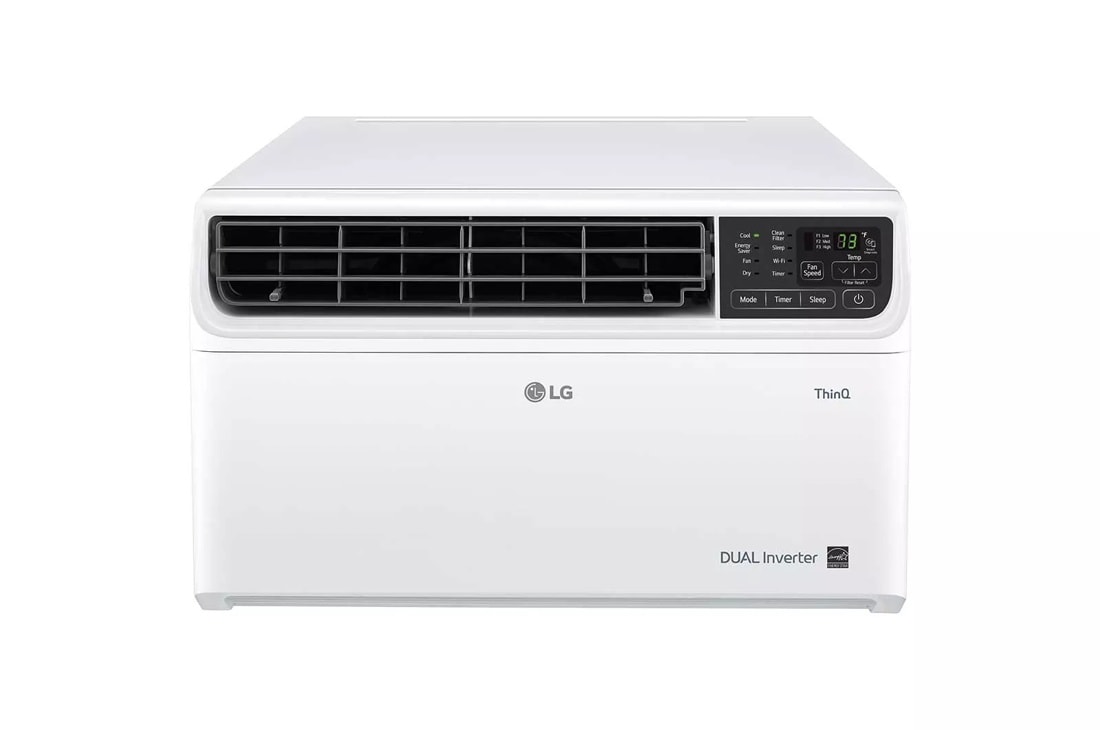
Troubleshooting Lg Dual Inverter Air Conditioners
LG’s Dual Inverter units are known for quiet and efficient operation. Unique troubleshooting notes:
- Low cooling at high temperatures: The unit may reduce output slightly to protect the compressor.
- Frequent on/off cycling: This is normal with inverter technology; the unit adjusts speed rather than shutting off completely.
- Error codes like CH38 or CH34: Indicate system overload or protection mode. Clean filters, reset, and see if the code clears.
Non-obvious insight: Dual Inverter units need stable voltage. If your home has frequent power drops, use a voltage stabilizer.
What To Do If Troubleshooting Doesn’t Work
If you’ve tried all basic steps and the problem continues:
- Gather details: Model number, error codes, description of the problem, when it started.
- Note what you’ve already tried. This helps the technician diagnose faster.
- Check your warranty. Many LG air conditioners come with 1–5 years of coverage.
Beginner mistake: Attempting advanced repairs yourself can void the warranty or cause bigger damage.
Energy Efficiency And Cost-saving Tips
Saving energy not only reduces your bills but also extends your AC’s life.
- Set the thermostat a few degrees higher when away.
- Use ceiling fans to spread cool air.
- Close doors and windows during operation.
- Keep heat-producing electronics away from the unit.
- Use energy-saving mode or eco mode when possible.
Pro tip: LG ACs with inverter technology can use up to 40% less electricity compared to traditional models.
Troubleshooting Quick Reference Guide
Here’s a summary table for fast troubleshooting:
| Problem | Likely Cause | Quick Fix |
|---|---|---|
| Not cooling | Dirty filter, blocked vents | Clean filter, clear vents |
| No power | Outlet, breaker, child lock | Check power, reset, unlock |
| Water leaking | Clogged drain, not level | Clean drain, level unit |
| Strange noise | Loose part, debris | Tighten screws, inspect inside |
| Remote not working | Dead batteries, blocked sensor | Replace batteries, clean sensor |
| Error code | Sensor, wiring, board | Reset, call service if needed |
Frequently Asked Questions
How Often Should I Clean The Filter In My Lg Air Conditioner?
You should clean the filter every 2 to 4 weeks during heavy use. A clogged filter reduces cooling and can cause error codes. If you have pets or live in a dusty area, check it more often.
Why Does My Lg Air Conditioner Smell Musty?
A musty smell usually means mold or mildew is growing inside the unit. Clean the filter and run the AC in fan-only mode for 30 minutes to dry the inside. If the smell persists, the evaporator coil may need professional cleaning.
What Does The Ch 24 Error Code Mean On My Lg Ac?
CH 24 means there’s a problem with the drain pump. Check for blockages in the drain hose or pan. If cleaning doesn’t help, the pump may need repair or replacement by a technician.
Can I Use My Lg Air Conditioner With A Generator?
Yes, but the generator must supply enough power (watts/amps) for the unit. Inverter models are sensitive to unstable voltage, so a generator with clean, stable output is best. Always check the AC’s manual for minimum requirements.
Is It Normal For My Lg Dual Inverter Ac To Run Constantly?
With inverter technology, the compressor adjusts speed instead of turning off and on. It’s normal for the unit to run at low speed for long periods, which saves energy and keeps temperatures steady.
Conclusion
A well-maintained LG air conditioner offers years of reliable comfort. By understanding common problems and following this troubleshooting manual, you can solve most issues yourself, save money, and enjoy a cooler home. For advanced issues, always trust a certified LG technician to keep your system running safely and efficiently.