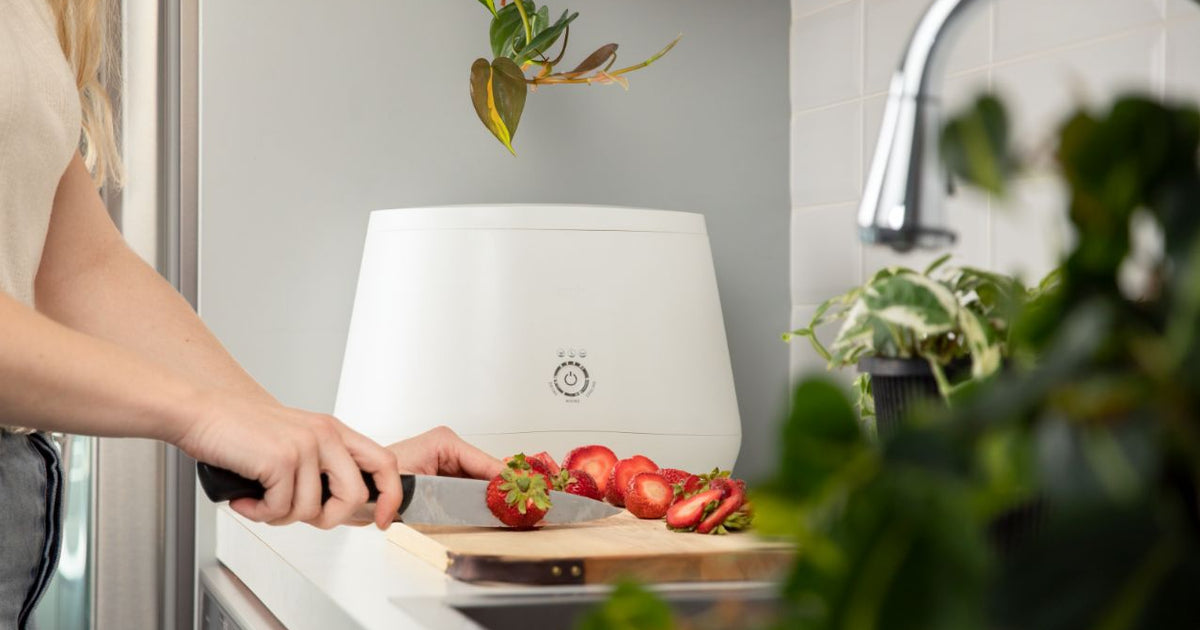
Lomi is a popular home compost machine that turns food waste into usable soil. Many people love Lomi because it’s easy to use and helps reduce garbage. But, like any appliance, Lomi can sometimes stop working or show error messages.
If your Lomi is not running well, you’re not alone. Many owners face issues like bad smells, stuck cycles, or confusing lights. This guide will help you find the cause, fix common problems, and keep your Lomi working smoothly.
Whether you’re a new owner or have used Lomi for months, this troubleshooting article will give you step-by-step solutions. You’ll learn how to fix your Lomi, understand error signals, and avoid mistakes. We’ll also share expert tips and practical insights that most beginners miss.
Even if you have tried other composters before, you will find that Lomi has its own quirks and best practices, which we’ll explain in detail.
How Lomi Works And Why Problems Happen
Lomi uses heat, grinding, and airflow to turn food scraps into compost. You place your waste inside, select a cycle, and wait for finished soil. The machine runs on electricity and uses filters to control odors.
The process inside Lomi is more advanced than a simple trash bin. First, the grinding mechanism breaks down big pieces of waste. Then, a heater dries and heats the material to speed up decomposition. Finally, a fan moves air through a carbon filter to trap smells.
All parts need to work together for good results.
Problems can happen for many reasons:
- Wrong setup or installation
- Overfilling the bucket
- Using wrong materials
- Dirty filters or sensors
- Electrical faults or software errors
Understanding these reasons helps you fix issues faster. Many owners think Lomi is “broken” when it’s just a simple mistake, like forgetting to clean the filter. For example, if you put the machine on an uneven surface, it might vibrate too much, leading to sensor errors or strange noises.
Some issues happen from small habits, like always adding wet waste without mixing in dry scraps. Over time, this can block airflow, making the machine work harder and causing smells or incomplete cycles. Knowing how the machine works makes it easier to spot if the problem is technical or just a usage mistake.
Common Lomi Problems And Their Causes
Most Lomi issues fall into a few main groups. Let’s look at the most frequent problems, their causes, and how to spot them.
1. Lomi Won’t Turn On
If your Lomi doesn’t power up, it could be:
- Unplugged power cord
- Faulty outlet or socket
- Internal fuse blown
- Software glitch
Check the power cord and plug first. Try a different outlet. If it still won’t start, you may need to reset the machine or contact support. Sometimes, wall switches can control power to the outlet, so make sure the switch is on.
2. Lomi Stops Mid-cycle
When Lomi stops before finishing:
- Overfilled bucket
- Jammed grinder or motor
- Wrong waste items
- Sensor error
Remove some waste, check for jammed parts, and restart the cycle. If it keeps stopping, clean the sensors and check for error lights. Foreign objects, such as fruit stickers or twist ties, are common causes of jams.
3. Bad Smells During Operation
Lomi should not smell bad during a cycle. If you notice strong odors:
- Filter needs replacement
- Too much wet waste
- Not enough dry material (like paper or leaves)
- Blocked airflow
Change the filter, add dry waste, and clean the air vents. If you still notice a smell, check the seal on the lid. A damaged seal can let odors escape even if the filter is new.
4. Lomi Produces Poor Compost
If your compost is wet, clumpy, or smells:
- Wrong waste mix
- Cycle not finished
- Too much liquid
- Not enough dry material
Add more dry items, run another cycle, or check the settings. Compost should be dark and crumbly, not sticky or soggy. If you see a lot of unprocessed pieces, the waste was likely too large or the cycle was too short.
5. Error Lights Or Codes
Lomi uses colored lights to show errors:
- Red: Serious fault
- Yellow: Filter or sensor issue
- Green: Ready or running
If you see red or yellow, check the manual for code meanings. Often, errors come from dirty sensors or a full filter. Some errors can also happen after a power outage, so always check your home’s electricity if the machine acts strange.
Step-by-step Troubleshooting For Lomi
Let’s walk through fixing Lomi issues, from simple to advanced.
Step 1: Check The Power
- Make sure the power cord is plugged in firmly.
- Try a different outlet.
- Inspect for visible damage.
If the machine won’t turn on, unplug it for 5 minutes, then plug it back in. This resets the system. If you hear a faint click or hum but nothing happens, the internal fuse or power supply may need service.
Step 2: Inspect The Bucket
- Remove the lid and check for overfilled waste.
- Look for foreign objects (like forks or packaging).
- Make sure the grinder is clear.
If you see jammed items, remove them gently. Never force the grinder. Using a wooden spoon or spatula is safer than your hands. For stubborn jams, let the machine cool down before trying again.
Step 3: Clean Filters And Sensors
Lomi has a filter under the lid and sensors inside the bucket.
- Remove the filter and replace it if old.
- Wipe sensors with a damp cloth.
- Clear any dust or debris.
Dirty filters and sensors cause most errors. Cleaning often solves the problem. For deep cleaning, use a soft brush or cotton swab on the sensors, but never use harsh chemicals.
Step 4: Check The Waste Mix
- Don’t add too much wet food (like soup or fruit).
- Mix with dry items (paper, leaves, small cardboard).
- Avoid large bones, hard shells, or plastic.
Lomi works best with a balanced mix. If compost is wet, add more dry material. If you use only wet waste, the machine can’t dry it properly, leading to sticky compost and bad smells.
Step 5: Reset The Machine
If errors keep showing:
- Unplug Lomi for 5 minutes.
- Plug in and press the reset button (if available).
- Start a short cycle with no waste.
This clears most software faults. If you often need to reset, check if your home has unstable power, as surges can confuse the electronics.
Step 6: Run A Test Cycle
After cleaning and checking, run a short cycle:
- Use only a few dry scraps.
- Watch for error lights or strange noises.
If the test cycle works, your Lomi is fixed. If not, move to advanced troubleshooting. Listen for grinding or whirring noises, as these can warn of mechanical trouble before a full jam happens.
Advanced Troubleshooting Techniques
If basic steps don’t help, try these advanced methods.
Firmware Update
Lomi sometimes needs a software update to fix bugs. Check the official website for instructions. Updating can solve issues like stuck cycles or random errors. Make sure the machine is not running a cycle when updating.
Inspect Internal Parts
If you’re comfortable, open the bottom cover to check for:
- Loose wires
- Damaged motor
- Burned fuse
Only do this if your warranty allows. If unsure, contact support. If you smell burning or see melted parts, unplug immediately and don’t use the machine until it’s repaired.
Check Airflow
Lomi uses fans to move air. Blocked vents cause overheating and smells.
- Clean air vents with a brush or vacuum.
- Make sure nothing blocks the fan.
If you have pets, check for hair or fur around the air intakes. Pet hair can easily clog vents and reduce efficiency.
Replace Parts
If the filter, sensors, or grinder are damaged, replace them. Order parts from the official store. Installing new parts often solves repeated problems. Double-check you’re using the right parts for your Lomi model, as sizes can vary.
Typical User Mistakes That Cause Lomi Issues
Many Lomi owners make mistakes that lead to trouble. Here are some common ones:
- Overfilling: Too much waste stops the cycle or jams the motor.
- Wrong items: Metal, plastic, or large bones damage the grinder.
- Skipping filter changes: Old filters cause odors and errors.
- Ignoring cleaning: Dirty sensors or vents trigger error lights.
- Wrong waste mix: Too much wet food makes compost sloppy.
Another mistake is not waiting for the cycle to finish before opening the lid. Interrupting cycles can confuse the sensors and leave you with incomplete compost. If you’re unsure whether an item is compostable, check Lomi’s official list—some items, like compostable plastics, can only go in certain cycles.
Avoid these mistakes to keep your Lomi running smoothly.
Lomi Error Codes Explained
Lomi uses colored lights and sometimes beeps to show errors. Here’s a quick guide:
| Error Light | Meaning | How to Fix |
|---|---|---|
| Red | Serious fault (motor, fuse, or software) | Reset, check motor, contact support |
| Yellow | Filter or sensor issue | Clean filter/sensor, replace if needed |
| Green | Ready or running | No action needed |
| Blinking | Cycle paused or incomplete | Restart cycle, check for jams |
For detailed codes, check the Lomi manual or the official site. Some models beep or flash patterns to give extra detail—note the color and pattern before calling support.

Cleaning And Maintenance Tips For Lomi
Regular cleaning keeps your Lomi in top shape. Here’s how to care for it:
- Wipe the inside bucket after every cycle.
- Change filters every 3–6 months.
- Clean sensors weekly with a soft cloth.
- Check air vents monthly.
- Run an empty cycle with baking soda to remove odors.
If you notice residue building up, soak the bucket with warm water and mild soap. Never use bleach, as it can damage parts and leave harmful fumes. For tough stains, a mix of vinegar and water works well and is safe for the machine.
Many owners skip cleaning, leading to most problems. Build a routine to avoid trouble. Set reminders on your phone or calendar to help remember filter changes.
Comparing Lomi To Other Compost Machines
How does Lomi stack up against other home composters? Here’s a comparison:
| Feature | Lomi | Traditional Bin | Electric Composter (Other Brands) |
|---|---|---|---|
| Speed | 4–24 hours | 2–6 months | 5–48 hours |
| Odor Control | Strong filter | Weak | Varies |
| Ease of Use | Very easy | Manual | Easy |
| Maintenance | Low | Medium | Medium |
| Common Issues | Error codes, jams | Pests, smells | Jams, filter problems |
Lomi is faster and easier than most bins, but it needs filter changes and can show error codes. Traditional bins often attract bugs or rodents if left open. Electric composters from other brands may lack Lomi’s odor control or have more complex controls.
How To Prevent Lomi Problems
Prevention is better than fixing. Follow these steps to avoid trouble:
- Use only recommended waste items.
- Don’t overfill the bucket.
- Mix wet and dry waste.
- Clean after every cycle.
- Change filters on schedule.
- Watch for error lights and fix them early.
Many beginners forget about dry waste, causing clumpy compost and jams. Always add some paper or leaves. If you have pets, check that no pet waste or litter goes in—these are not safe for Lomi and can cause breakdowns.
Another prevention tip: don’t run Lomi in a very humid or very cold room, as extreme temperatures can affect its sensors and drying power.
Getting Professional Help
If your Lomi has a serious fault, or you cannot fix it with these steps, contact customer support. Have your serial number and purchase details ready.
Lomi offers a warranty for most parts. Do not open the machine if you’re unsure—it may void the warranty.
For extra tips, see the official Lomi website. Their FAQ and support team can guide you through advanced fixes, and they sometimes have video guides for common issues.
Practical Tips Most Beginners Miss
Here are two insights many users overlook:
- Sensor Cleaning: Even tiny dust can block Lomi’s sensors. Clean them weekly, not just when errors appear. Some users only wipe sensors when there’s a problem, but regular cleaning prevents most issues before they start.
- Cycle Selection: Lomi offers several cycles. Using the wrong cycle for heavy waste can cause jams. Choose the “Eco Express” for small loads and “Grow Mode” for bigger or wetter loads.
Another tip: run a dry cycle if you see moisture after composting. It improves soil quality and prevents smells. Also, let your finished compost “breathe” for a few hours before adding it to plants—this helps extra moisture evaporate and makes the compost safer for your garden.
If you have multiple Lomi buckets, rotating them can help. While one is being cleaned and dried, you can use the other.
Real-life Examples Of Lomi Troubleshooting
Let’s look at some real cases:
- Sarah’s Lomi stopped mid-cycle. She found she had put too much wet food. After removing some waste and adding dry leaves, the machine finished the cycle.
- Mike saw a red error light. After cleaning the filter and sensors, the light stayed on. He unplugged Lomi, waited, and pressed reset. This fixed the error.
- Lina’s compost smelled bad. She realized she hadn’t changed the filter in six months. After replacing it and running a dry cycle, the smell disappeared.
Another case: Tom’s Lomi made a grinding noise. He found a peach pit stuck in the grinder. After carefully removing it and checking for damage, the machine worked fine.
These examples show that most problems are simple to fix. The key is to check waste mix, filter, and sensors first. If you keep a record of problems and solutions, you’ll spot patterns and prevent future trouble.
Data On Lomi Reliability
According to user reviews and product testing:
- Over 80% of Lomi owners report smooth operation after regular cleaning.
- Most errors are caused by overfilling or filter neglect.
- Less than 5% report major faults requiring repair.
Lomi’s design is robust, but it needs routine care. Many users notice fewer errors after the first few weeks, as they learn the best waste mix and cleaning schedule. Large families may need to clean more often, especially if they use the machine daily.
Comparing Lomi Models
Lomi offers several models. Here’s a quick comparison:
| Model | Capacity | Cycle Options | Maintenance Needs |
|---|---|---|---|
| Lomi Classic | Up to 3 liters | 3 modes | Low |
| Lomi Pro | Up to 5 liters | 4 modes | Medium |
| Lomi Home | Up to 2 liters | 2 modes | Very low |
Choose a model that fits your family size and waste amount. Bigger models need more filter changes. If you cook a lot at home or have a garden, a larger model can save you time, but remember to clean it often.
Environmental Benefits Of Lomi
Using Lomi reduces landfill waste and lowers your carbon footprint. Data shows that composting food waste at home cuts greenhouse gas emissions by up to 50% compared to throwing it away.
Lomi also creates useful soil for gardens, helping plants grow. Many users report healthier gardens after using Lomi compost. By reducing the amount of garbage you send to landfill, you help fight climate change and cut down on methane gas from rotting food.
A family using Lomi for a year can keep hundreds of pounds of waste out of landfills. If you share your compost with neighbors or a community garden, the impact is even bigger.
When To Replace Your Lomi
If your Lomi is old and shows repeated faults, it might be time to replace it.
Signs you need a new machine:
- Repairs cost more than half the price of a new unit.
- Major parts (motor, grinder) fail.
- The machine is over 5 years old and unreliable.
Upgrading can save money and reduce hassle. Newer models often have better odor control, quieter motors, and improved reliability. If you upgrade, consider recycling your old Lomi if possible.

Frequently Asked Questions
What Waste Can I Put In My Lomi?
You can add fruit and vegetable scraps, coffee grounds, eggshells, small pieces of paper, and soft food waste. Avoid hard bones, metal, plastic, and very oily foods. For best results, cut large items into smaller pieces.
How Often Should I Change The Filter?
Change the filter every 3–6 months, or when you notice bad smells or error lights. Regular changes keep Lomi running well. In homes with heavy use, check the filter every two months.
Why Does My Lomi Smell Bad?
Bad smells usually mean the filter is old or the waste mix is too wet. Change the filter, add more dry material, and clean the bucket. If the smell remains, check for hidden food bits under the grinder.
What Should I Do If Lomi Shows A Red Error Light?
First, clean the filter and sensors. If the red light stays, unplug Lomi for 5 minutes and try again. If the problem continues, contact support. Note any beeps or flashing patterns to help support diagnose the issue faster.
Is Lomi Compost Safe For My Garden?
Yes, Lomi compost is safe and rich in nutrients. Let it dry and cool before adding to plants. It improves soil and helps flowers and vegetables grow. For sensitive plants, mix Lomi compost with regular soil for best results.
Home composting is easy with Lomi, but regular care is key. Follow these troubleshooting steps and tips to keep your machine running smoothly, reduce waste, and create healthy soil. With a little attention, your Lomi will work for years and help your home stay green.