A treadmill is one of the most popular exercise machines in homes and gyms. It’s reliable, convenient, and helps people of all fitness levels stay active. But, like any machine, a treadmill can sometimes stop working or behave strangely. When this happens, it can be frustrating, especially if you rely on your treadmill for daily exercise. The good news is that many common treadmill problems can be fixed at home—often without calling a technician. Understanding treadmill troubleshooting can save you time, money, and stress. In this guide, you’ll find clear, practical advice to help you solve most treadmill issues yourself, even if you’re not a tech expert.
How A Treadmill Works: The Basics
Before you start troubleshooting, it helps to know how a treadmill works. A typical treadmill has a motor, a belt, an incline system, electronics (like the console and display), and a frame. The motor moves the running belt. The console lets you control speed, incline, and sometimes workout programs. Safety features like the safety key stop the treadmill if you fall.
Many problems come from just a few parts. For example, a worn belt can cause slipping. A faulty motor can stop the belt from moving. If you know what each part does, it’s easier to spot what’s wrong.
Common Treadmill Problems And What They Mean
Most treadmill issues fall into a few main categories. Let’s look at the most frequent ones, what they usually mean, and why they happen.
1. Treadmill Won’t Start
If nothing happens when you press “Start,” first check these things:
- Power cord: Is it plugged in tightly?
- Circuit breaker: Has it tripped? Some treadmills have a reset switch near the power cord.
- Safety key: Is it in place? Many treadmills won’t start without this small magnetic key.
- Console display: Is it blank or showing error codes?
A loose power connection or missing safety key are the simplest fixes. But if the console lights up but won’t run, the issue could be inside the motor or the control board.
2. Belt Slipping Or Stopping
A slipping belt is one of the most common issues. You might notice the belt stop for a second, or feel uneven movement.
- Loose belt: Over time, belts stretch and need tightening.
- Worn belt: If the belt is old or cracked, it may not grip well.
- Dry deck: The running deck underneath the belt needs regular lubrication.
- Motor problems: A weak or failing motor struggles to keep the belt moving.
3. Treadmill Makes Strange Noises
Unusual sounds can mean different problems:
- Squeaking: Usually dry or misaligned parts.
- Grinding: Worn bearings or a damaged roller.
- Thumping: A loose or curled belt.
Ignoring noises can lead to bigger repairs, so it’s best to check them right away.
4. Display Or Console Problems
Sometimes the treadmill turns on, but the display is blank or shows strange numbers.
- Loose connections: Wires inside the console can come loose.
- Dead batteries: Some consoles use batteries for memory.
- Software bugs: Rare, but sometimes resetting the treadmill helps.
5. Incline Not Working
If the incline won’t move, or gets stuck:
- Obstruction: Something under the treadmill can block the incline.
- Motor failure: The incline uses a small motor which can wear out.
- Control board: If other features also fail, the problem may be electronic.
6. Treadmill Stops Suddenly During Use
A treadmill that shuts off by itself can be scary and dangerous.
- Overheating motor: Some treadmills stop if the motor gets too hot.
- Loose power cord: Movement can jiggle the plug loose.
- Overloaded circuit: Too many devices on one outlet can cut power.
7. Burning Smell Or Smoke
Never ignore a burning smell. It usually means a serious problem:
- Overheated motor: May need cleaning or replacement.
- Friction: A dry or misaligned belt can generate heat.
- Electrical short: Dangerous—unplug the treadmill right away.
Non-obvious insight: Sometimes, a treadmill will refuse to start after a power outage or surge, but all parts look fine. In these cases, unplugging the treadmill for a full minute before restarting can reset the internal electronics.
Step-by-step Troubleshooting Guide
Now, let’s walk through practical steps to diagnose and fix the most common treadmill problems. Safety first: always unplug your treadmill before opening any covers or working on internal parts.
Step 1: Check The Power Source
- Make sure the outlet works. Test it with another device, like a lamp.
- Check for a tripped circuit breaker or blown fuse.
- Inspect the treadmill’s power cord for cuts or signs of damage.
Step 2: Inspect The Safety Key
- Look for the safety key slot, usually near the console.
- If you’ve lost the key, most brands sell replacements online.
- Some treadmills use a magnetic key; a simple fridge magnet sometimes works in an emergency.
Step 3: Examine The Console
- If the display is blank, look for loose wires behind the console.
- Try removing and replacing any console batteries.
- If you see error codes, search your treadmill’s manual or the manufacturer’s website for what they mean.
Step 4: Check The Belt And Deck
- Stand beside the treadmill and lift the edge of the running belt. There should be about 2-3 inches of lift in the middle.
- If the belt is loose, adjust the tension bolts at the back of the treadmill.
- Clean the deck and apply treadmill lubricant (usually silicone-based) according to the manual.
Step 5: Listen For Noises
- Run the treadmill at a slow speed without anyone on it.
- Listen for squeaks, grinding, or thumps.
- If you hear noise, try to find where it’s coming from: Front, middle, or back.
Step 6: Test The Incline
- Start the treadmill and use the incline buttons.
- If the incline won’t move, check for obstructions underneath.
- Listen for the incline motor—if it runs but nothing happens, the lift mechanism may be jammed or broken.
Step 7: Motor And Electronics
- Open the motor cover (usually at the front).
- Look for dust, loose wires, or burned smells.
- Check the drive belt between the motor and the front roller. It should be tight but not too tight.
Step 8: Reset The Treadmill
- Unplug the treadmill for 1-2 minutes.
- Plug it back in and try starting again.
- Many treadmills have a “reset” button on the console or near the power switch.
Non-obvious insight: Sometimes, static electricity can cause odd behavior in treadmill electronics. If your treadmill acts up during dry winter months, try using a humidifier in the room.
When To Call A Professional
While many problems can be fixed at home, some require an expert. Call a professional if:
- You smell burning or see smoke
- The motor makes loud grinding noises
- The belt won’t move even after adjusting and lubricating
- The console flashes warnings you don’t understand
- You see exposed wires or broken parts
Attempting to repair complex electronics or motors without experience can lead to injury or make the problem worse. Most treadmill manufacturers have certified repair services.
Preventive Maintenance For Treadmills
Regular maintenance is the best way to avoid breakdowns. Here are simple steps to keep your treadmill running smoothly.
Clean And Lubricate Regularly
- Wipe down the belt and deck after every workout.
- Vacuum under and around the treadmill to prevent dust buildup.
- Lubricate the deck every 3-6 months (or as the manual says).
Keep The Belt Aligned And Tight
- Check the belt alignment once a month.
- Adjust the tension if you notice slipping or uneven wear.
Inspect The Power Cord And Plug
- Look for fraying or cracks.
- Replace immediately if damaged.
Monitor The Motor Area
- Remove the motor cover every 6 months.
- Blow out dust with compressed air (never use water).
- Check for worn belts or buildup.
Keep Software Updated
Some high-end treadmills let you update the console software. Check the manufacturer’s website for updates to fix bugs or improve features.
Use A Surge Protector
A treadmill’s motor and electronics are sensitive to power surges. Plugging into a surge protector can prevent damage from lightning or electrical spikes.
Don’t Overload The Outlet
Avoid plugging your treadmill into a shared outlet with other high-power devices. This can prevent sudden shutdowns or blown fuses.
Practical tip: Write the maintenance dates on a sticker and stick it to your treadmill. This helps you remember when to clean and lubricate.
Comparing Treadmill Troubles: Home Vs. Commercial Models
Different types of treadmills have different problems. Here’s a comparison of common issues for home and commercial (gym) treadmills:
| Issue | Home Treadmills | Commercial Treadmills |
|---|---|---|
| Belt Slipping | Common due to lighter build, less frequent lubrication | Rare, but can happen with heavy use or poor maintenance |
| Motor Failure | Usually after several years, often due to dust or lack of lubrication | Less common, motors are heavier-duty but expensive to replace |
| Console Errors | Can result from loose wires, power surges | May occur after thousands of hours, often software-related |
| Incline Problems | Obstructions, motor wear | Hydraulic or mechanical failures due to heavy use |
Most Overlooked Treadmill Troubleshooting Tips
Many treadmill owners miss simple steps that could solve their problems. Here are two big ones:
- Check the room’s temperature and humidity. Treadmills work best in rooms between 50°F and 104°F (10°C to 40°C). Too cold or too humid can cause errors or corrosion.
- Level your treadmill. An uneven floor can make the belt slip or the incline act strangely. Use a carpenter’s level to check, and adjust the treadmill’s feet as needed.
What Treadmill Error Codes Really Mean
Modern treadmills show error codes when something goes wrong. Each code means something different, but here are the most common:
- E1/E2: Speed sensor error. The treadmill can’t “see” how fast the belt is moving.
- E3: Incline motor error.
- E6: Communication error between console and motor.
- LS: Low speed detected—often a belt or motor issue.
Always check your treadmill’s manual for exact code meanings. Some brands put manuals online if you’ve lost yours.
Comparing Treadmill Belt Types And Related Problems
Not all treadmill belts are the same. Here’s how different belt types affect troubleshooting:
| Belt Type | Typical Problems | Troubleshooting Difficulty |
|---|---|---|
| Single-ply | Wears out faster, more slipping | Easy to replace, low cost |
| Double-ply | Stiffer, can develop “waves” or thumping | More durable, but harder to adjust |
| Textured | Can catch dust, needs more cleaning | Similar to single-ply, easy to clean |
A worn belt not only feels strange but can also damage the motor over time. Replace belts before holes appear.
Real-life Examples: Diagnosing Treadmill Issues
Let’s look at two real cases:
Case 1: Treadmill stops after 10 minutes of running.
- Checked power cord and outlet—both fine.
- Noticed the motor was very hot.
- Opened motor cover—dust buildup everywhere.
- Solution: Cleaned the motor area with compressed air. Problem solved.
Case 2: Incline stuck at the highest setting.
- Tried resetting the console—no change.
- Checked under treadmill—found a small toy blocking the incline lift.
- Removed the toy, treadmill worked normally.
These examples show how sometimes the cause is simple, but not obvious at first glance.
Safety Tips When Troubleshooting
- Always unplug the treadmill before opening any covers.
- Never touch moving parts while the treadmill is running.
- Don’t use water to clean inside the motor area.
- If you’re unsure, ask a professional or contact the manufacturer.
When To Replace Instead Of Repair
Treadmills have a lifespan, usually 7–12 years for home models. Consider replacing your treadmill if:
- The cost of repair is more than half the price of a new model.
- The treadmill frame or deck is cracked.
- The motor or control board fails after years of use.
- Parts are no longer available from the manufacturer.
Newer treadmills are often quieter, more energy-efficient, and have better safety features.

Where To Find Reliable Treadmill Parts
If you need new parts, it’s important to buy genuine replacements. Always check the manufacturer’s website or certified dealers. For older models, look for reputable fitness equipment suppliers. Avoid buying used motors or belts unless they come with a warranty.
One external resource for treadmill owners is the Wikipedia Treadmill Page. It offers a broader look at treadmill history, mechanics, and types.
Troubleshooting Treadmill Speed Issues
A treadmill that runs too fast, too slow, or unevenly can be dangerous. Most speed issues are linked to:
- Worn speed sensor: The sensor reads the belt’s speed. If dirty or misaligned, it can cause jerky motion.
- Dry belt or deck: Not enough lubrication means the motor works harder.
- Loose or worn drive belt: This is the smaller belt between the motor and front roller.
If your treadmill’s speed is unstable, clean the sensor (usually near the front roller) and check the drive belt for cracks or looseness.
Comparing Treadmill Motor Types And What That Means For Troubleshooting
There are two main types of treadmill motors: DC (direct current) and AC (alternating current). Here’s how they compare:
| Motor Type | Common Problems | Repair Difficulty |
|---|---|---|
| DC Motor | Brush wear, overheating, poor speed control | Moderate—brushes can be replaced, but overheating may need pro help |
| AC Motor | Heavier, more expensive, but fewer issues | Hard—usually requires a technician |
Knowing your motor type helps you describe problems to technicians and find the right parts.
Environmental Factors That Affect Treadmill Performance
Many owners overlook how the room environment affects treadmill health. Key factors:
- Dust: Dust buildup inside the motor or on electronics can cause overheating or shorts.
- Temperature: Too cold slows down lubricants; too hot can overheat the motor.
- Humidity: High humidity can cause rust or electrical shorts. Low humidity can increase static electricity.
Place your treadmill in a clean, dry, and temperature-controlled room for best results.

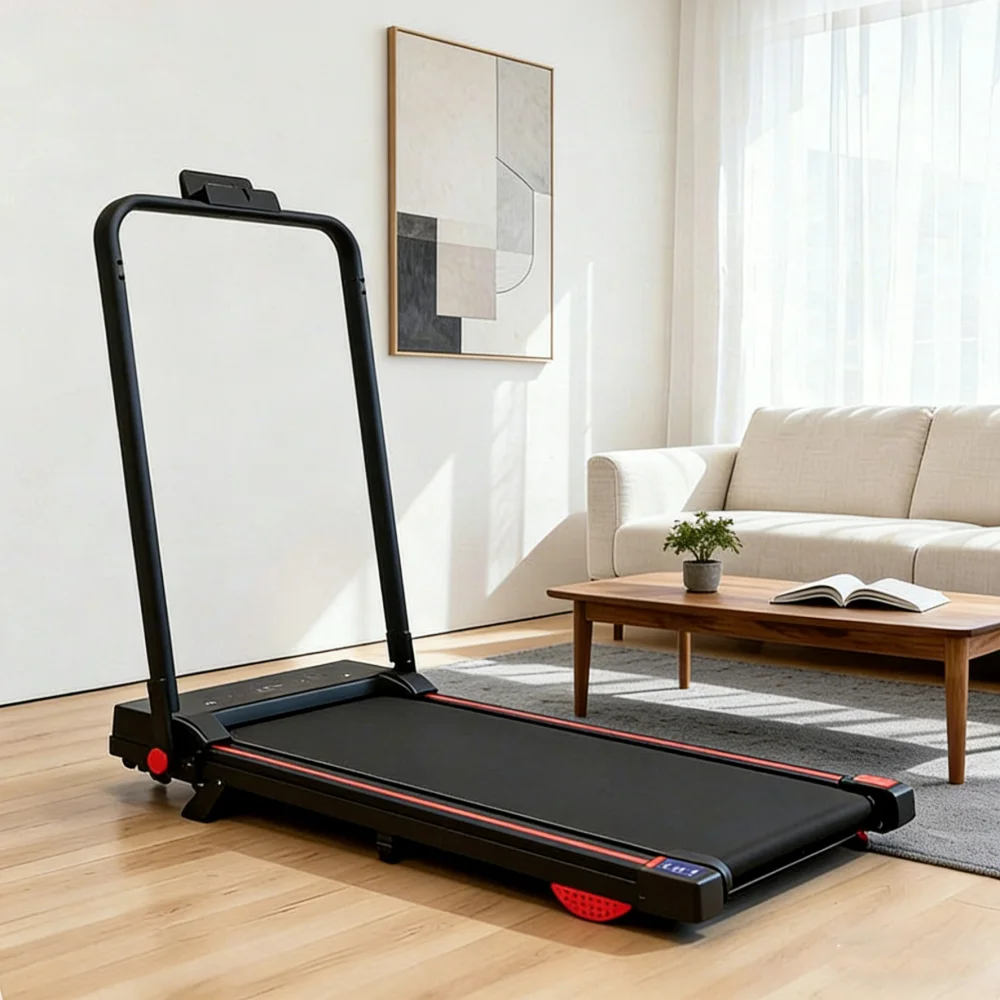
Treadmill Troubleshooting For Foldable Models
Foldable treadmills save space but introduce unique challenges:
- Locking mechanism: If the treadmill won’t unfold, check the lock or latch for debris.
- Loose joints: Folding and unfolding can loosen bolts—check them every few months.
- Cable pinching: Wires can get pinched during folding, leading to console errors.
Always follow the manufacturer’s instructions for folding and storage.
The Role Of User Weight And Usage Patterns
Not all treadmill problems are caused by the machine itself. User weight and how often you use the treadmill matter.
- Heavier users: May wear out belts and motors faster.
- Daily use: Needs more frequent lubrication and cleaning.
- Interval training: Fast speed changes can strain the motor if the treadmill isn’t designed for it.
If several people use the treadmill, adjust your maintenance schedule for heavier use.
Smart Treadmills: New Problems And Solutions
Many modern treadmills connect to Wi-Fi, apps, or have touchscreens. These features can introduce new troubleshooting steps:
- Wi-Fi connection errors: Try restarting your router and treadmill.
- Software freezes: Reset the console or check for software updates.
- Bluetooth pairing issues: Remove old devices from the list and try again.
For smart treadmills, the manufacturer’s website or app support page often has specific troubleshooting guides.
Upgrading Instead Of Repairing: When Is It Worth It?
Sometimes, spending a little more to upgrade gives you better value than repairing an old treadmill.
- Newer models may have better shock absorption, quieter motors, and more accurate consoles.
- Advanced features like heart rate monitoring, interactive workouts, and auto-lubrication save time and effort.
- Improved safety features, such as auto-stop sensors, protect all users.
If your treadmill is 10+ years old and needs a major repair, upgrading is often the smarter choice.
Frequently Asked Questions
Why Does My Treadmill Belt Keep Slipping?
A slipping belt is usually caused by loose belt tension or a dry deck. Tighten the belt using the adjustment bolts at the back and apply treadmill lubricant as recommended. If the belt is worn or cracked, it may need replacement.
How Often Should I Lubricate My Treadmill?
Most manufacturers recommend lubricating every 3-6 months, depending on usage. If you use your treadmill daily, check the deck more often. Always use the lubricant type suggested in your manual.
My Treadmill Shuts Off Suddenly—what’s Wrong?
Sudden shutdowns are often due to overheating, a loose power connection, or an overloaded circuit. Clean dust from the motor area, check the cord and plug, and avoid sharing the outlet with other high-power devices.
What Should I Do If My Treadmill Makes A Burning Smell?
Unplug the treadmill immediately. A burning smell can mean the motor is overheating, the belt is misaligned, or there’s an electrical problem. Do not use the treadmill until you’ve found and fixed the cause, or have a technician check it.
Where Can I Find My Treadmill’s Error Codes?
Check your owner’s manual or the manufacturer’s website. Many brands post manuals and code lists online. If you can’t find the code, contact customer support for help.
conclusion
A well-maintained treadmill gives you years of safe, effective workouts. By learning basic troubleshooting, you can avoid frustration, save money, and stay on track with your fitness goals. Remember, regular checks and quick fixes are the best way to keep your treadmill running smoothly.
If you face a problem you can’t solve, don’t hesitate to call a pro—your health and safety are always worth it.