You can perform basic dynex tv troubleshooting by power cycling the device and checking your external input sources. Most connection or display issues stem from a temporary software glitch or a loose cable rather than a hardware failure. If your screen remains black or the indicator light doesn’t respond, try unplugging the power cord from the wall outlet for 60 seconds. This simple reset clears the memory and often solves persistent startup problems.
Troubleshooting common Dynex display and power problems
When your television fails to operate as expected, the cause usually involves the power supply, the signal source, or a software hang. A television is a complex electronic device, and minor voltage fluctuations can cause the internal processor to stop responding. If you see a standby light but can’t turn the unit on, the television is likely stuck in a protected state.
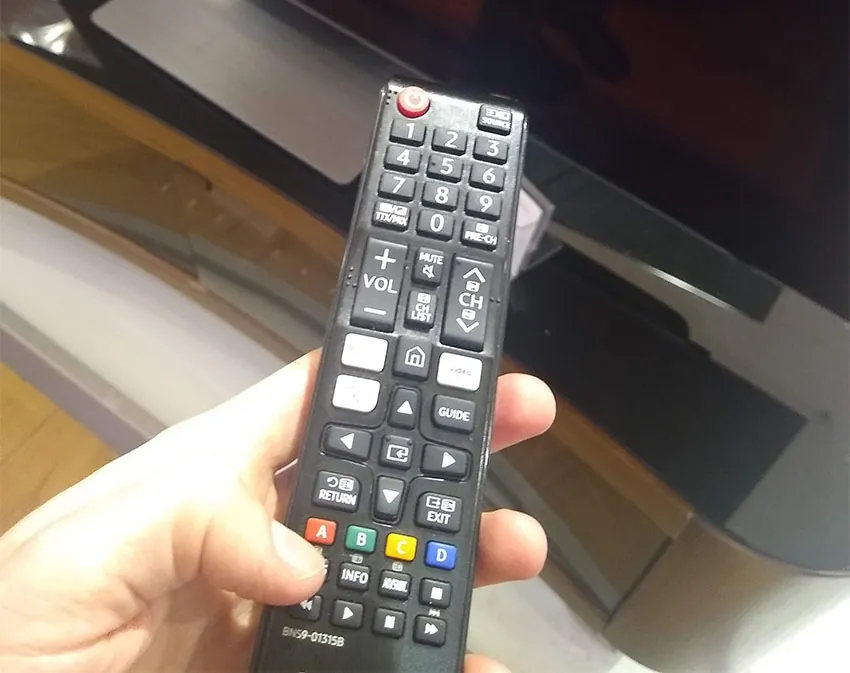
Another common cause is a faulty HDMI or coaxial connection. If the television is on but shows no picture, it may be set to an input that isn’t receiving a signal. Always ensure the cables are pushed firmly into both the television and your external device, such as a cable box or gaming console. You should also verify that the remote control has fresh batteries, as a weak signal can mimic a power failure.
If these basic steps don’t restore the image, the problem might involve a failed backlight or an internal component. If the screen is cracked or the television emits a burning smell, stop using the device immediately. These signs indicate damage that requires professional service or replacement rather than a home fix.
Power cycling the television unit
To perform a full power cycle, remove the power plug from the wall outlet while the television is still turned on. Wait for at least 60 seconds before you plug the power cable back into the wall. This wait time is vital because it allows the capacitors inside the power board to discharge completely. If you plug it back in too quickly, the system may retain the same error state.
Once you reconnect the power, press the physical power button on the television frame rather than using the remote. If the television turns on, your remote control might be the source of the issue. If it still doesn’t turn on, try a different wall outlet to rule out a tripped circuit breaker or a faulty wall plug.
This fix is ideal for users facing a frozen screen or a unit that refuses to wake from standby mode. If the television still fails to display an image after trying a different outlet, the internal power supply board likely requires professional repair.
Verifying input and cable connections
A common mistake is assuming the television is broken when it’s simply on the wrong input channel. Use your remote to cycle through the available inputs, such as HDMI 1, HDMI 2, or AV. Wait three seconds after selecting each input to see if a picture appears, as the television needs time to handshake with the connected device. If you use a cable box, ensure the box is also powered on and displaying its own status lights.
Check for bent pins or loose wires on all cable ends. If you have a spare HDMI cable, swap the current one to see if the picture returns. This helps determine if the cable itself is damaged.
If you see a “No Signal” message on the screen, the television is working correctly, but it isn’t receiving data from your external source. This is a common issue for users who frequently switch between gaming consoles and cable television providers. If the screen remains blank even after testing multiple cables and inputs, the internal signal processor may be faulty.
Assessing hardware and repair options
When software resets and cable swaps fail, you must decide if the unit is worth a professional repair. A technician can diagnose issues with the main or T-CON board. However, the cost of labor and parts for older models often exceeds the value of the television, making replacement more cost-effective.
A reliable decision rule is the 50% threshold: if the repair quote exceeds half the price of a comparable new model, decline the service. Many shops charge a non-refundable diagnostic fee, typically between $50 and $100, which is often applied to the final bill if you proceed. Always ask if this fee is waived before dropping off the hardware.
If you decide to seek help, look for a local electronics repair shop that specializes in flat-screen displays. Never attempt to take apart the casing of the television yourself, as internal components can hold a dangerous electrical charge even when unplugged. If the television is still under warranty, contact the manufacturer or the retailer to request a repair. Attempting to open the unit yourself will almost certainly void any existing manufacturer warranty.
Avoiding ineffective troubleshooting advice
Don’t spray liquid cleaner directly onto the screen. This causes moisture to seep into the bottom bezel, which leads to permanent panel corrosion. Use a microfiber cloth lightly dampened with distilled water instead.
Don’t use a hair dryer to “warm up” internal components. This creates extreme heat that melts plastic parts and damages delicate ribbon cables. If your screen remains black after warming a room, the issue is likely a failed backlight inverter, not a temperature-sensitive connection.
Don’t rely on hitting or tapping the side of the television. This rarely fixes a loose connection and can shatter the display panel or damage internal mounting brackets.
Don’t leave the television plugged into an aged surge protector. These devices lose their effectiveness over time and may fail to pass enough voltage to trigger the power supply. If the standby light is off, test the television by plugging it directly into a wall outlet.
Improving television maintenance habits
If your television is prone to issues, you can prevent future failures by optimizing how you manage your power and hardware connections. Consistency in how you shut down the device and maintain the environment helps extend its life.
| If you’re doing this | Do this instead | Why |
|---|---|---|
| Leaving the TV on 24/7 | Turn it off when not in use | Reduces heat and wear on backlights |
| Using old, frayed cables | Use high-quality, modern cables | Ensures stable data and signal flow |
| Keeping the TV in a tight cabinet | Provide 4 inches of air space | Prevents overheating of internal boards |
| Plugging into an overloaded strip | Use a single wall outlet | Prevents voltage drops and power issues |
Most owners fail to realize that smart features often keep a TV in a “standby” state that still draws power. If your remote light stays on, the processor remains active. Use a smart plug to kill power entirely if you’re away for more than 48 hours.
Check your cable connections every six months. Loose HDMI ports cause “handshake” errors that look like hardware failure. If the screen flickers, swap the cable before calling a technician; a high-quality, shielded cable is inexpensive relative to the cost of professional repair and solves most signal drops.
Frequently asked questions
How long should I wait for a power cycle to work?
Wait at least 60 seconds after unplugging the device before reconnecting the power. This duration allows the internal components to fully discharge their stored energy. If the television doesn’t start after this, leave it unplugged for 10 minutes to ensure a total reset.
Can a bad remote cause the TV to not turn on?
A broken or misconfigured remote can prevent the television from responding to a power command. If the indicator light doesn’t flash when you press the power button, the remote may be out of battery. Always try pressing the physical power button on the television frame to confirm the issue.
Why is the screen black but the sound is playing?
A black screen with audio usually indicates a failure of the LED backlight system. The television is processing the signal, but the lights behind the screen aren’t turning on. This hardware failure often requires a panel replacement, making buying a new unit more practical.
Is it safe to leave my TV on all the time?
It isn’t recommended to leave your television on indefinitely. Doing so causes the backlight LEDs to burn out much faster than intended and generates excess heat. Always use the sleep timer or turn the unit off when not watching to ensure the best performance.
What happens if I keep using a TV that keeps resetting?
If your television continuously resets, it suggests a failing power board or corrupted firmware. Continued use can lead to a complete hardware failure where the device will no longer power on. Back up your settings and prepare for the unit to stop working permanently.
How do I know if my HDMI cable is broken?
You can identify a broken HDMI cable by connecting the television to a different device using a new cable. If the display issue disappears, the original cable is the culprit. Swapping cables is the fastest way to rule out a fault before assuming the television is broken.
Conclusion
If your television still fails to function after these steps, it’s time to consult a professional technician or consider the cost of a new unit. Professional repair is only recommended if the television is a high-end model or still covered by a valid manufacturer warranty. For most budget-friendly televisions, the expense of parts and expert labor often exceeds the cost of purchasing a current model with updated features.