When you’re staying in a hotel or visiting a hospitality venue that utilizes smart room technology, encountering technical glitches can be frustrating. If you find yourself in need of enseo troubleshooting, the following guide provides a comprehensive framework to help you resolve common connectivity, display, and content issues. These systems are designed to manage television services, room temperature, and lighting, but like any digital infrastructure, they occasionally require a manual reset or a specific sequence of inputs to restore full functionality to the guest interface.
Key Takeaways

- Most system issues can be resolved by performing a hard power cycle of the television unit.
- Remote control responsiveness often depends on the direct line of sight to the infrared sensor.
- Input settings must remain on the specific HDMI port designated for the guest room controller.
- Checking the physical cable connections behind the television is a critical step for signal loss.
- When local fixes fail, contacting the front desk is necessary for server-side troubleshooting.
Why is my television not responding?
The most frequent issue reported by guests is a lack of response from the television or the remote control. Before assuming the entire system is down, verify the power status of the display.
Ensure the power cable is firmly seated in the wall outlet and the back of the TV. If the power light is off, the unit is receiving no electricity. If the light is on but the screen remains black, the system may be stuck in a standby loop.
Pro Tip: Always look for a small LED status light on the bottom bezel of the television; if it’s blinking rapidly, this often indicates the unit is attempting to communicate with the central server and is currently unavailable for user input.
How do I reset the system?
If the interface is frozen or the menu isn’t loading, a power cycle is the primary method for recovery. Unplug the television from the wall outlet and wait at least sixty seconds. This allows the internal capacitors to discharge completely, clearing the temporary memory of the set-top box or integrated controller.
After the wait, plug the device back in and allow it three to five minutes to complete its boot sequence. During this time, you may see a splash screen or a loading bar as the unit fetches configuration data from the hotel’s Enseo system documentation to ensure the room settings are correctly applied.
| Troubleshooting Step | Expected Outcome | Time Required |
|---|---|---|
| Power Cycle | System reboots and loads menu | 3-5 Minutes |
| Remote Battery Check | Consistent signal transmission | 1 Minute |
| HDMI Verification | Clear picture and sound | 2 Minutes |
| Input Selection | Correct source displayed | 1 Minute |
Enseo troubleshooting for remote connectivity
Remote controls in hospitality environments often use infrared (IR) or Bluetooth signals. If the remote isn’t working, first ensure there are no obstructions between the remote and the television’s IR sensor. Move any decorative items or pillows that might be blocking the path. If the device still fails to respond, it’s possible the batteries have depleted.
In many modern hotel rooms, the remote is paired via Bluetooth, which means it may need to be re-synced if the television was recently unplugged. Hold the “Menu” or “Sync” button for five seconds while pointing the remote at the television to initiate the pairing process.
Common display and audio problems

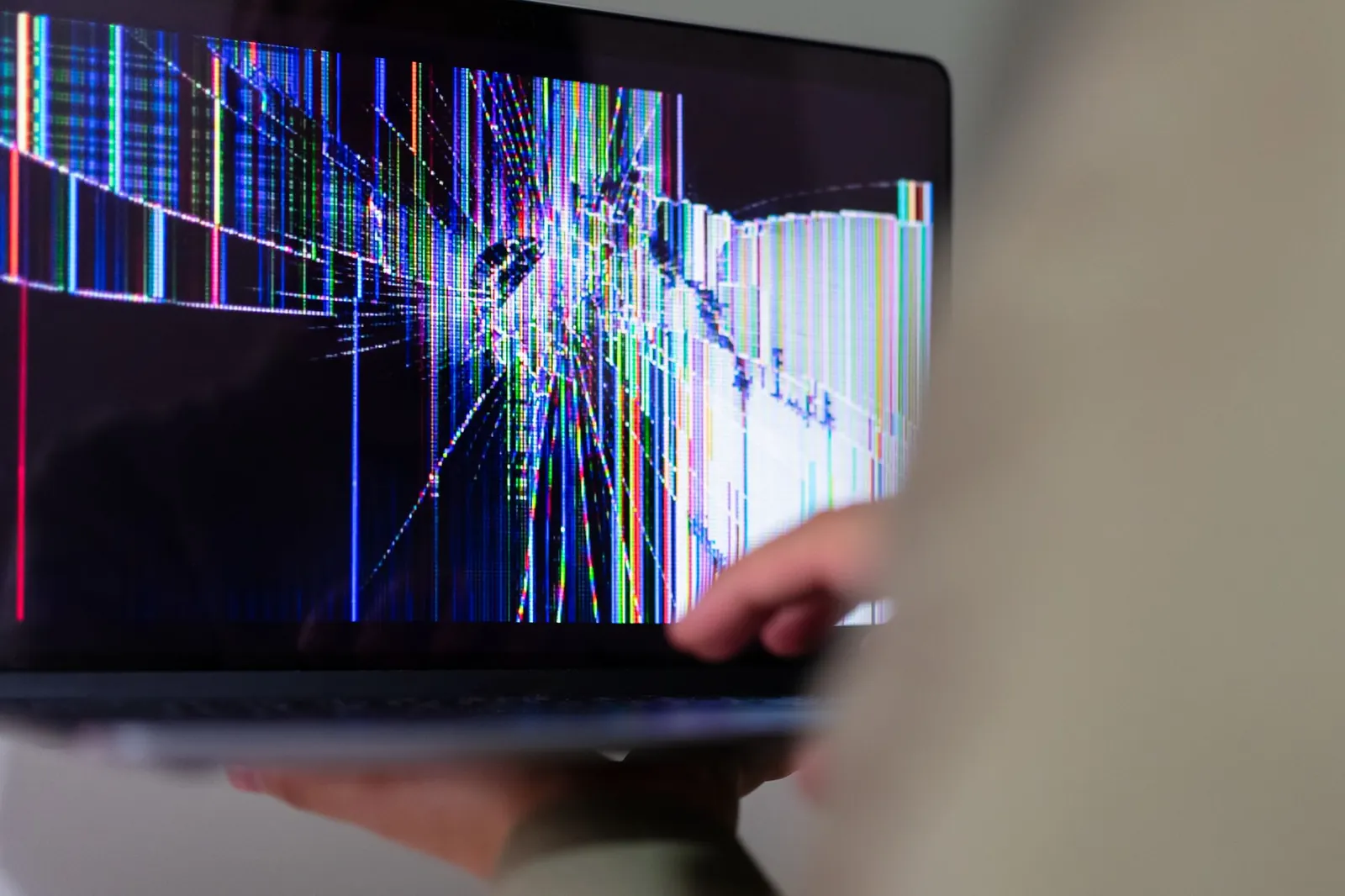
When the television turns on but the image is distorted or the audio is missing, the issue is typically related to the signal source or the cabling. Modern hotel TVs are usually locked to a specific HDMI input. If the input has been changed, the screen may show a “No Signal” message or a static blue screen.
Use the remote control to navigate to the “Input” or “Source” button and cycle through the options until you find the one labeled “HDMI” or “Hotel TV.” If the picture is flickering, check the HDMI cable connection at both the wall plate and the television. Loose connections are a frequent cause of intermittent signal loss in high-traffic rooms.
Is the internet connection down?
Enseo systems rely heavily on the local area network to deliver streaming content and interactive services. If you can see the menu but can’t launch applications like Netflix or Hulu, the room’s connection to the hotel’s backend server may be severed. Check your personal devices to see if the hotel Wi-Fi is functioning.
If your laptop or phone can’t connect to the internet, the issue is likely a building-wide network outage. If your personal devices connect fine, the issue is specific to the television’s network module. In this scenario, there’s little a guest can do beyond alerting management, as the network module is often integrated into the hotel’s restricted management software.
Addressing specific error messages
Users often encounter specific error codes that appear on the screen during the boot process. These codes are designed to provide technicians with information about what part of the system has failed. While these codes aren’t always decipherable by the average guest, they provide a clear indicator of a hardware fault.
Decoding standard error types
- Error 101: Communication failure with the hotel server.
- Error 202: Content authorization error.
- Error 303: Network timeout or latency issues.
- Error 404: Page load failure for the interactive menu.
If you see these codes, note them down before calling the front desk. Providing the specific error code allows the engineering team to determine if they can perform a remote reset or if they need to send a technician to replace a faulty component in your specific room.
Physical checks for hardware faults
Sometimes the issue is purely mechanical. Inspect the back of the television to ensure that the small control box—often a black plastic device mounted to the TV bracket—isn’t dangling or unplugged. These devices are the “brains” of the operation.
If a cleaning crew accidentally bumped the device, it could have disconnected a data cable. Ensure that the Ethernet cable is securely clicked into the port and that the power supply for the control box is also secure. If you see any frayed wires or damaged ports, don’t attempt to repair them yourself.
Limitations of guest-led repairs
It’s important to recognize when you have exhausted your capabilities. You’re a guest in the facility, and you shouldn’t attempt to open the casing of the television or the control box. Doing so may violate hotel policies and poses a safety risk.
If the steps provided here don’t resolve the issue, the problem likely stems from a configuration mismatch on the hotel’s central server. In such cases, the administrative credentials required to fix the issue are held exclusively by the hotel’s technical staff.
Frequently Asked Questions
Why does my remote not change the volume?
The volume control is often restricted to prevent the television from exceeding a set decibel level in the hotel. If the volume buttons don’t work, it’s likely a software-enforced limit. Try using the physical buttons on the side or bottom of the television bezel to see if you can override it, though this is rarely possible in modern hospitality installations.
Can I plug my own devices into the TV?
Most hotel televisions have an HDMI port accessible to guests. However, the system may be configured to automatically override your input if it detects a loss of the primary hotel signal. If you plug in a gaming console or laptop, you may need to use the TV remote to manually switch the input back to your device every time the system attempts to auto-refresh.
Why is the screen showing a blue or black box?
A blue or black box on the screen usually indicates that the television is powered on but the video feed from the external controller isn’t being received. This is often caused by a loose HDMI cable or an incorrect input setting. Ensure the cable is pushed all the way into the port and verify that the television is set to the correct HDMI input channel.
How do I log out of my streaming apps?
If you used your personal credentials to log into apps like Netflix or YouTube, you must ensure you log out before checking out. Most hotel TVs have a “Privacy” or “Clear Data” button in the main menu that wipes all personal information. If you can’t find this, navigate to the app settings inside the service and select “Sign Out” or “Reset” to protect your account security.
What should I do if the TV is making a high-pitched noise?
A high-pitched noise coming from a television is usually a sign of an electrical fault in the power supply or the internal speakers. If you hear this, turn the television off immediately and unplug it from the wall. Notify the front desk that the unit is experiencing an electrical issue, as this is a potential fire hazard and requires immediate maintenance attention.
Conclusion
If you have tried the power cycle, checked all cable connections, and confirmed that the remote is functioning properly, but the system still fails to operate, your best course of action is to contact the front desk. Provide them with the room number and a brief description of the specific error or behavior you observed so they can dispatch the appropriate technical staff to resolve the issue for you.