When your hands-free faucet stops responding or displays erratic behavior, performing a thorough equip sensor faucet troubleshooting process is the most efficient way to restore function. Whether you’re dealing with a dead battery, a blocked lens, or a faulty solenoid valve, these fixtures rely on a precise balance of infrared sensing and electrical flow. Resolving these issues typically costs between $15 and $180, depending on whether you’re simply replacing batteries or require a new electronic control box or solenoid assembly. By following a logical diagnostic path, you can determine if the fix is a simple cleaning task or a more complex component replacement.
Key Takeaways

- Most sensor issues are caused by low batteries or dirty infrared lenses.
- Always check the power source before assuming the solenoid valve has failed.
- Cleaning the sensor window with a soft, damp cloth often restores sensitivity.
- Ensure the water supply valves are fully open to maintain proper pressure.
- Resetting the electronics by disconnecting the power supply can clear minor glitches.
Why Is My Faucet Not Working?
The most common reason for a non-responsive sensor faucet is a depleted power source. Most commercial and residential sensor faucets operate on either AA batteries or a dedicated AC power adapter.
If the LED indicator on the sensor window is blinking or completely dark, your first step should be to replace the batteries or verify that the power outlet is active. A faulty sensor eye can also be caused by mineral buildup, which obscures the infrared beam and prevents the faucet from detecting movement.
How to Clean the Sensor Eye
Mineral deposits from hard water can create a hazy film over the sensor lens. To clean it, use a soft, lint-free cloth dampened with mild soap and water. Never use abrasive cleaners, scouring pads, or harsh chemicals like bleach, as these can permanently scratch or cloud the plastic lens.
Gently wipe the surface to remove any soap scum, toothpaste, or water spots that might be interfering with the infrared signal. If the sensor is still not detecting your hands after a thorough cleaning, the internal circuitry may be disconnected or damaged.
Common Sensor Faucet Problems
| Problem | Likely Cause | Suggested Action |
|---|---|---|
| No water flow | Dead batteries | Replace batteries |
| Constant running | Obstructed sensor | Clean sensor lens |
| Low water flow | Clogged aerator | Clean or replace aerator |
| Intermittent flow | Loose wire connection | Check control box |
| Noisy operation | High pressure | Install flow restrictor |
Checking the Solenoid Valve
The solenoid valve is the mechanical heart of your sensor faucet. It receives an electrical signal from the sensor and opens to allow water flow. If you hear a faint clicking sound when you place your hands in front of the sensor, but no water comes out, the valve may be stuck or blocked by debris.
Before replacing the entire valve, turn off the water supply and check the internal filter screen. Over time, sediment from the plumbing lines can accumulate in this screen, restricting flow. Rinse the screen under clean water and reassemble the unit to test it again.
Is the Power Supply Stable?
If you’re using an AC adapter, ensure the connection at the wall and the control box is secure. Over time, vibrations or accidental bumps can loosen the plug. For battery-operated units, verify that the battery pack is inserted with the correct polarity. Some models feature a low-battery indicator that flashes red when power is insufficient.
Always use high-quality alkaline batteries, as heavy-duty or rechargeable batteries may not provide the consistent voltage required for the sensor to function correctly. You can consult the official installation and maintenance guidelines provided by the manufacturer to identify specific voltage requirements for your model.
Troubleshooting Your Equip Sensor Faucet
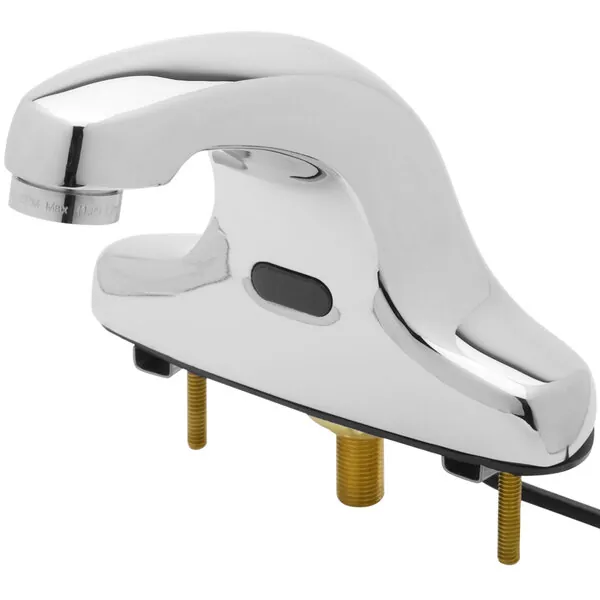
When you begin the equip sensor faucet troubleshooting sequence, start with the easiest variables first. A common oversight is the proximity range setting. Many modern faucets allow you to adjust the detection distance. If the sensor is set too low, it may not register your hands unless they’re inches away from the spout.
Conversely, if it’s set too high, the faucet may turn on when someone walks by the sink. Refer to your owner’s manual to locate the sensitivity adjustment dial or button, usually found inside the control box under the sink.
Inspecting the Control Box
The control box is the brain of the faucet. It houses the battery pack, the cable connections, and the sensor logic. Ensure all cables are firmly seated in their respective ports. If you see any signs of corrosion or moisture inside the box, this could indicate a leak or high humidity in the cabinet area, which can short out the electronics. If the electronics are damaged, you’ll likely need to order a replacement control box specific to your faucet model.
Managing Water Pressure
Extreme water pressure can sometimes interfere with the operation of the solenoid valve. If the valve fails to close properly, the faucet will continue to run. Check your home’s main water pressure regulator; typical residential systems should be set between 40 and 60 PSI.
If your pressure is significantly higher, it may force the solenoid open or prevent it from sealing shut. Installing a pressure reducing valve can protect your plumbing fixtures and extend the lifespan of your sensor faucet components.
Cleaning the Aerator
A clogged aerator can mimic the symptoms of a failed sensor faucet by significantly reducing water flow. The aerator is the mesh screen located at the tip of the faucet spout. Unscrew it carefully using a wrench—wrap the wrench in a cloth to prevent scratching the finish—and soak the aerator in white vinegar for one hour.
Use a small brush to dislodge any trapped debris, such as sand or mineral scale. Once clean, reattach the aerator and test the water flow. This simple task often resolves the issue without needing to touch the electronic components at all.
Understanding Sensor Technology
Most sensor faucets utilize either passive infrared (PIR) or active infrared (AIR) technology. PIR sensors detect the heat emitted by human hands, while AIR sensors emit a beam of light that’s reflected back to the sensor when an object is present.
If you’re working in a brightly lit environment or near a mirror, the light reflection might be confusing the sensor. Try shielding the sensor with your hand to see if it triggers. If it triggers, the issue is likely environmental interference rather than a mechanical failure.
Troubleshooting Electrical Connections
Electrical gremlins are common in complex bathroom fixtures. If the faucet works intermittently, check for frayed wires or loose pins in the connectors. Even a tiny amount of oxidation on the connector pins can increase resistance and cause the sensor to fail. Use a small amount of electrical contact cleaner to wipe the pins clean. Ensure that no water is dripping onto the cables from the faucet shank, as consistent moisture is the primary enemy of electronic plumbing components.
Replacing the Solenoid Assembly
If you have verified that the power is sufficient, the sensor is clean, and the aerator is clear, the solenoid valve is the most probable culprit. Replacing this part is a standard repair. Shut off the water supply under the sink and disconnect the hoses leading to the valve.
Replace the old solenoid with an identical unit. Be careful not to overtighten the connections, as the plastic threads on many solenoid housings are prone to stripping. Use plumber’s tape on threaded connections to ensure a watertight seal.
Preventive Maintenance Tips
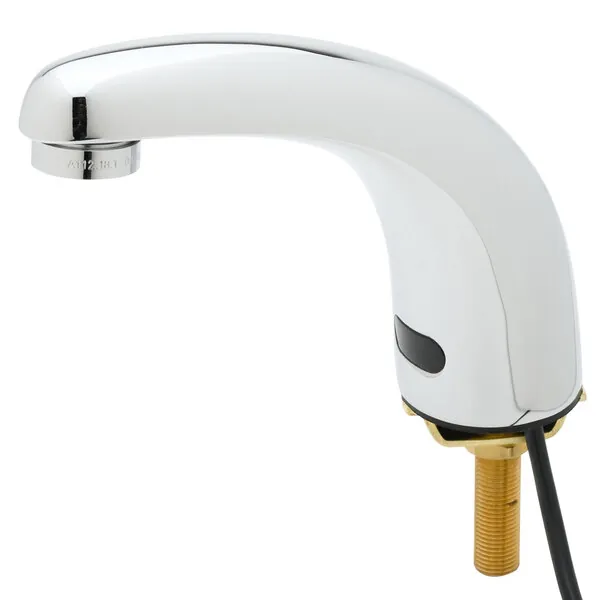
To keep your faucet running smoothly, adopt a monthly maintenance schedule. Wipe the sensor window with a damp cloth every time you clean the sink. Check the battery compartment for any signs of leakage, as battery acid can quickly destroy the control module circuit board.
If you have a dual-power faucet (battery and AC), ensure the battery backup is functional by testing it once a year. By performing these small tasks, you can avoid the frustration of a sudden failure and keep your fixtures in peak condition.
Related guides
Frequently Asked Questions
Why does my faucet keep turning on by itself?
This is typically caused by a dirty sensor lens or a reflective surface nearby. Clean the sensor window with a soft, damp cloth to remove any debris. If the problem persists, check if there’s a mirror or polished surface reflecting light directly into the sensor, which can trick the system into thinking an object is present. You may also need to reduce the sensitivity setting on the control box.
How long should the batteries last?
In a standard residential setting, high-quality alkaline batteries typically last between 12 and 24 months. This depends heavily on usage frequency and the quality of the batteries used. Commercial settings with high foot traffic will deplete batteries much faster, often requiring replacement every 3 to 6 months. Using name-brand lithium batteries can sometimes extend this lifespan, provided the manufacturer approves them for your specific model.
Is it necessary to replace the whole faucet?
In most cases, no. Sensor faucets are designed as modular systems. You can usually replace the solenoid valve, the sensor eye, or the control box individually. Unless the main faucet body itself is cracked or the finish is severely damaged beyond repair, replacing a single component is almost always more cost-effective than installing a brand-new fixture. Always check for available spare parts before considering a full replacement.
Can I adjust the water temperature?
Most sensor faucets have a manual mixing valve located under the sink. You can adjust the temperature by turning the handle on the mixing valve to balance the hot and cold water inputs. If your faucet has a built-in temperature adjustment lever on the side of the spout, you can turn that to change the output temperature. Always test the water flow after making adjustments to ensure it meets your preference.
Why is the water pressure suddenly very low?
Low pressure is usually caused by a blockage in the aerator or the inlet filter screen of the solenoid valve. Sediment buildup is the most common cause. Start by cleaning the aerator at the tip of the spout. If that doesn’t help, turn off the water supply and inspect the supply lines and the internal filter of the solenoid valve for any trapped sand or mineral scale.
Conclusion
Maintaining your sensor faucet is largely about keeping the detection lens clean and ensuring the electronic components remain dry and powered. If you have exhausted these troubleshooting steps and the faucet remains non-functional, it may be time to contact the manufacturer’s technical support department for a warranty claim or to purchase a specific replacement part. Taking the time to isolate whether the problem is mechanical or electrical will save you both time and money during the repair process.