You can resolve most power or movement issues by using an ezgo rxv troubleshooting guide to check the battery connections, the run-tow switch, and the state of charge. The most common cause of a cart that won’t move is a loose battery cable or a switch accidentally left in the “tow” position. If the cart has no power at all, start by checking that the batteries are fully charged and that the main fuse is intact.
Troubleshooting an EZGO RXV that won’t move
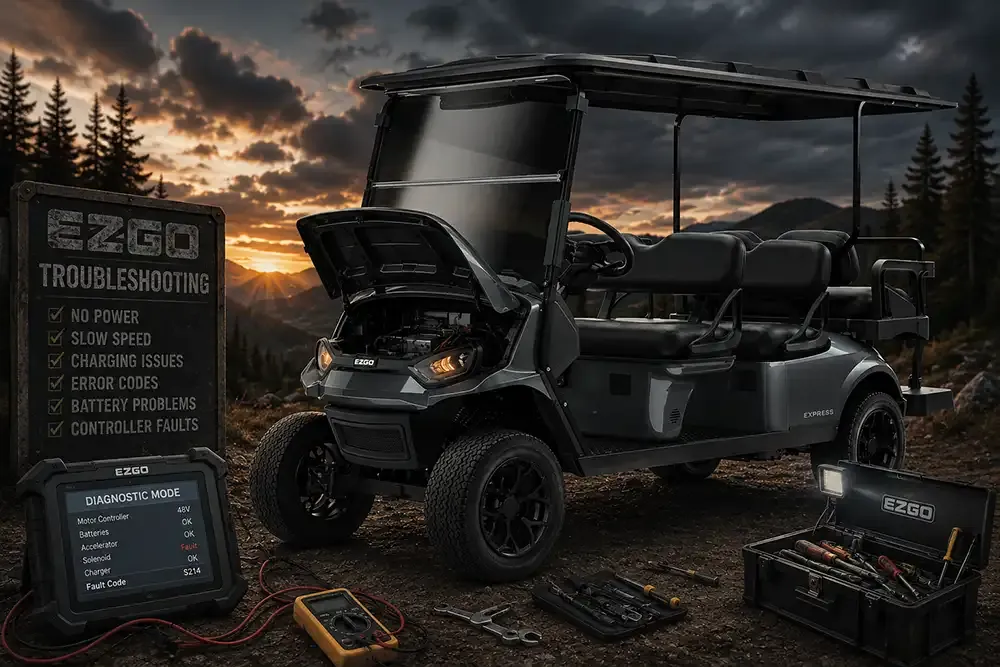
The primary reason for a vehicle failure is often a loss of electrical continuity between the battery bank and the motor controller. The RXV uses an advanced AC drive system that relies on constant, clean voltage to operate safely. If the voltage drops below a certain threshold because of corroded terminals or a weak battery, the onboard computer prevents the motor from engaging to protect the electrical components from damage.
Another frequent cause is the physical position of the “run-tow” switch located under the seat. If this switch is set to “tow,” the controller disables the drive motor completely to allow for manual movement. You should always ensure this switch is pushed firmly into the “run” position before trying to operate the cart. If the switch feels loose or doesn’t click into place, it may be failing internally.
Finally, consider the state of your battery charge. If the batteries aren’t holding a charge, the cart’s computer will detect a low-voltage fault and refuse to move. You can verify the health of your power system by checking the official E-Z-GO owner manuals for the specific voltage readings expected for your battery pack.
If you notice a burning smell or see visible smoke coming from the battery compartment, stop immediately and disconnect the main power if it’s safe to do so.
Check the battery connections and cables
This fix is for owners who have basic access to the battery compartment and want to ensure a solid electrical connection. First, turn the key to the “off” position and set the run-tow switch to “tow” to prevent accidental movement. Inspect every battery terminal for signs of white or blue corrosion, which acts as an insulator and stops power from flowing.
If you find corrosion, clean the terminals using a stiff wire brush and a mixture of baking soda and water. Once the metal is clean and shiny, tighten every nut on the battery cables to ensure they don’t move when you pull on them. A loose cable creates high resistance, which causes the connection to heat up and eventually fail.
Many owners make the mistake of using a standard wrench that can bridge two terminals at once. This creates a dangerous short circuit. Use an insulated wrench or wrap the handle in electrical tape to prevent accidental contact. If you see melted plastic around the terminal post, don’t just tighten the nut. That indicates the terminal has already overheated and likely needs a professional repair to prevent a fire.
After tightening the connections, switch the run-tow toggle back to “run” and try to drive the cart. If the cart moves, the issue was simply a poor connection. If it still doesn’t move, the problem is likely deeper within the electrical system or the motor controller. If you aren’t comfortable working with high-voltage battery packs, contact a certified technician to avoid the risk of severe electrical shock or damage to the battery management system.
Reset the run-tow switch and charger
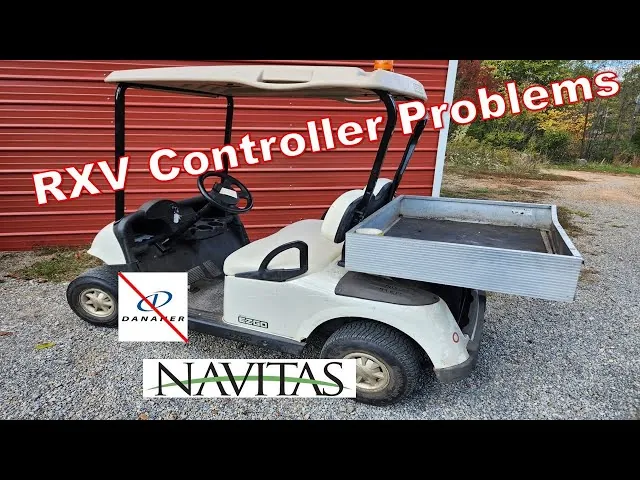
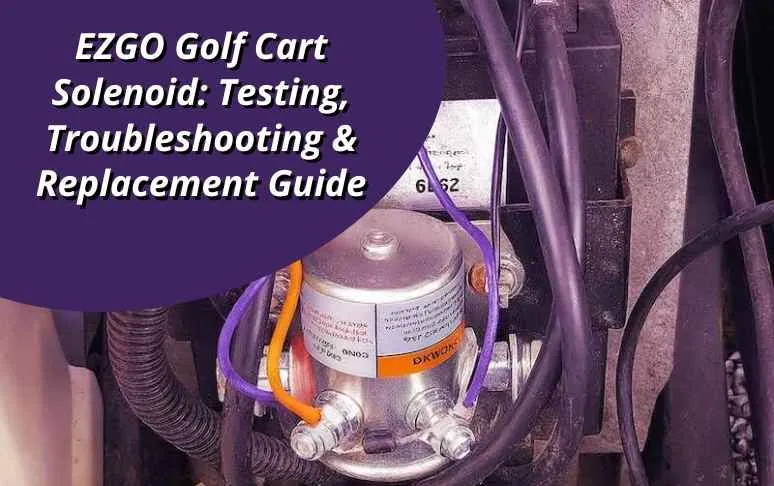
Sometimes, the internal computer in your cart just needs a reset to clear a temporary error code. Start by placing the run-tow switch in the “tow” position for at least 30 seconds. This action cuts power to the controller and allows the internal memory to dump any stored error signals. After the wait, flip the switch back to “run” and listen for a faint click, which indicates that the solenoid has engaged.
If the cart remains unresponsive, plug your charger into the cart and let it run through a full cycle. Some chargers won’t start if they don’t detect a minimum voltage level from the batteries. If the charger doesn’t turn on or shows an error light, the problem might be the charger itself rather than the cart.
If the charger works but the cart still fails to move, look at the dashboard for any flashing lights or indicator codes. If you see a specific light pattern, check the documentation for your model to decode the error. If the error persists after these resets, you’re likely dealing with a failed sensor or a damaged controller board. In these cases, it’s best to stop your attempts and seek professional repair services.
Inspect the brake and throttle sensors
The RXV uses an electronic brake system that’s tied directly to the pedal inputs. If the brake pedal sensor fails or gets stuck, the computer will keep the parking brake engaged for safety reasons. You can check if the brake is stuck by trying to push the cart by hand while in the “tow” position; if it feels like it’s dragging, the brake might be locked.
This fix is worth the effort if you have noticed the cart feels “heavy” or slow to accelerate, as a partially engaged brake will drain your batteries very quickly. However, don’t attempt to disassemble the brake motor or the pedal assembly yourself. These components are complex and require specific software tools to calibrate correctly.
If you suspect the brake is the issue, verify that the floor mat isn’t interfering with the pedal travel. Sometimes, a simple obstruction prevents the pedal from returning to the “home” position, which tells the computer that you’re still braking.
If the path is clear and the cart still refuses to move, you have reached the limit of home diagnostics. At this point, the issue requires a professional with a diagnostic handset to read the specific fault codes from the controller.
What not to do during repairs
Never use a metal wrench to touch both battery terminals at once. This creates a direct path for high-amperage current, causing an immediate arc that can weld the tool to the posts or melt your skin.
Avoid spraying water directly onto the motor or controller. While these components are water-resistant, high-pressure streams force moisture past seals and into sensitive electronic circuits.
Don’t bypass the main fuse with wire or foil. This removes your only protection against a thermal runaway event. If your fuse blows repeatedly, the cost of ignoring the root cause is often a total vehicle fire.
Never open the sealed motor controller housing. Internal capacitors hold a lethal electrical charge long after the battery is disconnected. If the unit fails, replace the module entirely.
Don’t jump-start your cart using a vehicle. The voltage mismatch between a car and your cart system can instantly fry your onboard computer. Please contact a qualified technician to handle any electrical issues.
How to stop it happening again
Consistency is the best way to keep your cart running reliably throughout the year. If you’re currently leaving your cart unplugged for weeks, you should change your habit to ensure the batteries stay healthy.
| If you’re doing this | Do this instead | Why |
|---|---|---|
| Leaving cart unplugged | Keep it plugged in | Prevents deep discharge |
| Ignoring loose wires | Tighten them monthly | Stops heat and failure |
| Washing with a hose | Use a damp cloth | Protects electronics |
| Ignoring dash lights | Read the manual | Catches small issues |
The most common mistake owners make is waiting for a total power loss before inspecting the connections. This usually costs three times more in terminal repairs than simple monthly maintenance. If you notice corrosion on the terminals, clean them immediately with a wire brush to prevent voltage drops.
Frequently asked questions
Can I drive the cart in the tow position?
No, you can’t drive the cart in the tow position because the controller locks the motor for safety. The tow setting is intended only for moving the cart by hand or towing it at very slow speeds. Driving in this mode will prevent the accelerator from responding and may damage internal gears.
How long should the batteries last?
Battery lifespan depends on your usage, the climate, and how well you maintain the charge. If you live in an area with extreme temperatures, the lifespan may be shorter because heat accelerates the degradation of battery plates. You can check the current health of your batteries by consulting a professional.
Is it safe to clean battery terminals myself?
Yes, it’s safe to clean battery terminals if you wear protective gloves and safety glasses to avoid acid contact. Use a mixture of baking soda and water to neutralize the acid before scrubbing with a wire brush. If you see cracks or leaking fluid, don’t touch the battery and call a professional.
Why does my cart make a clicking noise?
The clicking noise is the sound of the solenoid engaging, which is a normal function of the electrical system. Repeated clicking usually indicates the solenoid is struggling to maintain a connection. This often occurs due to a low battery charge or a loose connection at the main power post.
What happens if I ignore a flashing dash light?
Ignoring a flashing dash light risks causing further damage to the motor controller or battery bank. These lights are error codes identifying specific component failures, such as the throttle sensor or motor brake. Always check the manual for the light sequence to avoid turning a small repair into a larger bill.
How often should I check the wiring?
You should check the wiring connections at least once every 3 months to ensure nothing has vibrated loose during normal use. Golf carts experience a lot of vibration on uneven paths, which can cause terminal nuts to back off over time. A quick visual inspection and a gentle tug on each cable will help you catch a loose connection before it causes a total loss of power while you’re out.
Conclusion
If these simple checks don’t get your cart moving again, it’s time to reach out to a certified technician. They’ll have the specialized tools needed to diagnose deeper electrical faults safely. Don’t hesitate to call for professional help if you’re still stuck, as it’s better to be safe than sorry.