You can resolve most power issues by checking the battery charge level and the position of the direction selector. The most common cause for a cart failing to move is a loose battery connection or a pack that has dropped below its required operating voltage. A quick visual inspection of cables and terminals often reveals the source of the trouble.
Troubleshooting your Ezgo TXT issues
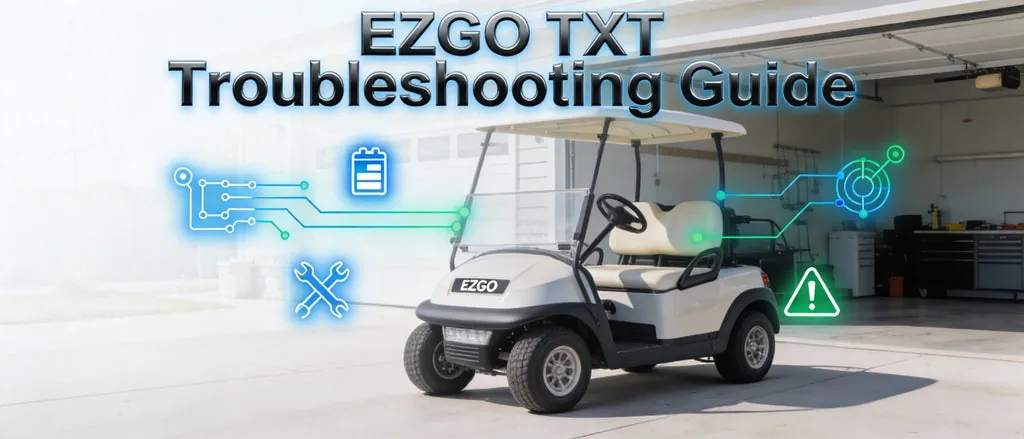
The primary reasons for a golf cart to stop functioning involve energy flow or mechanical engagement. If the cart is completely silent when you press the pedal, the issue is likely electrical. This happens when the batteries can’t send enough power to the motor controller. You should first check if your battery pack is fully charged, as a deep discharge can prevent the system from engaging.
Another frequent cause is the direction switch. If the lever is stuck between forward and reverse, the safety interlock will prevent the motor from starting. You can test this by moving the lever firmly into each position to ensure it clicks into place. If you hear a click but the cart doesn’t move, the problem might be a faulty solenoid or a disconnected motor wire.
Finally, consider the state of your battery cables. Over time, these can corrode or loosen due to vibrations while driving. Loose connections create high resistance, which prevents the full current from reaching the motor. Always look for signs of white or green crust on the terminals.
If you’re uncertain about the health of your battery pack, you can check the official E-Z-GO owner manuals for specific voltage requirements and maintenance intervals. These documents provide the baseline for what a healthy system should look like.
Inspecting the Battery Connections
Before you assume a major part has failed, you must inspect the battery terminals for cleanliness and tightness. This fix is for anyone who notices the cart is sluggish or completely dead. To do this, look at each battery post and the cable ends attached to them. If you see white, crusty buildup, the connection is likely poor. Use a stiff wire brush to remove any oxidation from the metal surfaces until the lead looks bright and clean.
Tighten any nut that feels loose using an insulated wrench. Be careful not to touch two terminals at once with the tool, as this creates a direct short circuit that can weld the wrench to the metal or cause an arc flash.
If the cables look frayed, show signs of melting, or the insulation is brittle and cracking, don’t attempt a repair. Frayed wiring poses a severe risk of electrical shock or fire. In such cases, contact a qualified service technician to replace the cables safely.
You’ll know this fix worked if the cart starts moving with normal power or if the battery indicator lights return to a steady state. If the cart still doesn’t move after cleaning and tightening, the issue likely resides deeper within the electrical controller or the motor itself. These internal components require specialized diagnostic tools to test voltage drops across the solenoid, which is beyond the scope of a standard home inspection.
Testing the Direction Switch
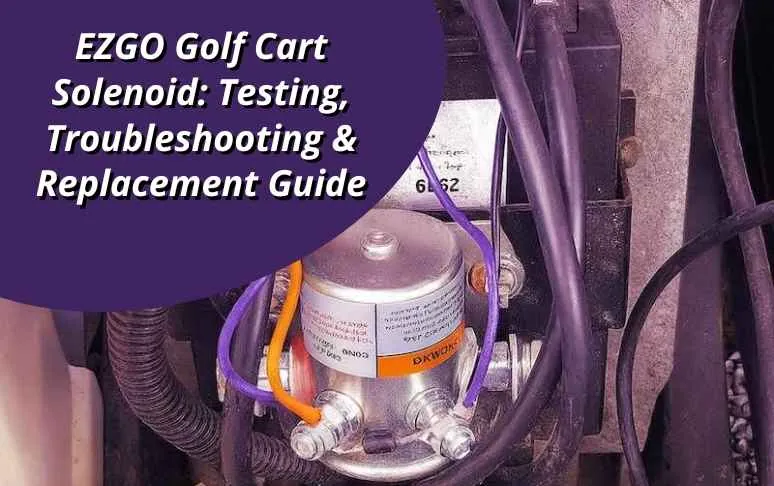
If the batteries and cables seem fine, the direction selector may be the culprit. This fix is for carts that show signs of life, such as a working horn or lights, but refuse to move in either direction. The selector is the mechanical switch that tells the controller which way the motor should spin. If the internal contacts inside the switch are worn out, the signal will never reach the controller.
Try moving the handle through its range of motion several times while the cart is on a flat, safe surface. If you feel a “mushy” sensation rather than a crisp click, the internal spring or contact plate has likely failed. This is a common point of wear on older models. If you have the mechanical skill, you can verify if the switch is the problem by listening for the solenoid click when you press the pedal.
If you hear nothing, the switch is likely not sending the signal. Since this involves the main drive system, if you aren’t comfortable working with high-current electrical switches, have a professional inspect the assembly. A bad switch can sometimes be bypassed temporarily by a shop, but it usually requires a full replacement to restore reliable operation.
Resetting the Motor Controller
For carts that stop suddenly while driving, the controller might have entered a safety protection mode. This fix is for users who have verified their batteries are charged but still experience zero motor response. The controller is the “brain” of your cart, and it monitors for overheating or voltage spikes. When it detects a dangerous condition, it cuts power to the motor to prevent permanent damage to the electronic components.
To reset it, turn the key to the “off” position and wait for at least 60 seconds. This allows the internal capacitors to drain their stored energy. After the wait, turn the key back to “on” and listen for a faint click from the solenoid near the batteries. If the cart moves after this, the controller likely just needed a power cycle to clear a temporary glitch.
If it does not, or if it enters protection mode again immediately, the controller may be failing due to age or internal heat damage. This isn’t a user-serviceable part, as it involves complex printed circuit boards and high-amperage internal components. If the reset doesn’t fix the issue, you must seek help from an authorized dealer or a certified golf cart technician to avoid voiding your warranty or causing further damage.
Common Mistakes to Avoid
Ignoring the charger status: Many people assume the cart is charged because the plug is in, but failing to verify the charger’s own indicator light often leads to wasted time. Always look for the solid green light before disconnecting. If the light is blinking or absent, the battery remains undercharged, which shortens its lifespan by as much as 20 percent.
Over-tightening battery terminals: Using too much force can crack the battery case or strip the lead posts, which will ruin the battery entirely. Use a torque wrench set to 100 inch-pounds. If you lack one, tighten until snug, then add only a quarter turn.
Spraying water on electrical parts: Using a hose to clean the battery area can cause short circuits in the controller and wiring harness. This turns a small problem into an expensive repair bill. Use a damp rag and a mixture of baking soda and water instead.
Ignoring a clicking solenoid: If you hear a rapid clicking sound, the solenoid is struggling. Continuing to press the pedal will weld the contacts shut, forcing a total replacement. If it clicks, stop immediately and check the battery voltage.
Best Maintenance Practices
You can keep your cart running reliably by replacing bad habits with proactive care. The following table outlines how to change your approach to prevent future failures.
| If you’re doing this | Do this instead | Why |
|---|---|---|
| Leaving the cart uncharged | Keep it plugged in | Batteries degrade when left in a low state |
| Ignoring loose wires | Inspect and tighten as needed | Loose wires cause heat and power loss |
| Using a pressure washer | Use a damp cloth | High pressure forces water into sensors |
| Driving until dead | Charge after every use | Deep cycles shorten the total lifespan |
Most owners fail by waiting for a noticeable performance drop before inspecting the battery terminals. If you see white, crusty corrosion, clean it immediately with a baking soda and water solution. Ignoring this buildup creates resistance that kills your range by up to 20 percent.
Use this simple decision rule for charging: if you used the cart for more than thirty minutes, plug it in regardless of the remaining gauge level. If you only drove for five minutes, you can safely wait until the next trip. Never store the cart in a garage that drops below freezing, as cold temperatures permanently damage internal cells. Following these steps typically extends battery life by two full years.
Frequently asked questions
How long should my batteries last?
Most lead-acid golf cart batteries provide 4 to 6 years of service when maintained with regular charging and water top-offs. You can verify the age of your set by checking the date code stamped on the battery case. Extreme heat may reduce this lifespan.
Can I use a car charger to charge my golf cart?
No, you can’t use a standard car charger because it lacks the voltage profile required for a 36-volt or 48-volt golf cart system. Using an incompatible charger will fail to reach a full state of charge and may damage your equipment. Always use a charger designed for your specific battery chemistry.
What happens if I overfill the battery water?
If you overfill the battery cells, the electrolyte will bubble out during the charging process and corrode the metal tray and cable connections. This acid buildup creates a path for electricity to leak, which drains the battery even when the cart is parked. You should only fill the cells until the water level reaches the bottom of the plastic indicator tube inside the battery, never to the very top of the opening.
Is it safe to drive my cart in the rain?
You should never drive through deep standing water that reaches the battery pack or motor. Water intrusion into these electrical components will cause immediate failure and destroy expensive parts. Avoid deep puddles to ensure your cart remains operational and free from long-term corrosion.
Why does my cart move slowly?
A cart that moves slowly is often suffering from a voltage drop caused by a single weak battery in the pack. You can identify the culprit by measuring the voltage of each individual battery with a voltmeter while the cart is under a load. One bad battery acts as a bottleneck for the motor.
Conclusion
If your cart still won’t budge after these checks, don’t worry. It’s likely time to test the solenoid or the throttle sensor for internal faults. You’ll find that a simple multimeter makes this diagnostic process much easier. If you’re still stuck, it’s best to call a local technician who’s got the right tools.