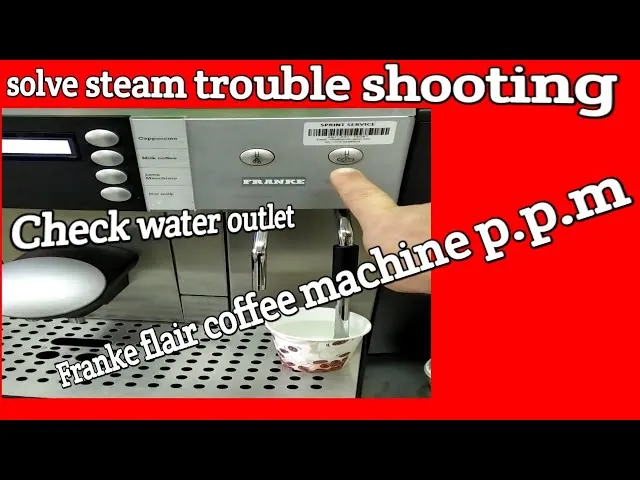
When your high-end professional equipment stops performing, performing a franke coffee machine troubleshooting session is the best way to restore your beverage quality and protect your investment. These machines are engineered for high-volume environments, meaning they rely on precise sensors and integrated cleaning cycles to function correctly. Minor issues, such as a blocked spout or a simple sensor error, can often be resolved without a service technician. By following systematic diagnostic steps, you can identify whether the problem stems from a lack of maintenance, an incorrect setting, or a hardware failure requiring professional intervention.
Key Takeaways
- Always perform a full daily cleaning cycle before attempting complex hardware repairs.
- Check that your water supply line is fully open and the filter isn’t expired.
- Most error codes are triggered by blocked sensors or a full grounds container.
- Ensure the milk system is purged and free of dried residue to avoid flow errors.
- Consult the specific Franke Coffee Systems technical documentation to match your exact machine model to the error code shown.
Common Error Code Indicators
Franke machines use sophisticated software to monitor internal components. When a component fails to respond, the display will show an alphanumeric code. Understanding these codes is the first step in your troubleshooting process. Most errors are caused by debris or connectivity issues.
| Error Category | Typical Cause | Immediate Action |
|---|---|---|
| Water Flow | Blocked filter or line | Check supply valve |
| Milk System | Clogged suction tube | Run cleaning cycle |
| Grounds Bin | Sensor not detecting | Empty and clean bin |
| Brewing Unit | Mechanical blockage | Clear coffee grounds |
Troubleshooting Franke Coffee Machine Alerts
When an alert appears, the machine often enters a safety mode. You should never force the machine to restart by pulling the power plug while it’s mid-cycle, as this can corrupt the firmware or cause internal pressure spikes. Instead, follow the on-screen prompts. If the screen remains frozen, perform a soft reset by accessing the maintenance menu if accessible, or wait for the system to time out.
Why Is My Coffee Weak?
Weak coffee is rarely a sign of a broken machine; it’s usually a sign of an incorrect grind setting or an improper dose. If your coffee tastes watery, the machine might not be grinding enough beans per cycle. Check your menu settings to ensure the strength parameter hasn’t been adjusted accidentally.
If the settings appear correct, inspect the beans themselves. Oily beans can sometimes slip through the grinder mechanism without being processed correctly, or they may clog the grinder’s burrs. Ensure you’re using fresh, high-quality beans that aren’t overly roasted or oily, as these can coat the internal components and prevent the grinder from hitting the target weight.
Troubleshooting the Milk System
The milk system is the most sensitive part of your Franke machine. If the foam is thin or the milk isn’t being drawn up, the issue is almost always a calcified milk line or a blocked suction nozzle. Milk proteins harden quickly; if the daily cleaning cycle is skipped even once, the flow rate will drop significantly.
Cleaning the Milk Path
Start by removing the milk suction tube and soaking it in a specialized milk system cleaner. Use a small, food-grade brush to clear the intake port where the tube attaches to the machine. Check the milk cooler temperature as well; if the milk isn’t kept between 35°F and 41°F, the system may prevent dispensing to ensure food safety.
Resolving Grinder Blockages
If the machine makes a loud grinding noise but no coffee comes out, the grinder is likely jammed. This often happens if a pebble or a very hard piece of bean enters the burrs. Power down the machine completely before attempting to clear the grinder. Use a vacuum to remove all loose beans from the hopper, then carefully check the burr area for debris.
Pro Tip: Never use water to clean the inside of the grinder mechanism, as moisture will cause the internal parts to rust and can lead to immediate mechanical failure.
Managing Water Flow Issues
Water flow problems usually manifest as slow dispensing or a “water pressure low” error. First, ensure the main water supply valve is fully open. If your machine uses an external water filter, check the expiration date. A clogged filter will restrict flow and can cause the internal pump to overheat, which may trigger a secondary system shutdown.
If the water pressure is fine but the coffee is still not dispensing, the issue may be in the brewing unit screen. Coffee oils can build up over time, creating a barrier that water can’t penetrate. Remove the brewing unit according to the manufacturer’s instructions and rinse it under warm water. Ensure the mesh screen is clear of any visible obstructions before reinstalling.
How to Fix Sensor Errors?
Sensors in Franke machines detect the presence of the grounds bin, the drip tray, and the milk container. If the machine says “Bin Missing” even when it’s in place, the sensor contact points are likely covered in coffee dust or grime. Wipe the sensors with a damp, lint-free cloth.
Checking the Drip Tray
The drip tray sensor is particularly prone to moisture buildup. If the machine constantly alerts you that the tray is full, remove it, clean the metal contact plates, and ensure the area inside the machine where the tray slides in is completely dry. A small amount of moisture can bridge the sensor contacts and trick the machine into thinking the tray is overflowing.
Understanding Temperature Fluctuations
If your coffee is lukewarm, check the heating element status in the service menu. High-end machines often have multiple boilers; if one fails, the machine might still function but produce lower-quality output. Ensure the machine isn’t placed in a drafty area, as this can affect the external temperature of the dispensing spout.
Another culprit is the pre-heating cycle. If you pull back-to-back shots, the machine may need a few seconds to recover its thermal stability. If the temperature is consistently low, verify that the energy-saving mode isn’t set to an aggressive level that shuts down the boilers too frequently.
Maintenance and Descaling Steps
Regular maintenance is the most effective form of troubleshooting. Every Franke machine requires a specific descaling frequency based on the hardness of your water. If you live in an area with hard water, you must increase the frequency of your descaling cycles.
| Maintenance Task | Frequency | Purpose |
|---|---|---|
| Daily Cleaning | Every 24 hours | Prevents bacterial growth |
| Descaling | Monthly/Quarterly | Removes mineral buildup |
| Filter Change | Per manufacturer | Protects internal pump |
| Burr Inspection | Annually | Ensures grind consistency |
Warning: Always use the specific descaling solution recommended by the manufacturer, as generic descalers can contain acids that damage the internal seals and sensors of the machine.
Frequently Asked Questions
Why is my Franke machine displaying an error code?
An error code indicates that a specific sensor has detected a deviation from normal operation. This could be a blocked pipe, a full grounds bin, or a sensor that needs cleaning. Consult your specific user manual to identify the code, as the meaning varies by model. Most codes can be cleared by performing a deep clean or checking the indicated component for obstructions.
How do I reset my Franke coffee machine?
To reset your machine, first turn it off using the main power switch and wait at least sixty seconds to allow the capacitors to discharge. Turn it back on and observe the startup sequence. If a specific error persists, you may need to access the “Service” menu on the touchscreen to clear the cache, though this usually requires a PIN from your technician.
Can I fix a clogged grinder myself?
Yes, you can often clear a grinder jam by removing the bean hopper and using a vacuum to clear out the burr assembly. Ensure the machine is completely unplugged before you reach into the grinder. Never use metal tools to poke at the burrs, as this can cause permanent damage to the grinding surface and void your warranty.
Why is my milk system not frothing properly?
Milk frothing issues are typically caused by a clog in the milk suction tube or the air injection nozzle. Milk residue dries quickly and creates a bottleneck for the suction pump. Disassemble the milk system components and soak them in a professional-grade milk cleaning solution. Ensure the air intake hole is clear, as this is necessary to create the foam texture.
How often should I perform professional maintenance?
Professional maintenance should be performed at least once every twelve months, or more frequently if the machine is used in a high-volume commercial setting. A qualified technician will replace O-rings, inspect the pump pressure, calibrate the grinder, and update the software. This preventative work extends the lifespan of your machine and ensures your espresso quality remains consistent over time.
Conclusion
Following these steps will resolve the vast majority of operational issues you encounter with your equipment. If the display continues to show critical errors after you have performed a thorough cleaning and checked all physical sensors, it’s time to contact a certified service provider. Keeping a detailed log of your maintenance and any recurring error codes will help them diagnose and repair the unit much faster.