You can resolve errors by power cycling the unit, as ge washing machine troubleshooting codes often appear due to a simple electronic glitch. Unplug the machine for 60 seconds to reset the main control board, then plug it back in to see if the error clears. If a code remains, the issue is typically a sensor fault or a mechanical blockage that prevents the cycle from continuing. Always check your model’s specific manual for the exact meaning of the code displayed on your screen.
Understanding washing machine troubleshooting codes
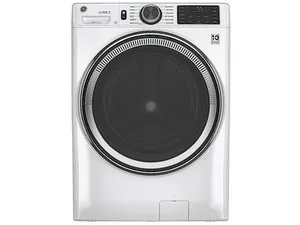
Most codes indicate that the machine has detected a problem that stops it from working to protect the motor or the internal parts. The most common cause is a disruption in communication between the user interface and the main control board. When the board can’t read a sensor correctly, it shuts down the cycle and displays a letter or number sequence to signal the fault.
Another frequent cause involves external conditions that the machine can’t overcome on its own. For example, if your home water pressure is too low, the fill sensor will time out and trigger an error code because the drum doesn’t reach the required level within the allotted time. Similarly, a clogged drain pump filter or a kinked drain hose will prevent the machine from sensing that the water has left the drum, resulting in a drainage error.
It’s worth noting that environmental factors like power surges or brownouts can also corrupt the memory of the control board. If you live in an area with unstable electricity, the machine might display a code even if no mechanical part is broken. In these cases, a hard reset usually clears the memory and restores normal operation.
Clear the display by resetting the unit
If you see a flashing light or a code, start by performing a hard reset to clear the internal cache. Turn the selector dial to the off position and unplug the power cord from the wall outlet. Wait a few moments before plugging it back in to ensure the power cycle is complete.
Once the machine is powered back on, select a new cycle and press start to see if the code returns. If the error code disappears, it was likely just a temporary communication error between the sensors and the board. If the code returns immediately, you’re dealing with a persistent issue that requires further investigation of the water supply or drainage path.
This fix is for users who suspect a software glitch or power-related error. If the code persists after a reset, don’t attempt to open the control panel or touch any internal wiring, as the control board contains components that can hold a high-voltage charge even when the machine is unplugged. If you still see the same code after a power cycle, call a certified appliance technician to inspect the internal sensors or the main board.
Inspect the water inlet and drainage
When a reset doesn’t work, the problem is usually a physical blockage that prevents the machine from completing its basic tasks. Start by checking the water inlet hoses behind the machine to ensure they aren’t bent, kinked, or crushed against the wall. If the water flow is restricted, the machine will fail to fill and show an error code regarding the water level or fill time.
Next, inspect the drain hose for similar obstructions or clogs. If the hose is pushed too far into the standpipe, it can create a siphon effect or prevent proper drainage, which the machine will interpret as a pump failure. Ensure the drain hose is positioned exactly as the manufacturer recommends, usually at least 30 inches high but not exceeding the height limit for your specific model.
If you find no external blockages, check the debris filter if your model has one accessible from the front. A build-up of lint, coins, or small clothing items in the drain pump filter is a very common cause of drainage-related error codes. If you clear the filter and the machine still fails to drain, the pump itself may have reached the end of its life and will need professional replacement.
Verify the door lock and balance
Many modern washers will show an error code if the door doesn’t lock properly or if the load inside the drum is unbalanced. A door that isn’t fully latched will prevent the machine from starting, as the safety interlock must engage before the water fills or the motor spins. Try opening and closing the door firmly to ensure the latch mechanism is engaging correctly without any obstruction.
If the machine triggers an error during the spin cycle, the load inside is likely uneven or too heavy for the current setting. An off-balance load causes the drum to vibrate excessively, which the vibration sensors will detect as a safety risk. Stop the cycle, rearrange the clothes to distribute the weight more evenly, and restart the spin or drain cycle to see if the machine can stabilize.
This fix is effective for those who notice the code appearing only during specific parts of the wash. If the door lock is physically broken or the drum doesn’t spin even with a balanced load, you may have a failed door switch or a faulty motor control unit. These parts require specialized knowledge and tools to replace, so contact a professional if the basic adjustments don’t resolve the door or balance errors.
What not to do when troubleshooting
Don’t attempt to bypass the door interlock switch. This is a vital safety feature preventing the drum from spinning while the door is open. Bypassing it risks severe injury if a child or pet enters the drum during a cycle.
Avoid using tools to force the control panel open. Circuit boards are sensitive; attempting a manual repair often results in cracked solder joints or shorted traces. If the panel is unresponsive, check the power supply first. If the display remains blank, you need a specialized technician.
Never ignore a repeated error code. Running a machine with a known sensor fault often causes the motor to overheat, leading to permanent, expensive failure.
Don’t pour chemical drain cleaners into the drum. These are designed for rigid pipes, not the delicate rubber seals and hoses inside your machine. If you suspect a clog, check the drain pump filter first. If the water still fails to drain, call a professional.
How to stop it happening again
To keep your machine running smoothly, focus on the weight of your loads and the cleanliness of your filters. Small changes to how you load the drum can prevent the majority of sensor-related error codes, as most faults occur when the machine is pushed beyond its design limits.
| If you’re doing this | Do this instead | Why |
|---|---|---|
| Overloading the drum | Use the manufacturer’s load size guide | Prevents drum imbalance and sensor errors |
| Leaving coins in pockets | Check all pockets before washing | Protects the drain pump from blockages |
| Using too much detergent | Follow the bottle’s measured amount | Prevents excess suds from triggering sensors |
| Ignoring the drain filter | Clean the pump filter monthly | Ensures water flows out without resistance |
Most users make the mistake of overloading based on volume rather than weight. If your laundry occupies more than three-quarters of the drum, you have likely exceeded the weight capacity, which forces the motor to work harder and triggers premature sensor failure.
If your machine vibrates aggressively during the spin cycle, stop the load immediately and remove two or three heavy items. If the vibration persists after lightening the load, you’re likely dealing with a leveling issue rather than an overloading one. In that case, adjust the feet until the unit sits perfectly flat on the floor.
Frequently asked questions
Can I clear a ge washing machine error code by myself?
You can clear most codes by unplugging the machine for 60 seconds to reset the control board. This reset resolves temporary software glitches and restores normal function. However, the code will return if a physical component like a pump or sensor has failed.
How long should I wait for a hard reset to work?
Wait a few moments before plugging the machine back in to ensure the power cycle is complete. This duration ensures the control board memory is fully cleared of the previous fault state. If you plug it in too early, the board may retain the error code.
Why does my washer show an error code during the spin cycle?
The machine shows an error code during the spin cycle because it has detected an unbalanced load or excessive vibration that could damage the unit. This often happens if you wash heavy items like towels or rugs alongside lighter clothes, causing the weight to shift during the high-speed spin. To fix this, pause the cycle, rearrange the items so the load is distributed evenly around the drum, and restart the spin function.
Is it safe to use the machine if it shows a code?
No, it isn’t safe to use the machine while an error code is displayed because it indicates a triggered safety mechanism. Ignoring these warnings can lead to overheating, leaks, or mechanical failure. Always address the underlying cause before running another cycle.
What happens if I keep running a washer with an error?
Running a washer with an active error code risks permanent damage to internal components or voiding your manufacturer warranty. Many codes signal that parts like the drain pump or door lock are struggling to operate. Treat every error code as a warning that the machine needs attention.
How do I know if the error is a real hardware failure?
The error is a hardware failure if the code returns immediately after a reset and you have cleared all blockages. When the machine can’t perform basic tasks despite clear paths, an internal sensor or motor part has likely failed. Contact a professional technician to diagnose the specific component.
Conclusion
If the display won’t clear after a reset, don’t hesitate to reach out to a certified technician. They’ll have the right tools to inspect hidden components and get your laundry moving again. It’s often better to seek professional help early so you won’t risk damaging your machine further while trying to fix it.
Related guides