To restore comfort when your unit stops working, you can perform ge zoneline ptac troubleshooting by checking the power supply, the air filter, and the wall thermostat settings. Most issues start with a tripped circuit breaker or a dirty filter that blocks airflow. If the unit doesn’t turn on at all, ensure the power cord is plugged in firmly and the reset button on the plug hasn’t popped out.
Troubleshooting Zoneline PTAC cooling and heating issues
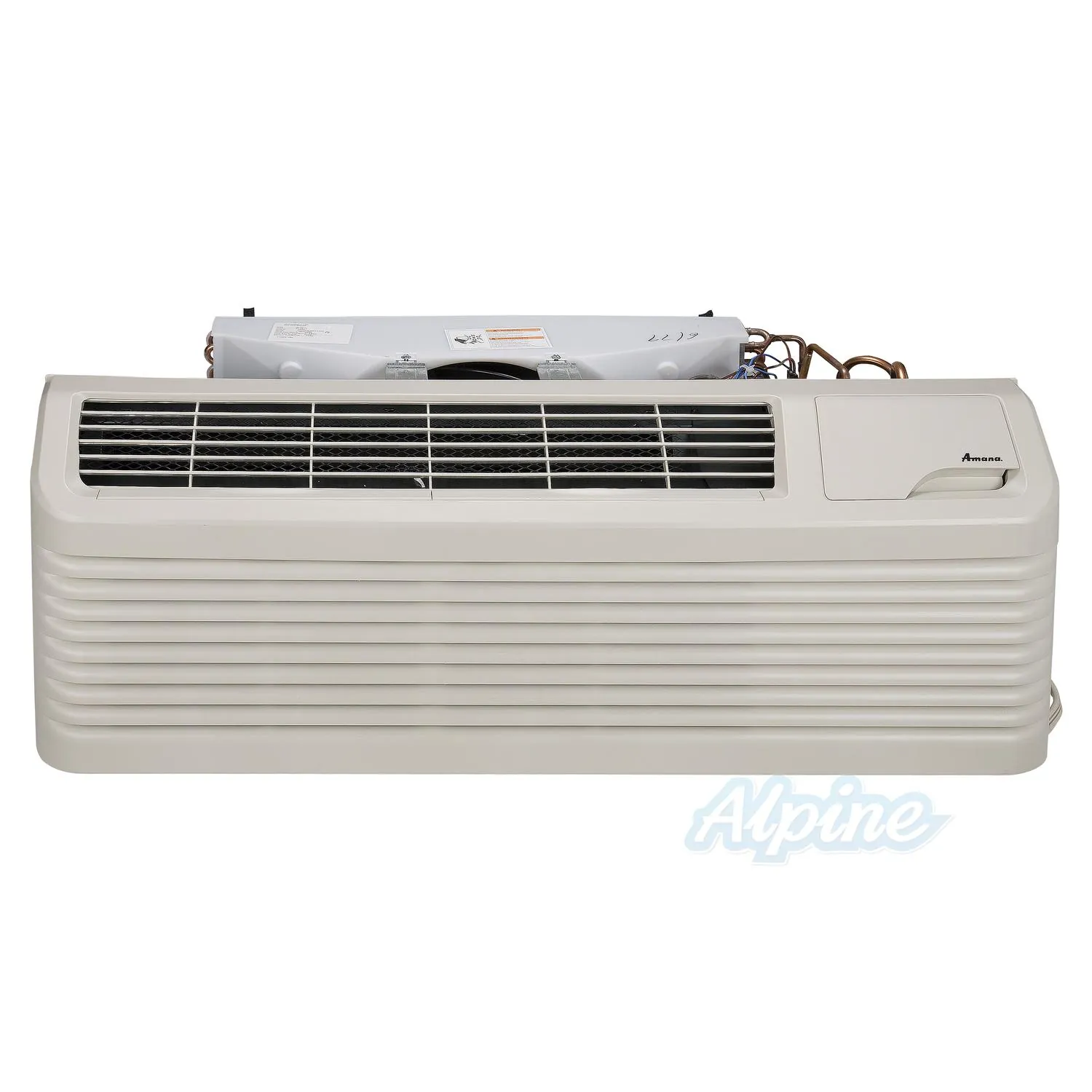
When a packaged terminal air conditioner stops working, the root cause is often a simple block in the system. The most common issue is a dirty air filter, which prevents air from moving across the evaporator coils. If air can’t flow, the coils may freeze, causing the unit to stop blowing cold air even if the fan is running.
Check the filter by holding it up to a light source. If you can’t see light passing through the mesh, it’s too clogged to allow the necessary airflow for heat exchange. A blocked filter reduces airflow across the evaporator coils, which can cause the coils to freeze and potentially damage the compressor due to liquid refrigerant return.
Another frequent cause is a thermostat conflict or an incorrect mode setting. If the unit is set to “fan only” instead of “cool” or “heat,” it won’t change the room temperature. Many users confuse the fan speed setting with the mode setting. If the mode is set to “cool” but the fan is set to “low,” the unit may struggle to reach the set point in a large room.
Furthermore, many units have a safety feature that prevents them from restarting immediately after a power flicker. This delay can last up to 3 minutes to protect the compressor from damage. If your unit is older, the internal sensors might fail to detect the room temperature correctly, causing the system to shut down prematurely.
Check the power and reset buttons
If the unit is completely silent, the first step is to confirm that electricity is reaching the machine. Check your home or hotel room electrical panel to see if the circuit breaker has tripped. If the breaker is fine, look at the power cord itself. Most PTAC units feature a safety plug with a test and reset button. Press the reset button firmly to ensure the connection is active.
This fix is intended for users who have no power at the control panel. If the reset button clicks but doesn’t stay in, or if it pops out again immediately after you turn the unit on, stop using the device.
This indicates a short circuit or a ground fault inside the unit. You shouldn’t attempt to bypass these safety features. Contact a professional HVAC technician to inspect the wiring, as working with high-voltage internal components carries a risk of electric shock.
To distinguish between a simple plug failure and internal damage, try plugging a small lamp into the same outlet. If the lamp fails to light, the issue is your wall outlet or breaker, not the unit. If the lamp works, the fault lies within the PTAC power cord or internal circuitry. Never attempt to replace the safety plug yourself, as improper wiring can create a significant fire hazard.
Clean or replace the air filters
A clogged filter is the most common reason for poor cooling or heating performance. When dust and debris build up on the mesh, the air can’t pass through the system efficiently. This forces the motor to work harder and can cause the internal coils to ice over. If you notice the air output is weak, or if the unit cycles on and off quickly, the filter is likely the problem.
To address this, locate the filter access on the front of the unit. Most models allow you to pull the filter out easily without using tools. If the filter is washable, rinse it under warm water and let it air dry completely before putting it back.
If the mesh is torn or the dirt doesn’t wash away, replace it with a new filter of the exact same size. Using a filter that’s too thick will restrict airflow, while one that’s too thin will allow dust to damage the internal parts.
Verify thermostat and mode settings
Sometimes the unit is working perfectly, but the settings aren’t what you expect. Check that the mode is set to “Cool” for summer or “Heat” for winter. If you’re using a wall-mounted thermostat, ensure it’s set to a temperature at least 5 degrees away from the current room temperature. If the target temperature is too close to the actual room temperature, the unit may stay in standby mode to save energy.
A common mistake is assuming the unit is broken when it’s simply in a timed cycle. If the fan runs but the air remains room temperature, check if the system is in “Fan Only” mode. This setting circulates air without engaging the compressor. You should switch this to “Auto” to ensure the cooling or heating cycle triggers based on the thermostat’s demand.
If you have a remote control or a digital wall pad, check if it’s in “Lock” mode. Many units have a button combination that locks the controls to prevent accidental changes. Consult the manufacturer’s manual for your specific model to see how to unlock the keypad.
If the display shows an error code, note the letters or numbers and search for that specific code in your owner’s manual. Error codes are precise instructions from the unit about which sensor is failing.
Common mistakes to avoid
Blocking the intake vents: Placing furniture or heavy curtains within 18 inches of the unit creates a stagnant air pocket. This forces the compressor to cycle continuously, leading to premature burnout. If your unit feels warm to the touch, check for obstructions immediately.
Setting the temperature too low: Demanding 60 degrees in a hot room doesn’t cool the space faster. It only forces the unit to run until the evaporator coils freeze solid. Once ice forms, airflow stops entirely, turning your cooling system into a heater.
Ignoring strange noises: A rattling or grinding sound usually indicates a loose fan blade or a failing motor bearing. If you hear this, shut the unit off immediately. Ignoring it can cause the motor to seize, turning a simple maintenance task into a total system replacement.
Using water to clean the interior: Never spray liquid agents into the vents. Moisture corrodes the electronic control board and shorts the electrical wiring. Always use a dry, soft-bristled vacuum attachment to remove dust from the internal fins.
Preventing future performance issues
Proper maintenance keeps your unit efficient and helps you avoid mid-season failures. Your daily habits determine how often you need to perform deep cleaning or call for service.
| If you’re doing this | Do this instead | Why |
|---|---|---|
| Running it 24/7 | Use the timer or auto mode | Reduces wear on the compressor |
| Ignoring dust buildup | Vacuum the front grille weekly | Prevents clogs in the filter |
| Letting curtains drape over it | Keep the area clear of fabric | Allows for proper heat exchange |
| Ignoring small leaks | Call a pro for a drain check | Stops water damage to the wall |
Most owners fail by waiting for a total breakdown. If your unit begins cycling on and off every ten minutes, the issue is likely a dirty condenser coil rather than a faulty thermostat. Clean the coils immediately to avoid burning out the motor.
Use this decision rule: if you notice a musty odor, replace the filter. If you hear a rattling sound, check for loose debris inside the housing. If the unit leaks water onto the floor, clear the condensate line with a wet-dry vacuum. Ignoring these early warning signs often turns a simple maintenance task into a costly full-system replacement.
Frequently asked questions
How long does a PTAC unit usually last?
A standard unit typically lasts between 7 and 10 years with regular maintenance. Lifespan varies based on environmental factors like humidity or salt air. If your unit is over a decade old and requires a major part replacement, it’s often more cost-effective to replace the entire chassis.
Why does my unit blow warm air in cool mode?
This usually happens because a blocked air filter causes the evaporator coils to freeze. Turn the unit to “Fan Only” mode until the ice has completely melted from the coils. If the problem continues after the ice is gone and the filter is clean, the unit likely has a refrigerant leak.
Is it safe to keep using a unit that makes a loud buzzing sound?
No, you should turn the unit off immediately and unplug it if possible. A loud buzzing or humming sound often indicates that the fan motor is struggling or that an electrical component is failing. Continued use can lead to a fire hazard or total motor burnout. Since you can’t safely access or replace internal electrical parts yourself, you must contact a qualified HVAC technician to diagnose the motor or capacitor issue.
How often should I clean the air filter?
You should inspect and clean the filter every 30 days during regular use. If you live in a dusty area or have pets, check it every 2 weeks to ensure maximum airflow. A clean filter is the most important factor in preventing the system from overheating or freezing over.
What happens if I ignore an error code on the display?
Ignoring an error code typically leads to the unit shutting down to prevent internal damage. These codes are triggered by sensors detecting issues like low refrigerant or blocked airflow. If you clear the code without fixing the underlying cause, the error will return quickly.
Can I fix a refrigerant leak myself?
No, you can’t fix a refrigerant leak yourself because it requires specialized tools, a license, and knowledge of environmental regulations. Refrigerant is a pressurized, harmful substance that must be handled by a professional. If the unit is running but not cooling, turn it off and contact an authorized technician.
Conclusion
If these quick fixes don’t get your room back to a comfortable temperature, it’s time to reach out to a professional technician. Don’t hesitate to contact a local repair service if you’re still feeling stuck. They’ll have the right tools to handle any deeper electrical issues that you shouldn’t tackle alone.
Related guides