Is your Genie door opener acting up when you need it most? You’re not alone, and the good news is that many common problems have simple fixes.
Whether your door won’t open, the remote isn’t working, or the lights are flashing, this guide will help you troubleshoot quickly and get back on track. Keep reading, and you’ll discover easy steps to solve your Genie door opener issues without calling a technician.
Your garage door’s smooth operation is just a few fixes away.
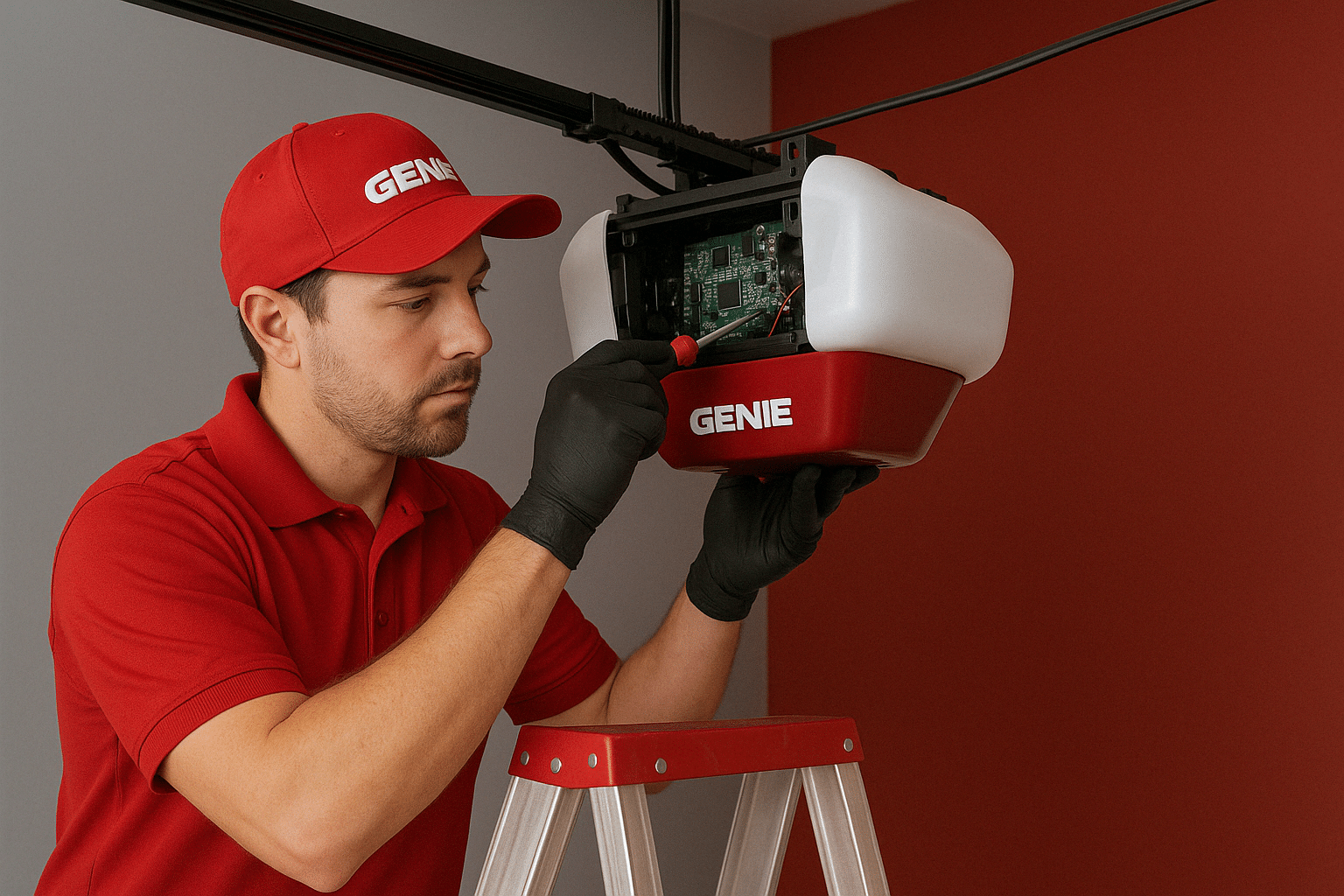
Door Won’t Open Or Close
When your Genie door opener does not open or close, it can be frustrating. This issue often has simple fixes. Start by checking the basics before calling a technician. Small problems like power or battery issues can stop the door from moving.
Check Power Supply
Make sure the opener is plugged in. Look for a tripped circuit breaker or a blown fuse. Sometimes, a power outage can cause the problem. Verify the outlet works by plugging in another device. If no power reaches the opener, fix the electrical issue first.
Inspect Remote Batteries
Remote batteries lose power over time. Weak batteries may stop the remote from working properly. Remove the batteries and test them with a battery tester. Replace old batteries with new ones. Clean the battery contacts to ensure a good connection. A fresh battery can solve many remote control issues.
Reset The Opener
Resetting the opener can clear minor faults. Unplug the opener for about 30 seconds. Plug it back in and wait a few seconds. Press the remote or wall button to test the door. This simple reset can often restore normal function. It helps the system refresh and clear small errors.
Remote Control Problems
Remote control problems are common with Genie door openers. They stop working or fail to send signals. This can be frustrating and stop you from using your garage easily. Understanding simple fixes can save time and avoid costly repairs.
Reprogram The Remote
Sometimes the remote loses its connection to the opener. Reprogramming resets this link. Start by pressing the “Learn” button on the garage unit. Then press a button on the remote. Wait for the light to blink. This means the remote is paired again. Test the remote to check if it works.
Clear Signal Interference
Other devices can block the remote’s signal. Wireless routers, cordless phones, and metal objects cause interference. Move these items away from the garage area. Also, check the remote’s battery strength. Weak batteries reduce signal power. Replace old batteries to improve performance.
Test With Spare Remote
Using a spare remote helps find the problem source. If the spare works, the first remote may be broken. If neither remote works, the opener might have issues. Testing spares narrows down what to fix. It saves money and directs your next steps.
Unusual Noises
Unusual noises from your Genie door opener can signal a problem. These sounds might be grinding, squeaking, or rattling. They often mean parts need attention. Ignoring these noises can cause more damage.
Check the opener regularly to keep it working quietly. Simple fixes can save money and extend the opener’s life. Start by examining the moving parts and connections.
Lubricate Moving Parts
Dry or dirty parts cause most strange noises. Use a silicone-based lubricant on the opener’s moving parts. Focus on the chain, gears, and hinges. Avoid oil sprays that attract dust and dirt. Lubrication reduces friction and stops squeaks fast.
Tighten Loose Components
Loose bolts or screws create rattling sounds. Inspect all visible hardware on the door and opener. Use a wrench or screwdriver to tighten anything loose. Tight parts prevent shaking and noisy movements. Check parts regularly to keep the opener stable.
Replace Worn Gears
Worn or damaged gears make grinding or clicking noises. These parts wear out over time from use. Remove the opener cover to inspect gears. If teeth look broken or worn, replace the gears. New gears ensure smooth and quiet operation.

Door Reverses Unexpectedly
The Genie door opener reversing suddenly can be frustrating. This problem happens when the door stops closing and moves back up on its own. It might mean the opener senses an obstacle or a safety issue. Troubleshooting this helps keep your garage door working smoothly and safely.
Adjust Safety Sensors
Check the safety sensors near the bottom of the door frame. These sensors send beams that detect objects in the door’s path. Clean the sensor lenses gently with a soft cloth. Make sure both sensors face each other and are aligned. Misaligned sensors cause the door to reverse for safety.
Check Door Balance
Disconnect the opener by pulling the release handle. Lift the door manually halfway. The door should stay in place. If it moves up or down, the springs may be weak or broken. Poor door balance can trigger the opener to reverse. Call a professional to fix the springs safely.
Inspect Travel Limits
Travel limits control how far the door moves when opening or closing. Locate the limit adjustment screws on the opener. Turn the screws slightly to change the door’s travel distance. If the limits are set too low, the door might reverse before closing fully. Adjust the limits to let the door close without reversing.
Opener Light Issues
Opener light issues can cause frustration during garage door use. The light on the Genie door opener helps you see the garage space. When it stops working, safety and convenience reduce. Troubleshooting these problems is often simple. Basic checks often fix the issue quickly.
Replace Bulbs
Start by checking the bulb in the opener. Bulbs can burn out after long use. Turn off the power before removing the bulb. Replace it with the correct type and wattage. Test the opener light after installing the new bulb. A working bulb often solves the problem fast.
Check Light Sensor
The light sensor controls when the bulb turns on. Dirt or dust can block the sensor. Clean the sensor gently using a soft cloth. Make sure nothing is covering or near the sensor. If the sensor is broken, it might need replacement. Proper sensor function ensures the light works well.
Examine Wiring
Loose or damaged wires can cause light problems. Inspect the wiring connected to the opener light. Look for frayed wires or loose connections. Tighten any loose wires carefully. Replace damaged wires with the help of a professional. Good wiring keeps the light running smoothly.
Connectivity And App Problems
Connectivity and app problems often stop your Genie door opener from working right. These issues can make it hard to control the door from your phone. Fixing these problems helps you get back full control fast.
Verify Wi-fi Connection
Check your Wi-Fi signal near the door opener. A weak signal can cause connection drops. Move your router closer or use a Wi-Fi extender for better strength. Make sure your phone is on the same network as the opener.
Update Firmware
Firmware updates fix bugs and improve app functions. Open the Genie app and check for updates. Install any available updates to keep the system running smoothly. Do this regularly for best performance.
Reset Network Settings
Resetting network settings clears old data and errors. Go to your Genie app settings and find the network reset option. Follow the steps to reconnect the opener to Wi-Fi. This often solves stubborn connection problems.
Frequently Asked Questions
Why Is My Genie Door Opener Not Responding To Remotes?
The remote batteries might be dead or weak. Also, the opener may need to be reprogrammed with the remote.
How Can I Fix A Genie Door Opener That Won’t Close?
Check if the safety sensors are aligned and clean. Objects blocking sensors can stop the door from closing.
What Causes The Genie Door Opener To Make Loud Noises?
Worn gears or loose parts often cause noise. Lubricate moving parts and tighten any loose screws.
How Do I Reset My Genie Garage Door Opener?
Unplug the opener for 30 seconds, then plug it back in. This can clear minor errors in the system.
Why Does The Genie Door Opener Light Blink Continuously?
Blinking lights usually signal a problem with the safety sensors or wiring. Inspect sensors and wiring for damage or dirt.
Conclusion
Troubleshooting your Genie door opener can save time and money. Start with simple checks like power supply and remote batteries. Clean the sensors and ensure tracks are clear. Test the safety features regularly for smooth operation. Small fixes often solve most problems quickly.
Keep your opener well maintained to avoid future issues. Remember, patience helps during troubleshooting. You can enjoy a working garage door without extra costs or stress. Stay safe and take one step at a time.