If you own an Inse cordless vacuum, you already know how convenient it is for quick, everyday cleaning. No cord to trip over, lightweight design, and enough power for dust, crumbs, and pet hair. But, like any home appliance, these vacuums can run into problems. Maybe the power cuts out, the suction drops, or the brush roller stops spinning. Sometimes, the solution is simple, but other times, you might need a deeper understanding to fix the issue. This guide will help you troubleshoot your Inse cordless vacuum step by step, so you can get back to cleaning with less frustration and more confidence.
Understanding Your Inse Cordless Vacuum
Before diving into troubleshooting, it’s smart to know what makes your Inse cordless vacuum unique. Most models, like the Inse S6, N6, or S610, share similar parts:
- Motor and battery: The core of the vacuum, providing suction and power.
- Dustbin and filters: Where dirt is collected and air is filtered.
- Brush roller: Spins to pick up dirt from carpets and floors.
- Attachments: Tools for different surfaces, like crevice tools or mini brushes.
Inse vacuums are designed for easy use, but a few small issues can affect performance. Understanding the basics helps you diagnose problems more accurately.
Common Inse Cordless Vacuum Problems
Most users face a handful of common issues:
- Vacuum won’t turn on
- Suction is weak or lost
- Brush roller not spinning
- Battery not charging or holding charge
- Strange noises
- Dust escaping or poor filtration
- Attachments not working properly
Let’s break down each of these and see how you can fix them.
Vacuum Won’t Turn On
When your vacuum won’t start, it’s frustrating. But often, the reason is simple.
Check The Battery
The most frequent cause is a dead battery. Make sure your vacuum is charged:
- Connect the charger to both the vacuum and a working power outlet.
- Wait for the indicator light (usually blue or green) to show a full charge.
- If the light never changes or blinks red, there may be a battery or charger issue.
Inspect Battery Contacts
Over time, contacts can get dusty or corroded:
- Remove the battery (if removable).
- Check metal contacts for dust or grime.
- Clean contacts with a dry cloth. Do not use water.
Confirm Power Button And Safety Features
Many Inse vacuums have a power trigger. Make sure it clicks and isn’t stuck. Some models won’t start if:
- The dustbin isn’t clicked into place.
- The filter is missing.
- The battery isn’t seated correctly.
When To Replace The Battery
If your vacuum is over two years old, the battery may have reached the end of its life. Inse batteries typically last 300–500 charge cycles. If charging doesn’t help, consider ordering a replacement.
Weak Or Lost Suction
When your Inse vacuum loses suction, cleaning gets much harder. This is one of the most common issues and is usually easy to fix.
Check For Blockages
Debris can block the airway at several points:
- Remove the dustbin and look inside for clogs.
- Detach the tube and check both ends for blockage.
- Inspect the brush roller area for tangled hair or dust.
Clean Or Replace Filters
Dirty filters are a top reason for lost suction. Inse vacuums often use HEPA filters or foam filters. Here’s what to do:
- Remove the filter from the dustbin.
- Tap gently to remove loose dust.
- Wash the filter under cold water (if the manual allows).
- Let the filter air dry for at least 24 hours before reinstalling.
Never use a wet filter—this can damage your vacuum.
Check For A Full Dustbin
A full dustbin restricts airflow. Empty the dustbin after each use for best results.
Test Without Attachments
Sometimes, attachments get blocked. Try running the vacuum without any tools or extensions to see if suction improves.
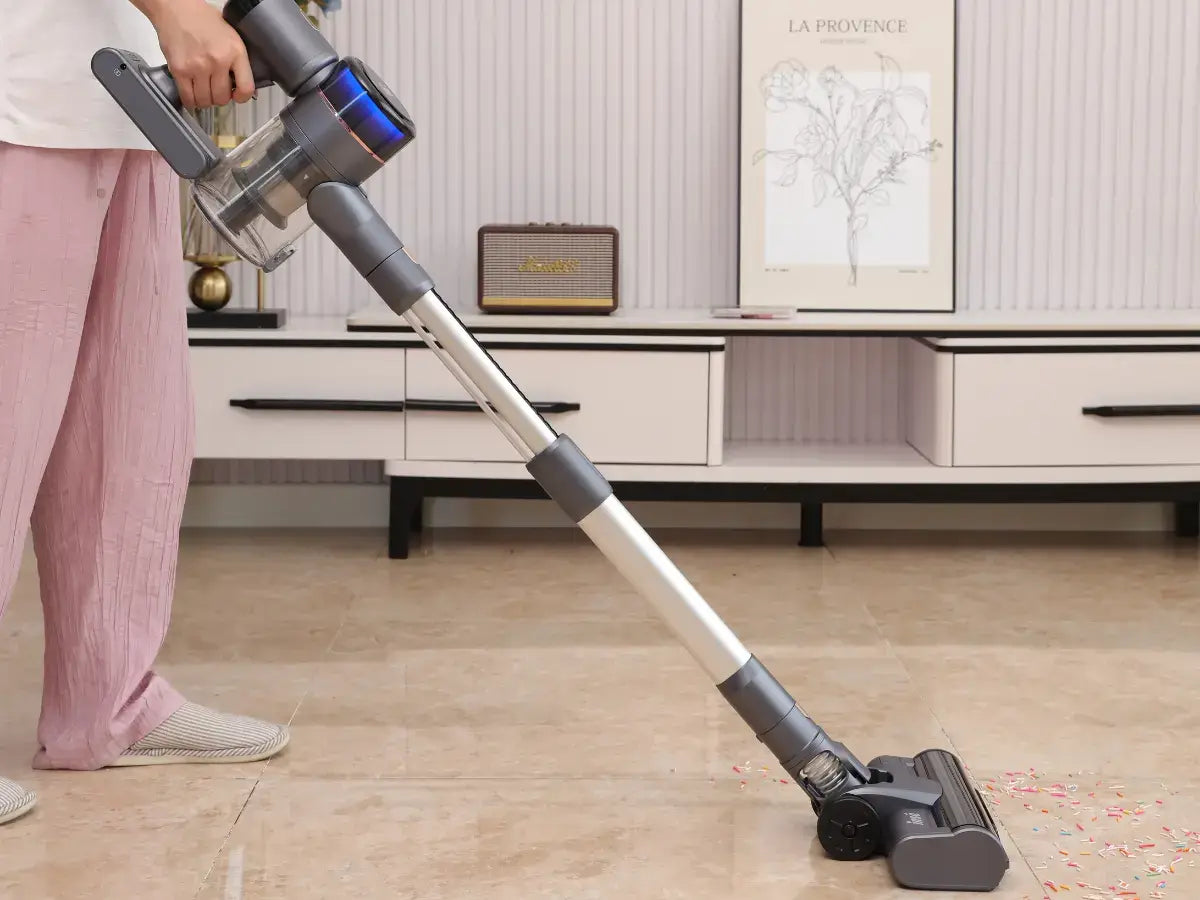
Brush Roller Not Spinning
If your vacuum’s brush roller isn’t moving, it won’t pick up as much dirt—especially from carpets.
Remove Tangled Hair
Hair and threads can wind around the roller, stopping it from turning. Most Inse models let you remove the brush roller easily:
- Open the roller cover.
- Slide out the brush.
- Cut away tangled hair with scissors.
- Wipe the brush clean and reinstall.
Inspect For Blockages
Large debris can jam the brush area. Look for small toys, socks, or clumps of dust.
Check The Belt
Some models use a small belt to spin the brush. If the belt is broken or loose, the roller will not move. Replacing the belt is often a simple fix.
Motor Or Electrical Issues
If the brush still won’t spin after cleaning, the motor that drives it could be faulty. This requires professional repair or contacting Inse support.
Battery Not Charging Or Holding Charge
A battery issue can stop your cleaning in its tracks. If your Inse cordless vacuum won’t charge or runs out quickly, consider these steps.
Examine The Charger
Use the original Inse charger. Third-party chargers may not work correctly.
- Plug into a different outlet.
- Check the charger for frayed cords or damage.
Test The Charging Port
Dust or debris can block the charging port on the vacuum or battery. Blow gently or use a dry brush to clean it.
Battery Health
A battery that runs out after only a few minutes may be worn out. If your vacuum is used daily, batteries often last 12–18 months before performance drops. Some users see longer life with less frequent use.
Storage And Temperature
Storing your vacuum in very hot or cold places can damage the battery. Keep it at room temperature for best results.
Strange Noises
Unusual sounds can signal a problem—or just normal operation. Learn to tell the difference.
Types Of Sounds
- High-pitched whine: Usually a sign of a blockage or full filter.
- Rattling: Something hard (like a coin) is stuck in the brush or dustbin.
- Clicking: The brush roller has debris or is misaligned.
- Grinding: The motor or belt may be damaged.
What To Do
- Turn off the vacuum.
- Remove any debris.
- Reassemble and test.
If the noise continues, contact Inse support before using the vacuum again.
Dust Escaping Or Poor Filtration
If you see dust blowing out or your vacuum leaves a trail, it’s time to look at the filters and seals.
Check Filter Installation
Filters must be seated correctly. Remove and re-insert them, making sure they fit snugly.
Replace Old Filters
HEPA and foam filters lose effectiveness over time. Replace every 3–6 months for best air quality.
Inspect Seals And Gaskets
Worn or damaged rubber seals can let dust escape. Inspect all sealing surfaces and replace if you see cracks or gaps.

Attachments Not Working Properly
Attachments help clean corners, stairs, and upholstery. If they’re not working:
- Check for blockages inside the attachment.
- Make sure the attachment clicks securely into place.
- Test the vacuum without the attachment to see if the issue is with the vacuum or the tool.
Maintenance Schedule For Best Performance
Regular maintenance keeps your Inse cordless vacuum running smoothly. Here’s a simple maintenance schedule:
| Task | Frequency |
|---|---|
| Empty dustbin | After each use |
| Clean filter | Weekly |
| Wash filter | Monthly |
| Check brush roller | Biweekly |
| Inspect battery/charger | Every 3 months |
| Replace filter | Every 3–6 months |
Following these steps can prevent many problems before they start.
Troubleshooting By Error Indicators
Some Inse cordless vacuums have LED indicators or error codes. Understanding these can save you time.
Common Led Signals
- Solid blue/green: Fully charged, ready to use.
- Flashing blue: Charging in progress.
- Red light: Error detected (blockage, battery issue, or filter problem).
- No light: Battery is empty or there’s a connection problem.
Refer to your model’s manual for specific codes. If you see an error light, start by checking for blockages and cleaning the filter.
Quick Reference: Problem And Solution Table
For fast troubleshooting, use this quick reference:
| Problem | Likely Cause | Solution |
|---|---|---|
| Vacuum won’t turn on | Dead battery | Recharge, check battery contacts |
| Low suction | Clogged filter or blockage | Clean/replace filter, clear blockages |
| Brush roller not spinning | Tangled hair, broken belt | Clean roller, check belt |
| Battery not charging | Faulty charger or port | Test charger, clean port |
| Strange noise | Debris stuck in brush | Remove debris, clean roller |
| Dust blowing out | Dirty filter, broken seal | Replace filter, check seals |
When To Contact Inse Customer Support
You can fix most issues yourself, but some problems require expert help:
- Vacuum will not turn on after trying all battery and charger solutions.
- Battery overheats or swells.
- Unusual smells (burning, melting plastic).
- Motor makes grinding noises after cleaning.
- Parts are cracked, broken, or missing.
Contact Inse support with your model number, a description of the problem, and what you’ve already tried. Many Inse vacuums come with a 12–24 month warranty.
Real-world Examples
Let’s look at a few situations Inse users often face.
Example 1: Sudden Power Loss During Cleaning
A user reports the vacuum shuts off after a few seconds. Solution:
- Clean the filter and dustbin—both were full.
- Let the filter dry fully before reinstalling.
- Vacuum works normally again.
Insight: Many Inse vacuums have a thermal cut-off feature to protect the motor. If airflow is blocked, the vacuum shuts down. Cleaning the filter usually solves this.
Example 2: Battery Only Lasts Five Minutes
A customer finds their battery drains fast. Solution:
- Try a new charger—problem remains.
- Order a new battery—run time returns to normal.
Insight: Batteries lose capacity over time, especially if stored in hot places or left empty for long periods.
Example 3: Brush Roller Not Spinning On Carpet
The brush works on hard floors but not carpet. Solution:
- Remove the roller and cut off hair.
- Check for a loose belt—tighten or replace.
- Brush spins as expected.
Insight: Hair can wrap tightly around the roller, stopping movement even if it looks clean at first glance.
How To Replace Common Parts
Replacing some parts is simple and extends the life of your vacuum.
Replacing The Filter
- Remove the dustbin.
- Pull out the old filter.
- Insert new filter (make sure it’s dry and the correct type).
- Snap the dustbin back in place.
Changing The Battery
For removable batteries:
- Unlock the battery latch and slide the battery out.
- Insert the new battery until it clicks.
- Charge fully before first use.
Changing The Brush Roller
- Open the roller cover (usually with a release button).
- Slide out the old roller.
- Insert the new roller, making sure it’s aligned.
- Close the cover.
Always buy genuine Inse parts for the best fit and performance.
Upgrading Or Adding Accessories
Inse vacuums often come with basic attachments, but you can buy extra tools:
- Mini motorized brush: Great for pet hair on furniture.
- Flexible hose: For cleaning cars or tight spaces.
- Extra filters: Keep spares for rotation.
- Wall mount: For easy storage and charging.
Make sure accessories match your model number.
Cleaning And Storage Tips
How you clean and store your vacuum affects its life.
- Always empty the dustbin after use.
- Store in a cool, dry place—avoid garages or sheds with extreme temperatures.
- Don’t leave the battery plugged in for days. Unplug once charged.
- Wash filters with water only—never soap or chemicals.
- Let all parts dry 100% before reassembling.
Safety Tips For Inse Cordless Vacuums
- Do not vacuum liquids—this is not a wet/dry vacuum.
- Avoid picking up sharp items or hot debris.
- Keep the charger away from water.
- Do not use the vacuum while charging.
- Stop use immediately if you notice smoke, sparks, or overheating.
Inse Cordless Vacuum Vs Other Brands
If you’re considering switching brands or just want to compare, here’s a quick look at how Inse cordless vacuums stack up:
| Feature | Inse Cordless | Dyson V7/V8 | Shark ION |
|---|---|---|---|
| Price | Low-Mid ($100–$200) | High ($300+) | Mid ($200–$300) |
| Battery Life | 20–40 min | 20–30 min | 20–40 min |
| Weight | Light (3–4 lbs) | Light (3–5 lbs) | Medium (5–7 lbs) |
| Filter Type | HEPA/foam | HEPA | HEPA |
| Accessories | Basic, optional extras | Many included | Basic set |
| Warranty | 12–24 months | 24 months | 12 months |
Insight: Inse vacuums offer strong value for money, especially for small homes or apartments. While top brands like Dyson may have more power or accessories, Inse is easier to maintain and less expensive to repair.
How To Extend The Life Of Your Inse Cordless Vacuum
- Charge the battery only when needed. Avoid frequent “topping off.”
- Clean the brush roller and filter regularly.
- Store the vacuum away from direct sunlight and moisture.
- Replace filters and batteries as recommended.
- Use the right attachment for each job to prevent overworking the motor.

Environmental Impact And Disposal
When replacing parts like batteries or filters, don’t just throw them in the trash.
- Take old batteries to a local recycling center.
- Dispose of electronic waste according to your city’s rules.
- Use reusable filters when possible to reduce waste.
For more information about recycling electronics, visit the US EPA’s official recycling page.
Frequently Asked Questions
Why Does My Inse Cordless Vacuum Keep Shutting Off?
This usually happens because of a blocked filter, overfilled dustbin, or a battery that needs charging. Clean the filter and dustbin first. If the problem continues, the battery may need replacing.
How Long Does An Inse Cordless Vacuum Battery Last?
Most Inse batteries last 20–40 minutes per charge and about 300–500 charge cycles. If you notice run time dropping below 10 minutes, it’s probably time for a new battery.
Can I Wash The Filter In My Inse Cordless Vacuum?
Yes, most Inse filters can be washed with cold water. Never use soap or chemicals. Let the filter dry completely (24 hours) before putting it back in the vacuum.
What Should I Do If My Vacuum Smells Bad?
A bad smell often means the filter or dustbin needs cleaning. Wash the filter, empty the dustbin, and check for any trapped food or pet hair. For persistent odors, replace the filter.
Where Can I Buy Inse Replacement Parts?
Buy genuine Inse parts from the official website or authorized retailers. Avoid generic parts from unknown sellers, as they may not fit or work properly.
conclusion
If you keep these troubleshooting tips and maintenance steps in mind, your Inse cordless vacuum should serve you well for years. With just a little regular care, you can handle most problems quickly—and enjoy clean floors with much less hassle.