Is your Kenmore oven acting up when you need it most? You’re not alone.
When your oven stops working properly, it can throw off your entire cooking routine and cause unnecessary stress. But don’t worry—fixing common Kenmore oven problems might be easier than you think. You’ll discover simple, effective troubleshooting tips that can save you time and money.
Keep reading to learn how to get your oven back to perfect working order quickly and confidently.
Oven Won’t Heat
When your Kenmore oven does not heat, cooking stops. This problem can be frustrating and slow your meal prep. Fixing it often means checking a few key parts first. Start with simple checks to save time and money. Below are easy steps to find the cause of the heating issue.
Check Power Supply
Ensure your oven is plugged in properly. Look at the circuit breaker for any tripped switches. A power cut can stop your oven from heating. Test the outlet with another device to confirm power is present. If no power reaches the oven, call an electrician.
Inspect Heating Elements
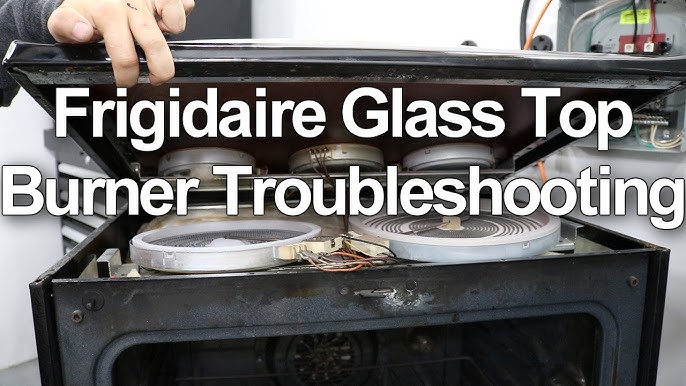
Heating elements can burn out or break. Look inside the oven for glowing parts when turned on. If they stay dark, they may be faulty. Remove and check for visible damage or breaks. Replace damaged elements with the correct part number.
Test Temperature Sensor
The temperature sensor tells the oven how hot to get. If it malfunctions, the oven might not heat properly. Use a multimeter to test its resistance. A faulty sensor needs replacement to restore oven heating. This step often requires basic tool knowledge.
Uneven Cooking
Uneven cooking is a common problem with Kenmore ovens. Food may cook faster on one side and slower on the other. This can ruin meals and cause frustration. Fixing uneven cooking helps bake food evenly and taste better.
Rotate Oven Racks
Rotating oven racks helps heat reach food evenly. Place food on the middle rack for best heat circulation. Halfway through cooking, turn the pans around. Swap the top and bottom racks if using more than one. This simple step prevents hot spots and uneven cooking.
Calibrate Oven Thermostat
Oven temperature may not be accurate. Use an oven thermometer to check the real heat. Adjust the oven thermostat if it is too hot or too cold. Follow the oven manual for calibration steps. Correct temperature ensures food cooks properly and evenly.
Clean Oven Interior
Dirt and grease inside the oven block heat flow. A dirty oven causes uneven cooking and bad smells. Clean the oven walls, racks, and floor regularly. Use a gentle oven cleaner or baking soda paste. A clean oven gives even heat and better cooking results.
Oven Door Issues
Oven door issues can cause heat loss and uneven cooking. These problems reduce oven efficiency and increase energy use. Fixing door problems helps keep your oven working well.
Common oven door issues include broken seals, misaligned hinges, and cracked glass. Each problem needs a specific fix. Simple repairs often solve these problems quickly.
Fix Door Seal
The door seal stops heat from escaping. Check it for cracks or tears. A damaged seal lets heat out and wastes energy.
Clean the seal first to remove dirt and grease. Use warm soapy water and a soft cloth. Replace the seal if it is worn or broken. New seals fit tightly and keep heat inside.
Adjust Door Hinges
Door hinges can become loose or bent. This causes the door to not close properly. Check the hinges for damage or looseness.
Tighten loose screws with a screwdriver. If hinges are bent, carefully bend them back. Properly aligned hinges help the door close tightly. This keeps heat inside and improves cooking.
Replace Door Glass
Cracked or broken door glass is dangerous and reduces oven efficiency. Inspect the glass for cracks or chips. Do not use the oven with damaged glass.
Order a replacement glass made for your oven model. Carefully remove the old glass using gloves. Install the new glass following the manufacturer’s instructions. This restores safety and keeps heat inside.
Error Codes And Beeping
Kenmore ovens use error codes and beeping sounds to signal problems. These alerts help you know what needs fixing. Understanding these signals saves time and frustration. You can often fix small issues yourself. Knowing when to seek professional help is important.
Common Error Codes
Error codes appear on the oven’s display. Each code points to a specific problem. For example, “F1” might mean a sensor error. “F3” could indicate a temperature issue. Check your oven manual for exact meanings. Recognizing these codes guides your next steps.
Resetting The Oven
Resetting can clear some errors and stop beeping. Unplug the oven or turn off the circuit breaker. Wait about five minutes before powering it back on. This simple step often resets the control board. If the error returns, more work may be needed.
When To Call A Technician
Call a technician if error codes persist after a reset. Also, seek help if the oven won’t heat or stops working. Strange smells or smoke require immediate service. Avoid trying complex repairs without experience. Safety comes first with electrical appliances.
Self-cleaning Problems
Self-cleaning ovens are very useful. They burn off food spills and grease at high heat. Yet, Kenmore ovens can face self-cleaning problems. These issues stop the cleaning cycle from working well. Understanding common problems helps fix them fast.
Troubleshoot Cleaning Cycle
Check if the oven door locks during cleaning. The cycle won’t start without a locked door. Listen for clicking sounds when starting the cycle. If no sound, the door lock might be broken. Also, check the oven control panel for error codes. Reset the oven by turning it off and on. Try starting the cleaning cycle again.
Clean Door Lock Mechanism
Dirt and grease can block the door lock. Use a soft cloth with warm soapy water. Gently clean the lock and surrounding area. Avoid harsh chemicals that can damage parts. Dry the lock fully before using the oven. Clean the lock regularly to prevent problems.
Avoid Common Mistakes
Do not start self-cleaning with heavy spills. Large food chunks can cause smoke or fire. Remove big debris before the cleaning cycle. Do not open the door during cleaning. It stops the cycle and can harm the lock. Always use the recommended cleaning time. Too short or too long cycles cause issues.

Control Panel Malfunctions
The control panel is the brain of your Kenmore oven. It controls all the settings and functions. Sometimes, the control panel may stop working properly. This can cause the oven to act strange or not work at all. Fixing control panel problems often solves many oven issues quickly.
Reset Control Board
Resetting the control board can clear errors and glitches. Start by unplugging the oven from the power source. Leave it unplugged for about five minutes. Plug the oven back in and see if the control panel works. This simple step often restores normal function.
Replace Faulty Buttons
Buttons on the control panel can wear out or get stuck. Check if any buttons do not respond or feel stuck. Replace those faulty buttons with new ones made for your oven model. This repair can make the control panel work smoothly again.
Update Oven Software
Some Kenmore ovens have software that needs updates. Check your oven’s manual to see if updates are available. Updating the software can fix bugs and improve performance. Follow the instructions carefully to install the update safely.

Frequently Asked Questions
How Do I Reset My Kenmore Oven?
To reset your Kenmore oven, turn off the power at the circuit breaker. Wait for 1-2 minutes, then turn it back on. This can clear minor errors and glitches.
Why Is My Kenmore Oven Not Heating Properly?
The oven may not heat due to a faulty heating element or a blown fuse. Check the element for visible damage and replace if needed. Also, verify if the power supply is stable.
What Does The Error Code F1 Mean On Kenmore Oven?
Error code F1 usually means a problem with the oven’s keypad or control board. Try resetting the oven first. If the error stays, the control board might need repair or replacement.
How Can I Fix A Kenmore Oven Door That Won’t Close?
Check for debris or food stuck in the door latch or hinges. Clean the area and gently realign the door. If the door is bent or the latch is broken, replace the part.
Why Is My Kenmore Oven Timer Not Working?
A faulty control board or wiring issue can cause the timer to stop. Test the timer by setting it and seeing if it counts down. Repair or replace the control board if needed.
Conclusion
Kenmore oven problems can often be fixed with simple steps. Check the power supply and settings first. Clean the oven regularly to avoid common issues. Replace worn parts if the oven does not heat well. Always follow safety tips during repairs.
Small fixes save time and money. Keep your oven working smoothly for delicious meals. Troubleshooting becomes easier with clear steps and patience. Your Kenmore oven can serve you well with basic care.