Is your Keurig Duo giving you trouble right when you need your coffee fix? You’re not alone.
Whether it won’t brew, shows an “Add Water” error, or simply won’t turn on, these common problems can be frustrating and disrupt your morning routine. But don’t worry—most issues are easier to fix than you think. In this guide, you’ll find clear, simple troubleshooting tips that help you get your Keurig Duo back up and running fast.
Keep reading, and you’ll learn exactly what to check, how to fix common clogs, reset your machine, and avoid future headaches. Your perfect cup of coffee is just a few easy steps away!
Power And Reset Issues
Power and reset issues are common problems with the Keurig Duo. These problems stop the machine from working properly. Many users face troubles like the machine not turning on or the control panel not responding. Understanding how to fix these issues can save time and avoid frustration.
Power problems often come from simple causes. Sometimes, the machine needs a reset to clear errors or glitches. This section explains easy steps to fix power and reset issues. Follow these tips to get your Keurig Duo working again fast.
Won’t Turn On
Check if the Keurig Duo is plugged into a working outlet. Try another outlet if unsure. Make sure the power switch is turned on. If the machine got wet, let it dry completely. Moisture can cause a short and stop the power. If the machine still won’t turn on, try a reset.
Processor Reset Steps
Unplug the Keurig Duo from the wall outlet. Leave it unplugged for at least ten minutes. This allows the internal processor to reset. Plug the machine back in and press the power button. Check if the display lights up and responds. This step often fixes software glitches causing power problems.
Unresponsive Control Panel
Sometimes the control panel stops responding to touch. Start by unplugging the machine for ten minutes. Plug it back in and test the buttons. If the panel remains unresponsive, clean the surface gently with a soft cloth. Avoid using harsh chemicals. Make sure no water or dirt blocks the buttons. If problems continue, the control panel may need professional repair.

Water Flow And Add Water Errors
Water flow and add water errors often disrupt your Keurig Duo’s brewing process. These issues can stop your machine from making coffee properly. Understanding the causes helps fix the problem fast. Simple checks can restore smooth water flow and clear error messages. This section covers common water flow problems and how to solve “Add Water” alerts.
Add Water Light On
The “Add Water” light means your machine senses low water. Sometimes the reservoir has water, but the sensor cannot detect it. Remove the reservoir and place it back firmly to reset the sensor. Check if the water reaches the minimum fill line. Clean the sensor area gently with a soft cloth to remove mineral buildup. Use filtered water to avoid blockages caused by hard water.
Water Not Pulling
When water does not pull through, the machine fails to brew. This often happens due to blockages in the needle or water line. Unplug the machine before cleaning. Use a paperclip to clear the top and bottom needles carefully. Run a water-only brew cycle to flush out any debris. Descaling the machine regularly prevents mineral buildup that blocks water flow.
Reservoir Problems
The water reservoir may cause errors if it is cracked or not seated correctly. Inspect the reservoir for cracks or leaks. A loose reservoir stops water from flowing into the machine. Ensure the reservoir sits flat and locks into place. Check the reservoir lid to confirm it is closed tightly. Replace the reservoir if it is damaged to avoid recurring errors.
Clogs And Grounds In Coffee
Clogs and coffee grounds can cause your Keurig Duo to stop working properly. Coffee grounds may block water flow and reduce brewing quality. Small blockages in the needles or dirty parts can lead to weak coffee or no coffee at all. Regular cleaning helps keep your machine running smoothly and ensures fresh coffee every time.
Blocked Needles Cleaning
The needles in your Keurig Duo can get clogged with coffee grounds. Use a paperclip or needle cleaner to clear these blockages. Carefully insert the tool into the top and bottom needle openings. Do not push too hard to avoid damage. After cleaning, run water through the machine to flush out leftover debris.
Dirty Brew Basket
The brew basket holds coffee grounds during brewing. Over time, it can get dirty and block water flow. Remove the single-serve pod holder or carafe brew basket. Rinse it under hot water and scrub gently with a soft brush. Make sure all mesh holes are clear for smooth water passage.
Descaling The Machine
Mineral buildup inside the Keurig Duo can clog internal parts. Descaling removes these deposits and improves performance. Use a descaling solution or white vinegar mixed with water. Run the descaling cycle following the machine’s instructions. Rinse thoroughly by running fresh water through the brewer afterwards.
Brewing Problems
Brewing problems can disrupt your morning routine and cause frustration. The Keurig Duo may stop brewing suddenly or fail to fill a full pot. These issues often relate to simple fixes. Understanding common brewing problems helps you restore your coffee maker quickly. Below are some typical brewing problems and easy solutions to try.
Stopped Brewing Suddenly
Your Keurig Duo might stop brewing without warning. This often happens due to clogged needles. Coffee grounds can block the flow of water. Use a paperclip to clean the top and bottom needles gently. Do not push too hard to avoid damage.
Another cause can be a lack of water in the reservoir. Check if the water tank is full and seated correctly. If the problem persists, try unplugging the machine for ten minutes to reset its processor.
Not Brewing Full Pots
If your Keurig Duo does not brew a full pot, the water flow may be restricted. Check the brew basket for clogs or coffee grounds. Rinse the basket under hot water to clear any blockages. Make sure the carafe is properly placed on the warming plate.
Also, ensure the water reservoir is filled to the correct level. Low water can cause incomplete brewing. Descaling the machine can help if mineral buildup reduces water flow.
Handle And Basket Installation
Incorrect handle or basket installation can stop brewing. The brew basket must lock securely into place. The handle should close firmly without forcing it. If the basket is loose, the machine may not start brewing.
Remove and reinstall the basket and handle carefully. Align parts according to the user manual. Proper installation ensures the water flows through the coffee grounds correctly. This step often resolves many brewing issues.
Maintenance Tips
Proper maintenance keeps your Keurig Duo working smoothly. Small habits prevent common issues and extend the machine’s life. Follow these simple tips to maintain your coffee maker.
Regular Cleaning Routine
Clean your Keurig Duo weekly to avoid buildup. Remove the pod holder and wash it with warm, soapy water. Wipe the exterior and drip tray with a damp cloth. Run a water-only brew cycle to flush out any residue. This routine helps prevent clogs and keeps coffee tasting fresh.
Needle Care
The needles can get clogged with coffee grounds over time. Use a paperclip or needle cleaning tool to clear the top and bottom needles gently. Avoid pushing too hard to prevent damage. Cleaning the needles regularly ensures proper water flow and brewing performance.
Water Quality And Filters
Use fresh, clean water for every brew. Hard water can cause mineral buildup inside the machine. Consider using filtered or bottled water to reduce scaling. Replace the water filter cartridge every two months to maintain taste and machine health. Good water quality improves coffee flavor and machine longevity.
Error Messages And Lights
Error messages and flashing lights on your Keurig Duo signal specific issues. Understanding these alerts helps fix problems quickly. The machine uses codes and lights to communicate. Knowing their meaning saves time and frustration.
Common Error Codes
The Keurig Duo shows error codes for various issues. One frequent code is “Add Water,” which means the reservoir is empty. Another code, “Descale,” indicates the need to clean mineral buildup. “Brew Error” often points to a clogged needle or coffee grounds blockage. Some codes warn about power problems or internal malfunctions. Recognizing these codes guides you to the right solution fast.
Flashing Lights Meaning
Flashing lights on your Keurig Duo also provide important clues. A blinking power button may mean the machine is warming up or needs a reset. Rapid flashing lights often signal a critical error that stops brewing. Slow blinking lights can show the machine is in standby mode. Some light patterns appear during descaling or cleaning cycles. Watching the light signals helps identify the issue without guessing.
When To Contact Support
Contact Keurig support if error codes or lights persist after troubleshooting. Also reach out when your machine does not respond to resets or cleaning. Support can assist with complex problems like motherboard failure or sensor issues. If your Keurig Duo is under warranty, professional repair or replacement may be available. Keep note of error codes and light patterns before calling support. This information helps them provide faster, accurate help.
Troubleshooting By Side
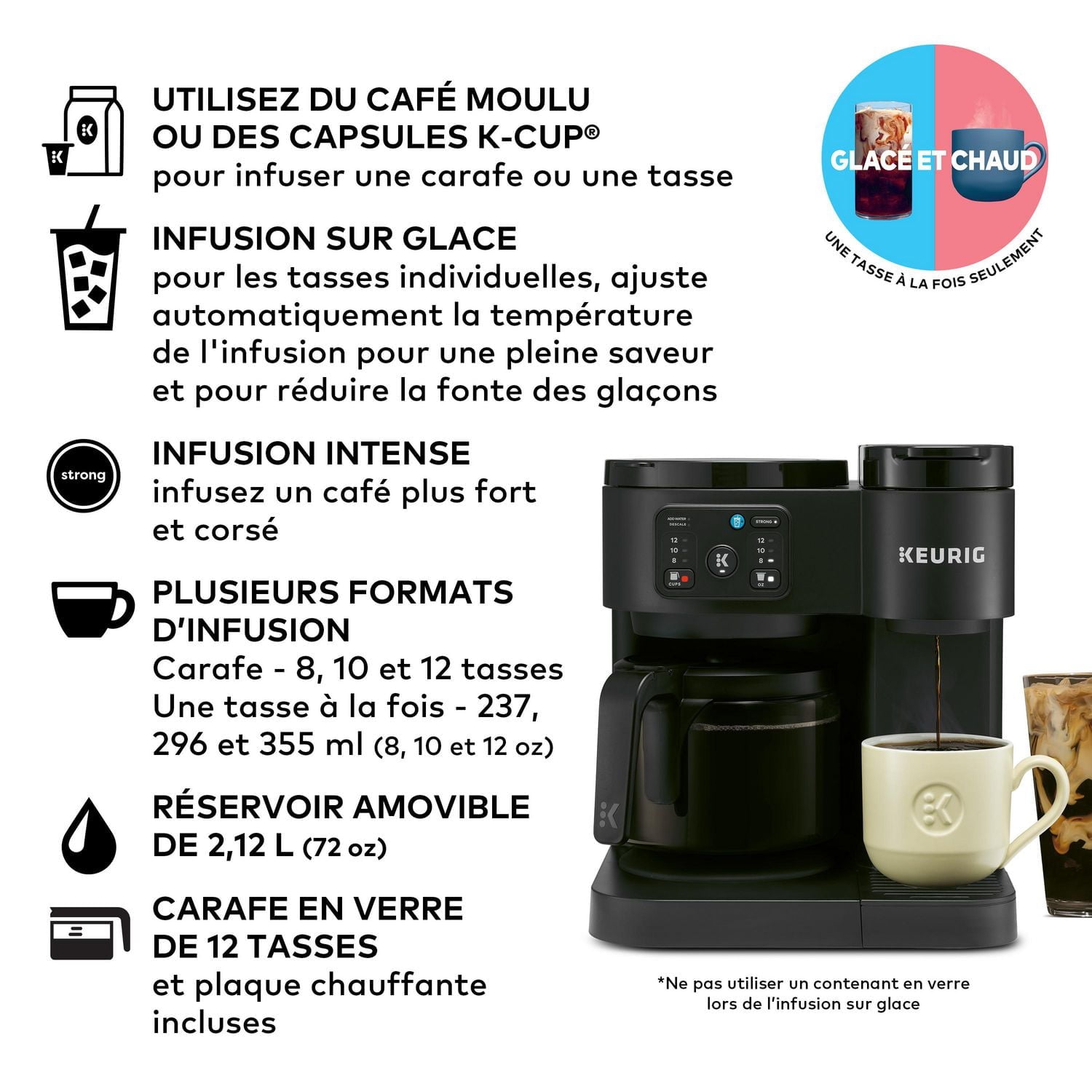
Troubleshooting a Keurig Duo requires checking each side separately. The machine has two brewing options: the single-serve K-Cup side and the glass carafe side. Problems can differ depending on which side you use. This section helps identify and fix common issues by focusing on each side.
Single-serve K-cup Side Issues
The single-serve side may fail to brew or stop halfway. Check if the K-Cup is properly seated in the holder. A misaligned pod can block water flow.
Clogged needles often cause brewing problems. Use a paperclip to clear the top and bottom needles gently. Avoid pushing too hard to prevent damage.
If the machine shows an “Add Water” message, fill the water reservoir. Also, confirm it is seated correctly on the base.
Sometimes, the brew basket gets dirty. Remove it and rinse with hot water to remove coffee grounds or residue. This keeps water flowing freely.
Glass Carafe Side Issues
The carafe side may not fill or brew full pots. Check if the carafe sits well on the warming plate. A misaligned carafe can stop the machine.
Water flow problems often come from blockages in the internal tubes. Descaling the machine helps remove mineral buildup.
Clean the brew basket regularly. Grounds or coffee oils may clog the mesh, reducing water flow.
Check the water reservoir for cracks or leaks. A damaged reservoir can cause errors and stop brewing.
Frequently Asked Questions
How To Do A Hard Reset On Keurig Duo?
To hard reset a Keurig Duo, unplug it for 10 minutes. Then, plug it back in and power it on. This clears minor errors and resets the processor.
Why Is My Keurig Duo Not Pulling Water?
Your Keurig Duo may not pull water due to clogged needles, low water level, or mineral buildup. Clean needles and descale regularly. Ensure the water reservoir is properly seated and filled. Unplug the machine for 10 minutes to reset if issues persist.
What Is The Life Expectancy Of A Keurig Duo?
The Keurig Duo typically lasts 3 to 5 years with proper maintenance and regular descaling. Regular cleaning extends its lifespan.
What Is A Common Problem With Keurig?
A common problem with Keurig is clogged needles caused by trapped coffee grounds. Cleaning them with a paperclip often resolves brewing issues.
Why Is My Keurig Duo Not Brewing Coffee?
Your Keurig Duo may have blocked needles or low water. Clean the needles carefully with a paperclip. Also, check if the water reservoir has enough water.
Conclusion
Troubleshooting your Keurig Duo becomes easier with simple, clear steps. Regular cleaning helps prevent common clogs and errors. Always check water levels and power connections first. Use a paperclip gently to clear needle blockages. Resetting the machine can solve many issues quickly.
Keep an eye on error messages to identify problems. Following these tips can save time and frustration. Enjoy your coffee without long delays or hassle. Stay patient and methodical for the best results.