Are you having trouble with your Keurig K Duo Essentials 5000? You’re not alone.
When your coffee maker isn’t working right, it can throw off your whole day. But don’t worry—fixing common issues is easier than you think. In this guide, you’ll find simple, step-by-step solutions to get your machine brewing again quickly. Keep reading to take control of your coffee routine and enjoy every cup without frustration.
Common Issues
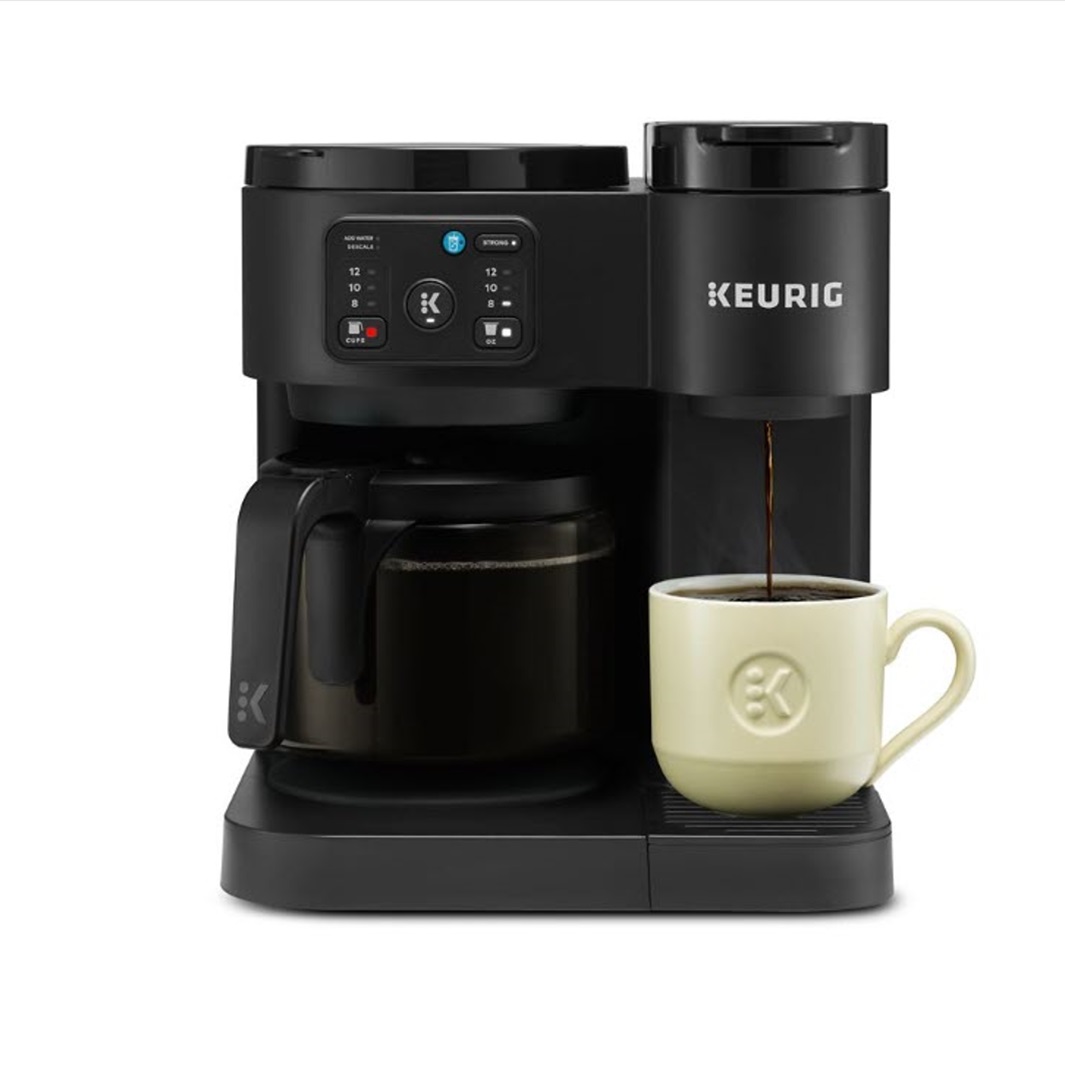
The Keurig K Duo Essentials 5000 is a popular coffee maker but it can face issues. Common problems can stop the machine from working well. Knowing these issues helps fix them quickly. This saves time and keeps your coffee routine smooth.
Machine Not Brewing
The machine may stop brewing due to clogs or power issues. Check if the water reservoir is full. Make sure the machine is plugged in and turned on. Sometimes, coffee grounds block the needle. Clean the needle to allow water flow. Restarting the machine can also help reset it.
Error Messages Displayed
Error messages can appear on the screen for several reasons. A common cause is an empty water tank. Filling the tank usually clears the error. Another cause is a jammed pod. Remove the pod and try again. Follow the error code instructions shown on the display.
Leaking Water
Leaks happen when parts are not fitted correctly or damaged. Check the water reservoir for cracks or loose seals. Clean the drip tray and empty it regularly. Inspect the machine base for any water spills. Replace damaged parts to stop leaks and avoid damage.
Weak Coffee Taste
Weak coffee can result from old pods or clogged needles. Use fresh coffee pods for better flavor. Clean the machine regularly to remove buildup. Adjust the brew strength setting if available. A clean machine and fresh pods improve coffee taste.
Basic Fixes
Basic fixes solve many common issues with the Keurig K Duo Essentials 5000. These steps are simple and quick. They often restore your machine’s function without needing help. Try these first before moving to complex solutions.
Power Cycle The Machine
Turn off the Keurig and unplug it from the power outlet. Wait for about 30 seconds to one minute. Plug it back in and turn it on. This resets the machine’s system and clears minor errors.
Check Water Reservoir
Make sure the water reservoir is filled with clean water. It must sit properly on the base for the machine to work. Remove and replace the reservoir if the machine doesn’t detect water.
Clean Brew Head
Remove the K-Cup holder to access the brew head. Use a paperclip or needle to clear any blocked holes. Wipe the area with a damp cloth to remove coffee grounds and residue.
Replace K-cup Properly
Open the K-Cup holder and remove the old pod. Insert a new K-Cup firmly but gently. Close the holder completely to ensure proper brewing. An incorrect pod placement can cause errors.
Descaling Process
The descaling process keeps your Keurig K Duo Essentials 5000 working well. It removes mineral buildup from water inside the machine. This buildup can block water flow and affect coffee taste. Regular descaling helps your coffee maker last longer and brew better.
When To Descale
Descale your Keurig every 3 to 6 months. Use more often if your water is hard. The machine may also signal when descaling is needed. Look for slow brewing or strange sounds. These signs mean minerals are building up inside.
Step-by-step Descaling
First, turn off and unplug the coffee maker. Empty the water reservoir and remove any pods. Add the descaling solution or white vinegar to the reservoir. Fill with water to the max line.
Turn on the machine and start the brew cycle without a pod. Repeat until the reservoir is empty. Let the machine sit for 30 minutes to loosen buildup. Rinse the reservoir and fill with fresh water.
Run multiple brew cycles with clean water only. This removes any leftover descaling solution. Wipe down the machine and dry all parts. Your Keurig is now clean and ready to use.
Recommended Descaling Solutions
Use Keurig’s official descaling solution for best results. White vinegar also works as a natural alternative. Avoid using bleach or harsh chemicals. They can damage the machine and leave bad tastes.
Choose a solution that is safe for coffee makers. Follow the instructions on the package closely. Proper descaling protects your Keurig and keeps coffee fresh.
Water Flow Problems
Water flow problems can stop your Keurig K Duo Essentials 5000 from brewing properly. This issue often causes weak coffee or no coffee at all. Fixing water flow helps your machine work like new again. Below are common causes and easy fixes to try.
Clogged Needle Issues
The needles in your Keurig can get clogged with coffee grounds or mineral build-up. When blocked, water cannot flow through properly. This results in slow or no brewing. Check both the entrance and exit needles for any debris. A clogged needle is a common cause of water flow problems.
How To Clean Needles
Turn off and unplug your machine first. Remove the K-cup holder to access the needles. Use a paperclip or needle cleaning tool to clear any blockages carefully. Run water through the needles to flush out small particles. Clean the needles regularly to avoid future clogs.
Ensuring Proper Water Pressure
Low water pressure can affect the brewing process. Check that the water reservoir is full and seated correctly. Make sure no air bubbles block the water flow. Clean the water reservoir and tubing if needed. Proper water pressure helps your Keurig brew hot and strong coffee every time.
Button And Display Errors
Button and display errors can stop your Keurig K Duo Essentials 5000 from working right. These problems make it hard to brew coffee or even use the machine. Knowing how to fix these errors helps save time and keeps your coffee routine smooth.
Unresponsive Buttons
Sometimes the buttons on your Keurig do not work when pressed. Dust or liquid spills can cause this issue. Clean the buttons gently with a soft cloth. Avoid using too much water to stop damage. Press each button firmly but not too hard. If the buttons still don’t respond, unplug the machine for a few minutes. Plug it back in and try again.
Resetting The Display
The display may freeze or show wrong information. Resetting the display can solve this problem. First, turn off the machine and unplug it from the power source. Wait for 60 seconds to let the system reset. Plug the machine back in and turn it on. Check if the display works normally now. This simple step often clears minor errors quickly.
Firmware Updates
Firmware controls how your Keurig runs its features. Old or faulty firmware may cause display or button errors. Check the Keurig website for available updates. Follow their instructions to update the firmware safely. Keeping firmware up-to-date ensures better performance. Updates can fix bugs that cause display or button problems.
Maintenance Tips
Proper maintenance of the Keurig K Duo Essentials 5000 keeps it working well for a long time. Simple care steps prevent many common issues. Regular upkeep also improves coffee taste and machine performance.
Regular Cleaning Routine
Clean the machine every week. Remove and wash the drip tray, water reservoir, and pod holder. Use warm soapy water and rinse well. Wipe the outside with a damp cloth. Run a brew cycle with just water to clear any coffee residue inside.
Replacing Water Filters
Change the water filter every two months. This keeps water fresh and coffee tasty. Remove the old filter from the reservoir. Soak a new filter in water for five minutes before placing it inside. Follow the instructions in the manual for best results.
Storing The Machine Safely
Turn off and unplug the machine before storage. Empty the water reservoir and dry it well. Keep the machine in a cool, dry place away from direct sunlight. Cover it with a cloth or plastic wrap to stop dust from entering.
When To Contact Support
Knowing when to contact support for your Keurig K Duo Essentials 5000 saves time and frustration. Some problems need expert help beyond basic fixes. Recognizing these moments ensures your coffee maker works well.
Warranty Information
Check your warranty before calling support. The Keurig K Duo Essentials 5000 usually has a limited warranty. This covers defects and certain repairs. Keep your purchase receipt safe. Warranty terms explain what issues are covered and for how long.
Authorized Service Centers
Use authorized service centers for repairs. They have trained technicians and original parts. Unauthorized repairs may void your warranty. Find the nearest service center on Keurig’s official website. Service centers help fix complex issues safely.
Troubleshooting Beyond Basics
Contact support if your coffee maker still has problems after basic troubleshooting. Examples include error codes, unusual noises, or no power. Also, if water leaks or the machine doesn’t brew properly. Support can guide you with advanced steps or arrange repairs.
Frequently Asked Questions
How Do I Fix The Keurig K Duo Essentials 5000 Not Brewing?
Check if the water reservoir is full and properly seated. Clean the needle that pierces the K-Cup. Also, descale the machine regularly.
Why Is My Keurig K Duo Essentials 5000 Leaking Water?
Leaks often happen if the water reservoir is not correctly placed. Inspect the drip tray and remove any blockages. Tighten any loose parts carefully.
How Can I Reset The Keurig K Duo Essentials 5000?
Unplug the machine and wait for 5 minutes. Plug it back in and press the power button. This can help clear minor errors.
What To Do If The Keurig K Duo Essentials 5000 Won’t Turn On?
Make sure the machine is plugged into a working outlet. Check for any damage to the power cord. Try pressing the power button firmly.
How Do I Descale The Keurig K Duo Essentials 5000?
Use a descaling solution or vinegar mixed with water. Run the machine without a K-Cup until the reservoir is empty. Rinse by running fresh water cycles.
Conclusion
Troubleshooting your Keurig K Duo Essentials 5000 can save time and stress. Small fixes often solve common problems quickly. Keep the machine clean and follow simple steps carefully. Regular care helps keep your coffee fresh and machine working well. Don’t ignore warning signs or unusual noises.
Stay patient during the process. Enjoy your coffee without interruption by handling issues early. This guide makes it easier to fix your Keurig at home. Happy brewing!