Is your Pro1 thermostat acting up and leaving you frustrated? You rely on it to keep your home comfortable, but when it doesn’t work right, it can throw off your whole day.
Don’t worry—you’re not alone, and fixing it might be easier than you think. In this guide, you’ll discover simple troubleshooting steps that can bring your thermostat back to life quickly. Keep reading, and you’ll learn exactly what to check and how to solve common problems without calling a technician.
Your comfort is just a few fixes away.
Common Pro1 Thermostat Issues
Pro1 thermostats are popular for their ease of use and reliability. Still, some common issues may arise that affect their performance. Knowing these problems helps you fix them quickly and keep your system running smoothly.
Below are frequent Pro1 thermostat issues and simple ways to understand them.
Display Problems
The thermostat screen may go blank or show unclear numbers. This issue often happens due to low batteries or loose wiring. Dirt or dust on the screen can also make the display hard to read. Resetting the thermostat or replacing batteries usually solves the problem.
Temperature Inaccuracy
The thermostat might show the wrong temperature or fail to keep the house comfortable. This can result from poor placement, such as near windows or vents. A dirty or faulty sensor inside the unit can cause false readings. Cleaning the sensor or moving the device can improve accuracy.
Connectivity Challenges
Some Pro1 thermostats struggle to connect with Wi-Fi or smart home systems. Weak signals or network issues often cause this problem. Restarting the router or moving the thermostat closer to the Wi-Fi source helps. Checking the network settings on the device also ensures proper connection.
Power Failures
The thermostat may lose power suddenly or not turn on at all. Power failures often come from wiring issues or blown fuses. A tripped circuit breaker or dead batteries can stop the thermostat from working. Inspecting the electrical connections and replacing batteries can restore power.
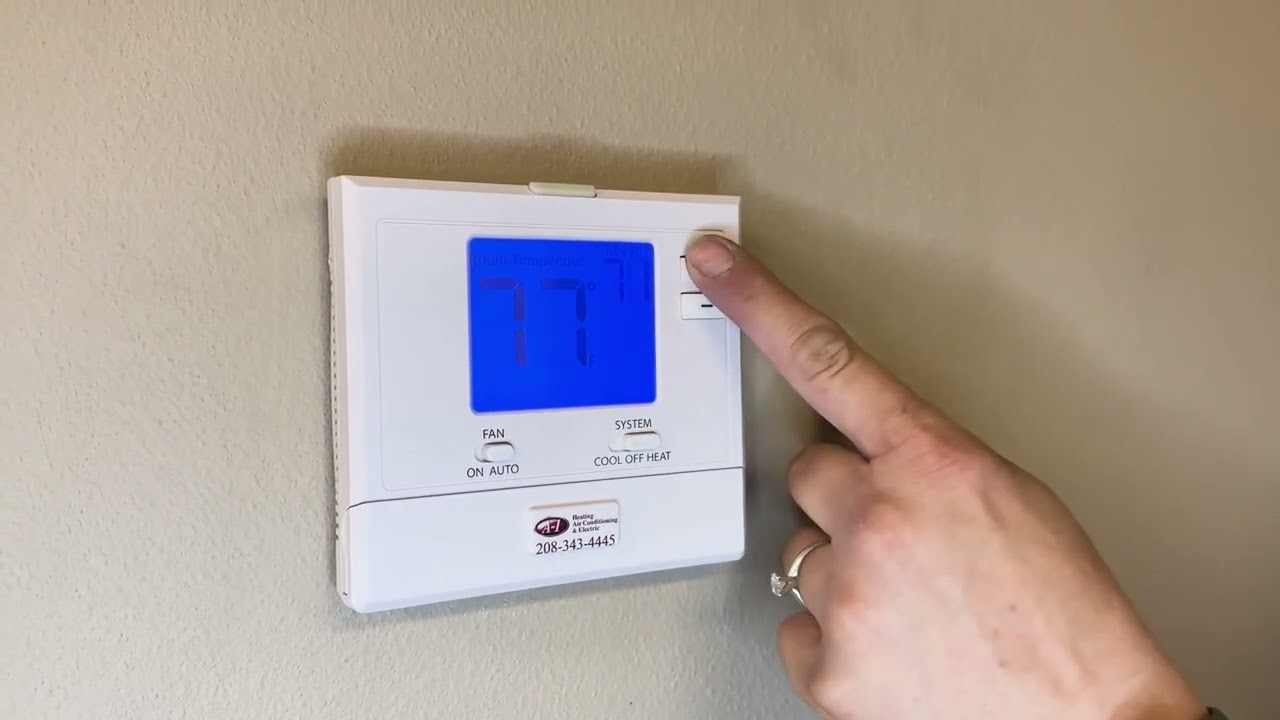
Basic Troubleshooting Steps
Basic troubleshooting is the first step to fix Pro1 thermostat issues. It helps find common problems fast. Follow easy steps to check the thermostat. This saves time and avoids extra costs.
Resetting The Thermostat
Resetting the thermostat can clear errors. Locate the reset button or switch on the device. Press and hold it for about 10 seconds. The screen should turn off and back on. This restarts the system and may fix minor bugs.
Checking The Wiring
Loose or damaged wires cause many problems. Turn off the power before checking wires. Open the thermostat cover carefully. Look for any disconnected or frayed wires. Secure or replace wires as needed. Tight connections ensure proper operation.
Battery Replacement
Low batteries cause the thermostat to stop working. Open the battery compartment. Remove old batteries and check their type. Replace with new batteries of the same kind. Close the compartment and test the thermostat. Fresh batteries keep the display and functions active.
Verifying Power Supply
The thermostat needs steady power to run. Check the circuit breaker for any trips. Make sure the thermostat wires get power. Use a voltage tester if possible. Restore power if it is off. A stable power supply avoids unexpected shutdowns.
Fixing Display And Screen Errors
Fixing display and screen errors on your Pro1 thermostat can restore its proper function quickly. Screen problems often stop you from adjusting settings easily. These issues usually have simple solutions that do not require a professional. This section helps you troubleshoot common screen errors so you can fix them at home.
Unresponsive Screen Solutions
Start by checking if the thermostat is powered on. Sometimes, the screen stays blank due to low battery or power loss. Replace batteries or check wiring if needed. Try restarting the thermostat by turning off the power for a minute and then back on. Clean the screen gently with a soft cloth to remove dust or dirt. Avoid pressing too hard, as this may damage the screen. If the screen still does not respond, reset the thermostat to factory settings. This reset can clear software glitches causing the issue.
Screen Flickering Fixes
Screen flickering can be caused by loose wiring or poor power supply. Inspect all connections to ensure they are secure and tight. Check for any exposed wires and fix them carefully. Electrical interference nearby may also cause flickering. Move any devices that could disturb the thermostat’s signal. Adjust the brightness settings to lower levels to reduce flicker. If the problem continues, update the thermostat’s firmware if possible. Firmware updates often fix bugs affecting the display.

Improving Temperature Accuracy
Improving the temperature accuracy of your Pro1 thermostat helps keep your home comfortable. Accurate readings prevent your heating or cooling system from running too long or too short. This saves energy and lowers bills. Simple steps can improve how your thermostat senses the room temperature.
Calibrating The Thermostat
Calibrating the thermostat ensures it shows the correct temperature. Start by comparing the thermostat’s reading with a reliable thermometer. Place both devices close together. Note any difference in temperature. Use the thermostat’s settings to adjust the temperature reading. Small changes make a big difference. Check calibration regularly to keep accuracy steady.
Adjusting Sensor Placement
Sensor placement affects how well the thermostat reads the room temperature. Avoid placing the thermostat near heat sources like lamps or sunlight. Keep it away from cold drafts or vents. Place the thermostat on an interior wall for the best results. Proper placement helps the thermostat get a true sense of room temperature. This leads to better control of your heating and cooling system.
Resolving Connectivity Issues
Connectivity issues can stop your Pro1 thermostat from working well. Without a strong connection, you cannot control the thermostat remotely. This can be frustrating, especially during extreme weather. Fixing these problems often involves simple steps. These steps help restore a stable connection and bring back your comfort.
Wi-fi Connection Tips
Start by checking your Wi-Fi signal near the thermostat. Move your router closer if the signal is weak. Remove objects that block the signal, like thick walls or metal. Restart your router to refresh the network. Make sure your thermostat connects to a 2.4 GHz network, not 5 GHz. Use the correct Wi-Fi password and enter it carefully. Disconnect other devices that use much bandwidth. This can help improve connection speed.
Firmware Updates
Firmware updates fix bugs and improve device performance. Check the Pro1 app or website for new updates. Download and install updates to keep your thermostat current. Updated firmware can solve many connectivity problems. Avoid interrupting the update process. Wait for the update to finish before using the thermostat again. Regular updates keep your device secure and reliable.
When To Call A Professional
Knowing when to call a professional for Pro1 thermostat issues saves time and stress. Some problems need expert tools and skills. Trying to fix complex issues alone may cause more damage.
Calling a professional ensures safe and correct repairs. It helps keep your home comfortable without long interruptions. Watch for clear signs that show expert help is necessary.
Signs You Need Expert Help
The thermostat does not turn on or respond to settings. The display is blank or shows error messages. The heating or cooling system runs constantly or not at all.
Temperature readings are wrong or inconsistent. The device resets itself or shuts down suddenly. Strange noises or smells come from the thermostat or HVAC system.
Wiring looks damaged, loose, or burnt. You notice water damage or corrosion inside the thermostat. The system fails to maintain set temperatures over time.
Preparing For Service Visits
Write down the problems you see with the thermostat. Note when the issues started and how often they happen. Check if you made any recent changes to settings or wiring.
Make sure the area around the thermostat is clear and easy to access. Have your thermostat model number and installation date ready. Turn off power to the HVAC system before the visit, if possible.
Keep your contact information available for the technician. Clear any pets or obstacles away from work areas. This preparation helps the expert fix your thermostat faster and better.
Frequently Asked Questions
What Causes Pro1 Thermostat Not To Turn On?
A dead battery or power issue often stops the thermostat from turning on. Check the power source and replace batteries if needed.
How To Fix Pro1 Thermostat Display Not Working?
Try resetting the thermostat by turning off the power for 30 seconds. If the display stays blank, wiring or screen issues may exist.
Why Is My Pro1 Thermostat Not Heating Properly?
Incorrect settings or dirty sensors can cause heating problems. Clean the sensors and verify the temperature settings.
How Do I Reset The Pro1 Thermostat?
Turn off the thermostat power, wait 30 seconds, then turn it back on. This simple reset often solves minor glitches.
What To Check If Pro1 Thermostat Keeps Losing Connection?
Loose wires or poor Wi-Fi signal can cause connection loss. Ensure tight wiring and strong Wi-Fi near the thermostat.
Conclusion
Pro1 thermostat issues can often be fixed with simple steps. Check the power supply and wiring first. Resetting the thermostat may solve many problems quickly. Clean the sensors to keep the device working well. Regular maintenance helps avoid future troubles.
Always follow safety tips during any repair. Small efforts can save time and money. Keep your home comfortable by addressing issues early. Stay calm and patient while troubleshooting. This guide helps you handle common Pro1 thermostat problems easily.