You can fix most power or suction issues with an eioeir cordless stick vacuum troubleshooting process that centers on clearing clogs and cleaning the filters. The most common cause for a sudden loss of suction is a physical blockage in the brush roll or the extension wand. If your vacuum stops running entirely, the battery may simply need a full charge cycle or a reset of the thermal cutoff switch. Before you start, ensure the unit is unplugged from its charger to keep yourself safe during the inspection.
Fixing your cordless stick vacuum suction
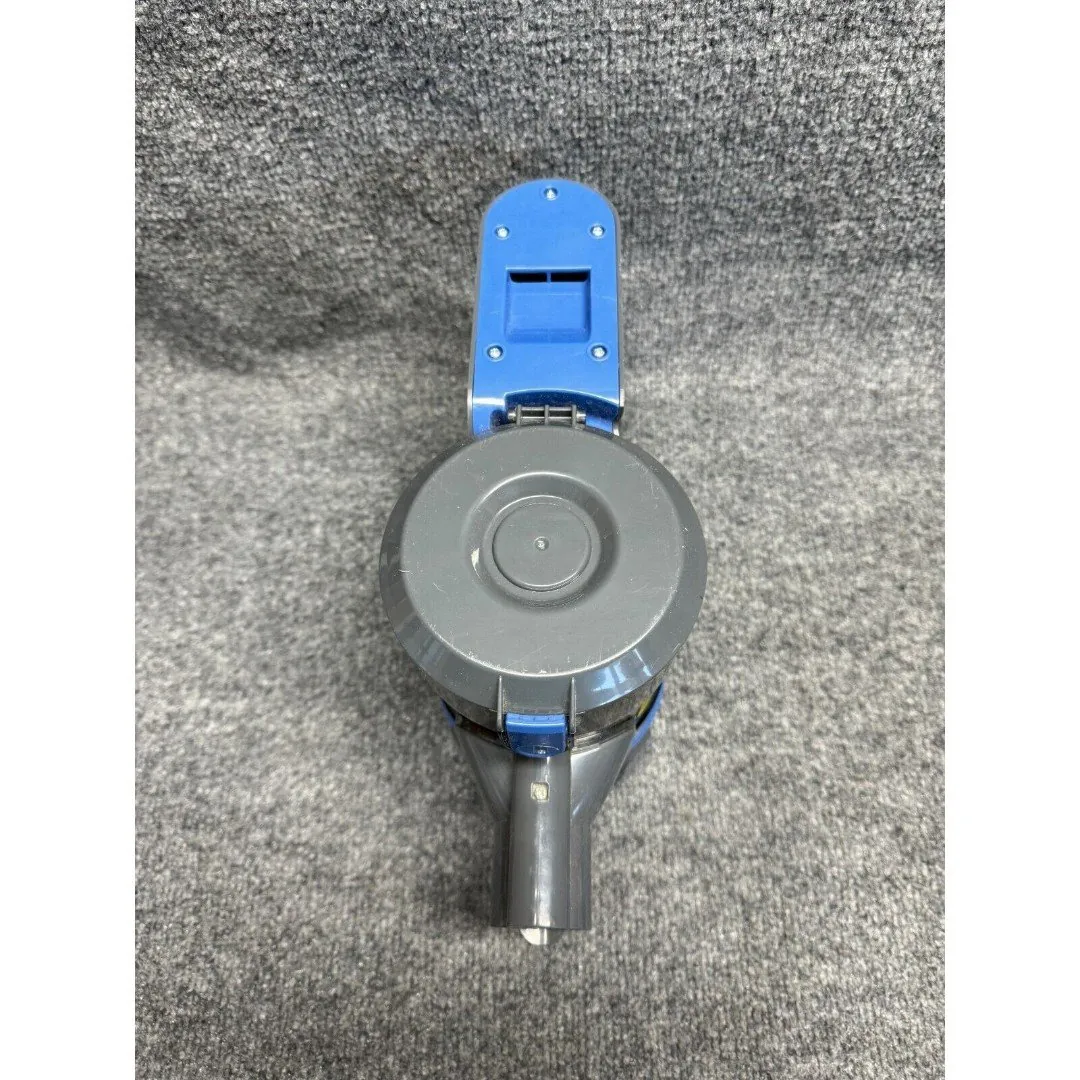
Loss of performance usually happens because airflow is restricted somewhere inside the machine. When dust and debris build up in the filters, the motor can’t pull enough air to maintain suction. This creates a vacuum inside the canister that forces the motor to work much harder, often leading to overheating. If the motor gets too hot, it will automatically shut off to prevent permanent damage to the internal components.
Another frequent cause is an obstruction in the airway. Large objects like coins, hair clumps, or thick pieces of paper can get stuck in the neck of the floor head or the wand. These items block the path of the air, making it feel like the vacuum isn’t picking up anything at all. You can usually see these blocks by looking through the clear plastic parts of the wand or the head.
Finally, the seal between the dust bin and the main unit must be airtight. If the rubber gasket is worn or if the bin isn’t clicked into place correctly, air will leak out before it reaches the filter. This reduces the suction at the floor level. Always check that the bin is snapped shut firmly, as even a small gap can lead to a significant drop in cleaning power.
Clear the airway and brush roll
To clear a blockage, start by detaching the floor head from the main wand. Use a flashlight to look through the length of the tube to see if any light passes through from the other side. If you see a dark spot, use a long, blunt tool like a broom handle to gently push the debris out. Never use sharp objects, as these can puncture the plastic housing or damage the internal sensors.
Next, turn the floor head over to inspect the brush roll. Hair and carpet fibers often wrap tightly around the bristles, which stops the roll from spinning freely. Use a pair of blunt-tipped scissors to carefully cut the hair along the groove provided on the brush roll, then pull it away by hand. If the brush roll still doesn’t turn by hand, the belt or the motor inside the head may be damaged.
Check the connection points where the wand meets the vacuum body. These ports often collect fine dust that hardens over time and creates a poor electrical or physical connection. Wipe these areas with a dry, lint-free cloth to ensure they’re clean. Once you reassemble the parts, listen for a smooth motor sound; a high-pitched whistling noise often indicates that a small leak or a partial clog still exists.
Clean or replace the filters
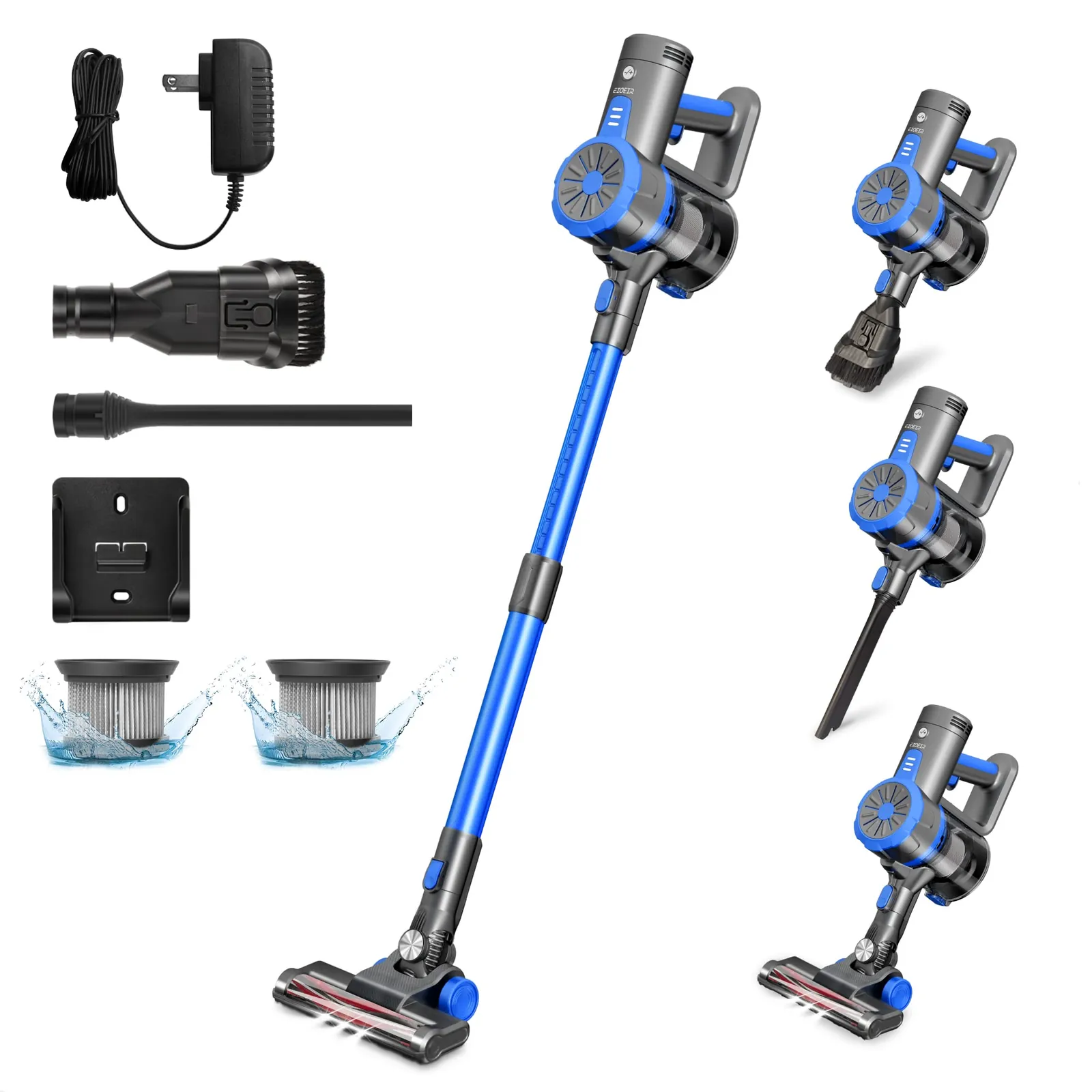
The filters inside your machine are essential for keeping the motor free of dust. When the filter becomes coated in fine particles, it restricts airflow and causes the vacuum to lose suction. The frequency of washing depends on your specific usage, so consult your owner’s manual for the manufacturer’s official guidance.
After washing the filters, you must let them air dry completely for at least 24 hours before putting them back into the vacuum. Placing a damp filter into the machine will trap moisture against the motor, which can cause rust or electrical shorts. If the filter looks gray, torn, or smells musty even after a thorough wash, it’s time to buy a replacement set.
You can tell if a filter is the problem by running the vacuum briefly without the filter installed. If the suction is suddenly much stronger, you know the filter is the part that needs cleaning or replacing. Never run the vacuum without a filter for more than a few seconds, as this allows dust to enter the motor and can cause permanent mechanical failure.
Inspect the battery and charger
If the vacuum doesn’t turn on at all, the issue is likely with the battery or the power connection. Start by checking that the charger is plugged into a wall outlet that’s known to work. Many cordless vacuums have a light on the battery pack that indicates if it’s charging or if there’s a fault. If you see a flashing red light, this often means the battery is too hot or has a connection error.
If the unit has been sitting unused for a long time, the battery may have entered a deep discharge state. Leave it on the charger for a full 12 hours to see if it recovers. If the vacuum runs for only a few seconds before dying, the battery cells have likely reached the end of their life. This is a common issue with lithium-ion batteries that have gone through hundreds of charge cycles.
This fix is for those who are comfortable swapping out a battery pack. If the battery is built into the handle and requires tools to open the casing, don’t attempt to replace it yourself. A battery that has been punctured or damaged can be a fire hazard, so take the unit to a qualified repair shop for battery service.
Mistakes that damage your vacuum
Using the vacuum to pick up wet spills or liquids will destroy the motor and clog the fine filters immediately. Even a small amount of liquid can cause mold growth within the internal housing, which eventually releases a musty odor every time you turn the machine on.
Ignoring a pulsing motor sound is a mistake that costs you a full motor replacement. This rhythmic change in pitch is a warning sign that the machine is struggling to breathe because the airflow is blocked. Check your filters immediately when you hear this.
Forcing the vacuum to run while the brush roll is jammed strips the internal gears or burns out the brush motor. If the roller stops spinning, stop the machine.
Using heavy-duty cleaning chemicals on plastic parts makes the casing brittle and prone to cracking under pressure. Wipe the exterior only with a damp, lint-free cloth to preserve the structural integrity of the seals.
Proper maintenance for long life
The way you store and use your machine changes how long it lasts. Using the vacuum on the highest power setting for every task drains the battery faster and causes more heat. Use the lowest setting for hard floors and only switch to high power for thick rugs or heavy dirt.
| If you’re doing this | Do this instead | Why |
|---|---|---|
| Storing in a hot garage | Store in a cool, dry room | Heat degrades battery capacity |
| Charging after every use | Charge after every use | Keeps the battery ready for use |
| Vacuuming construction dust | Use a shop vacuum | Fine dust destroys stick vacuum motors |
| Leaving it in a closet | Keep it on a wall mount | Protects the wand from being crushed |
Most users ignore the filter, but failing to wash it once a month is the leading cause of motor burnout. If the exhaust smells like burnt dust, the motor is struggling against a clog. You must wait twenty-four hours for the filter to dry completely before reinserting it.
Inserting a damp filter invites mold growth and permanent electrical shorts. If the machine loses suction suddenly, check the brush roll for hair tangles first. A seized brush roll forces the motor to draw excessive current, which can trigger a safety shutdown or permanently damage the internal circuit board.
Frequently asked questions
How long should the battery last on a single charge?
Most cordless stick vacuums provide 20 to 40 minutes of runtime on a standard charge. This duration depends heavily on your selected power mode and floor type. High-power settings can drain the battery in as little as 10 to 15 minutes.
Is it safe to wash the filter in the dishwasher?
No, you should never put vacuum filters in the dishwasher because the high heat and harsh detergents will warp the plastic frame. Always wash filters by hand under cool, running water without using any soap. Gently squeeze the filter to remove excess water, then place it in a well-ventilated area to dry completely. Putting a filter back while it’s still damp will cause mold growth and can lead to motor damage.
Why does my vacuum smell like burning plastic?
A burning smell usually indicates that the brush roll is jammed or the motor is struggling against a major blockage. Turn the vacuum off immediately and unplug it from the charger to prevent a fire. Check the brush roll for hair and check the wand for large objects. If the smell persists after you have cleared all blockages, the motor may be damaged and you should contact the manufacturer for repair options.
How often do I need to replace the filters?
You should replace your vacuum filters periodically based on your usage habits. Households with pets or larger floor plans typically require more frequent replacements to maintain suction. Always check your manual for the exact part number to ensure you buy the correct replacement.
What happens if I use the vacuum without the dust bin lid?
If you use the vacuum without the dust bin lid, you’ll lose almost all of your suction power because the air path will be broken. The vacuum relies on an airtight seal to create the pressure needed to pull dirt into the bin. Additionally, running the machine without the lid allows dust to be blown out of the back of the vacuum and back into your room air.
Can I use a different charger for my vacuum?
No, you must only use the specific charger that came with your eioeir vacuum to avoid damaging the battery. Chargers are engineered to provide the precise voltage and current required for your specific battery chemistry. If you lost your original charger, check the manufacturer’s website for a compatible replacement.
Conclusion
If your vacuum still isn’t performing like it used to, don’t worry. You can reach out to the manufacturer’s support team through their website to check if you’re still under warranty. They’ll help you find the right replacement parts so you can get back to keeping your floors spotless in no time.
Related guides