If your gate fails to move, the most common fix for faac gate opener troubleshooting is to check the manual release key and ensure the gate is fully engaged. Power issues, such as tripped breakers or blown fuses, often cause sudden stops in operation. If the system has power but doesn’t respond, a blocked safety beam is usually the culprit. Always confirm that your gate’s power supply is active at the breaker panel before looking for mechanical faults.
Troubleshoot common FAAC gate opener issues
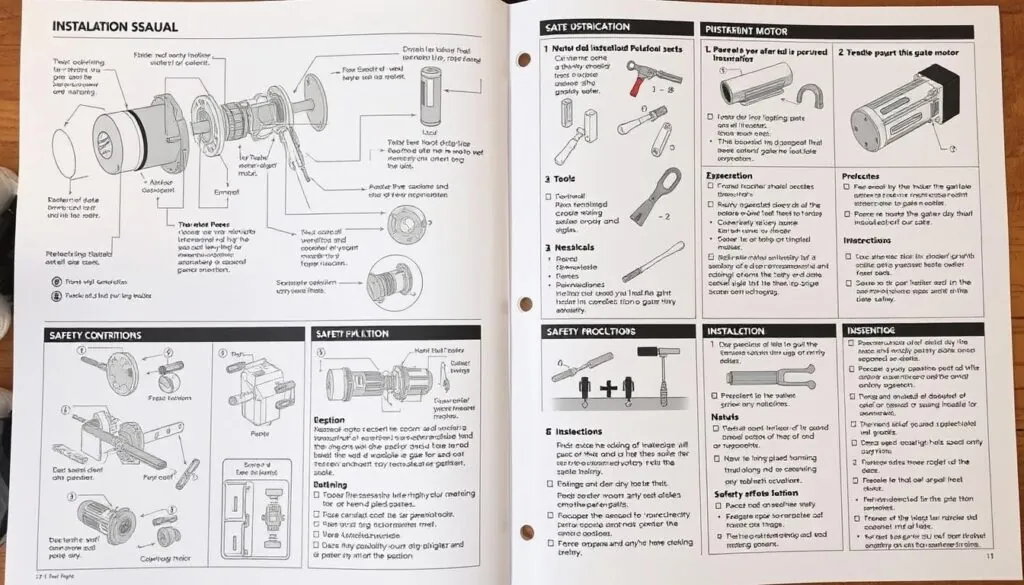
Most gate problems start with external factors rather than internal hardware failure. Debris in the track or a misaligned safety sensor can trick the control board into thinking an obstruction exists. If the gate hits an object, it will stop or reverse as a built-in safety feature. This behavior prevents damage to vehicles and injury to people near the moving gate.
A common mistake is assuming the motor is burnt out when the issue is actually the photo-eye alignment. If the infrared beam is interrupted by tall weeds or shifting gravel, the gate will refuse to close entirely. You can confirm this by checking if the safety light on the receiver is solid or blinking. A blinking light almost always signals a blocked or misaligned beam.
Another frequent cause is a loss of power or a weak signal from your remote transmitter. If the gate moves slowly or jerky, check if the hinges need lubrication or if the gate is physically dragging. If you see the status lights on the control board flashing, this indicates a specific error code that varies by model. You can find the exact meaning of these light patterns by checking the official FAAC gate operator manuals for your specific unit.
Reset the safety sensors
If your gate moves a few inches and then stops, the safety photocells are likely the issue. These sensors detect objects in the gate’s path and stop movement to prevent contact. If they’re dirty, misaligned, or blocked by tall grass, the control board will disable the motor.
To fix this, wipe the glass lenses on both sensors with a soft, dry cloth. Ensure that no plants or objects are blocking the line of sight between the two units. If the sensors are aligned, you should see a steady light on the receiver side. If the light is blinking or dark, the sensors may be faulty or disconnected. This is a common point of failure in systems exposed to heavy rain or high winds.
Most homeowners make the mistake of assuming the sensors are aligned just because they’re mounted straight. However, a shift of even two degrees can break the infrared beam. Use a laser level or a taut string to confirm the units face each other perfectly.
If the light remains dark after cleaning, check the wiring terminals at the base of the sensor. Corrosion often builds up in these connections. If you see white or green powder on the wires, trim the cable back and strip a fresh section to restore the signal. If the gate still refuses to move, bypass the sensors by jumping the terminals on the control board to verify if the motor itself is the problem.
Use the manual release key
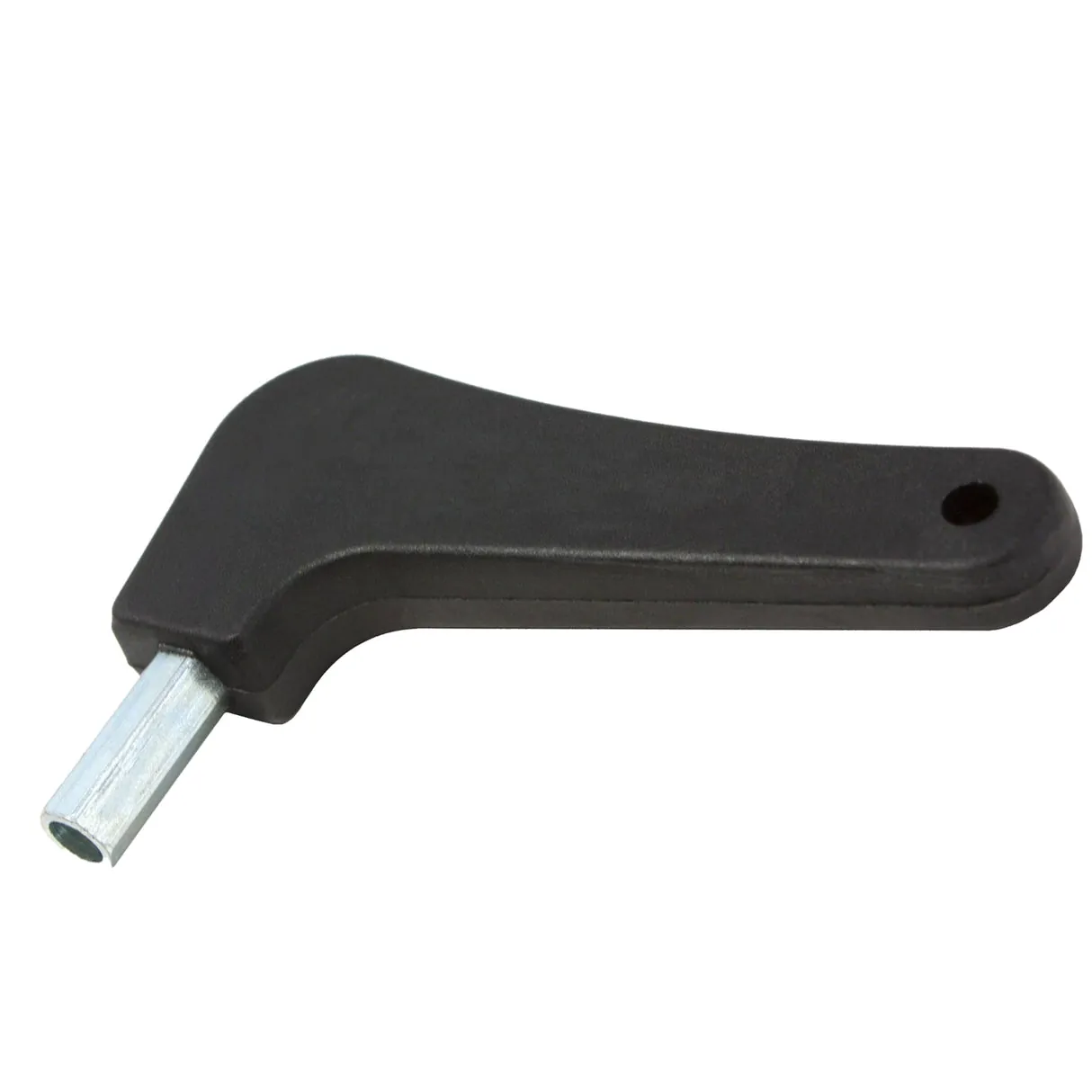
When the motor fails to engage or the gate is stuck mid-cycle, you can move it by hand using the manual release. This feature is essential during a power outage or if the control board stops responding. Insert the provided key into the lock on the motor housing and turn it as directed by the manufacturer’s mark.
Once the release is active, the gate should move freely without resistance. If you feel heavy resistance, stop immediately. A gate that resists manual movement usually indicates a damaged hinge or a bent frame rather than a motor failure. Forcing a stuck gate can permanently warp the track or shear the internal drive gears, turning a simple electrical repair into a costly mechanical overhaul.
This fix isn’t for those who are physically unable to move a heavy gate by hand. If the gate weighs over 200 pounds, use a second person to assist. If the release mechanism is rusted or the key won’t turn, don’t force it.
Applying excessive torque often snaps the key inside the cylinder. In these cases, the internal clutch is likely seized. Contact a professional gate technician to avoid further damage. If you hear a grinding noise while attempting to move the gate, leave it locked and call for service.
Check the power supply
A gate that’s completely dead often has a simple power issue. Check your main circuit breaker to ensure it hasn’t tripped. If the breaker is fine, look at the control board for any visible signs of burnt wires or loose connections. Never touch the internal electrical components, as they may hold a charge even when the power is off.
If you suspect an electrical fault, use a non-contact voltage tester to see if power is reaching the control box. If the box has power but no lights are on, the control board fuse may be blown. Replacing a fuse is a simple task, but if it blows again immediately, there’s a short circuit that requires a professional. Never attempt to bypass a fuse or modify the wiring, as this is a fire hazard and will void your warranty.
Avoid these common errors
Many people try to force the gate open when it’s stuck, which can bend the gate arms or strip the internal motor gears. If you hear a humming sound but the gate doesn’t move, stop trying to operate it immediately. Continuing to press the button will overheat the motor and cause permanent damage.
If the gate stops mid-cycle, check the track for debris first. If the track is clear, the issue is likely a failed capacitor or a stripped drive gear. Forcing the gate manually when the clutch is engaged often snaps the release lever. If you must move it by hand, ensure the manual release key is fully turned to the disengaged position before applying pressure.
Don’t use heavy grease on the gate tracks. It attracts dust and sand that will eventually jam the rollers, turning a smooth glide into a grinding halt. Use a dry silicone spray instead.
Never spray water directly into the motor housing. It destroys the circuit board and electrical connections. If you’re cleaning the area, use a damp cloth and keep the water stream at least three feet away from the unit.
Don’t disable the safety photocells to stop the gate from reversing. This creates a significant safety risk and leaves you liable for any property damage. If the gate reverses without an obstruction, clean the lenses with a microfiber cloth.
Avoid using generic replacement parts. They often lead to premature failure and void your manufacturer warranty. Always verify the part number against your specific FAAC model manual before ordering.
Maintain your gate system
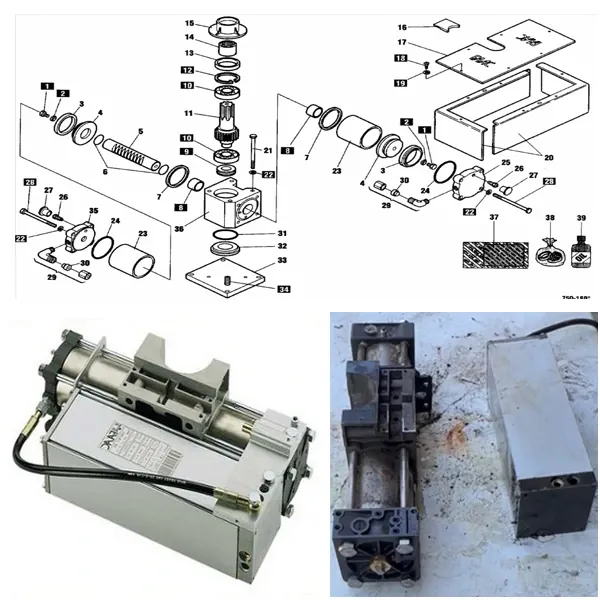
Regular care prevents most common issues before they start. If you notice the gate moving slower than usual, it’s often a sign of mechanical wear that you can address before the unit fails entirely.
Most owners make the mistake of ignoring minor grinding noises until the motor burns out. This oversight is significantly more expensive than performing routine maintenance. If your gate emits a high-pitched whine, check the track for debris immediately. If the sound is a deep, rhythmic thud, your hinges likely need professional alignment.
Use the table below to match common symptoms to the correct action.
| If you’re doing this | Do this instead | Why |
|---|---|---|
| Ignoring grinding noises | Clean and lubricate hinges | Prevents motor strain and gear wear |
| Forcing the gate by hand | Use the manual release key | Protects internal gears from damage |
| Cleaning sensors with water | Use a dry, soft cloth | Keeps electrical components moisture-free |
| Letting grass grow near sensors | Clear the area around the gate | Prevents false obstruction triggers |
If the gate reverses direction mid-cycle, check the sensitivity settings first. If the gate stops at the same spot every time, look for a physical obstruction on the track. If it stops randomly, you’re likely dealing with a sensor misalignment caused by vibration.
Frequently asked questions
How long does a gate motor usually last?
A well-maintained gate motor typically lasts 10 to 15 years. Lifespan depends heavily on daily usage frequency and local environmental conditions like salt air or extreme heat. Regular seasonal maintenance is essential to ensure you achieve the maximum possible service life from your equipment.
Is it safe to fix a gate opener myself?
Yes, it’s safe to perform basic maintenance like cleaning sensors, lubricating hinges, or resetting the manual release. However, any task involving internal wiring, circuit board replacement, or high-voltage connections is dangerous. If the issue isn’t related to sensors or obvious debris, stop and call a professional. Working on internal electrical components carries a risk of electric shock and may cause the gate to move unexpectedly, leading to injury.
Why does my gate open but not close?
Your gate likely refuses to close because the safety photocells are misaligned or obstructed. When sensors detect a blockage, the system stops movement as a safety precaution. If the sensors are clean and aligned, the issue may stem from a faulty limit switch.
How do I reset a faac gate opener?
You can reset most systems by turning off the power at the main breaker for 60 seconds. This allows the control board to reboot and clear temporary software errors. If an error light persists, the fault is likely hardware-related and requires a manual factory reset.
What happens if the gate loses power?
If the gate loses power, it remains in its current position until you manually release it or power returns. Use the manual release key to disengage the motor and move the gate by hand. Once power returns, re-engage the mechanism and cycle the gate to recalibrate positions.
Conclusion
If these simple checks don’t get your gate moving again, it’s best to contact a local technician for a professional inspection. They’ll have the right tools to diagnose complex electrical faults quickly. Don’t hesitate to reach out for help if you’re still stuck, as it’s safer to let an expert handle it.