The Frigidaire FFMV1645TS is a popular over-the-range microwave known for its sleek stainless steel finish and reliable performance, but encountering functional issues can be frustrating for any homeowner. If you’re beginning your own frigidaire ffmv1645ts troubleshooting process, it’s important to remember that many common problems are related to power supply interruptions, sensor errors, or simple control panel glitches that can be resolved without professional assistance. While complex electrical failures may require replacement parts, most users can diagnose and fix basic operational errors by performing a hard reset or checking the integrity of the door assembly. Before you assume the unit has reached the end of its lifespan, take a systematic approach to identifying the root cause of the malfunction.
Key Takeaways
- Perform a hard reset by unplugging the unit for at least 60 seconds to clear software glitches.
- Check the door latch mechanism for debris, as a misaligned door prevents the microwave from starting.
- Inspect your home circuit breaker panel, as a tripped switch often mimics a total microwave power failure.
- Verify that the child safety lock isn’t active, as this feature disables all control panel inputs.
- Ensure that the vent filters are clean to prevent overheating and potential sensor errors during operation.
Why is my microwave not heating?
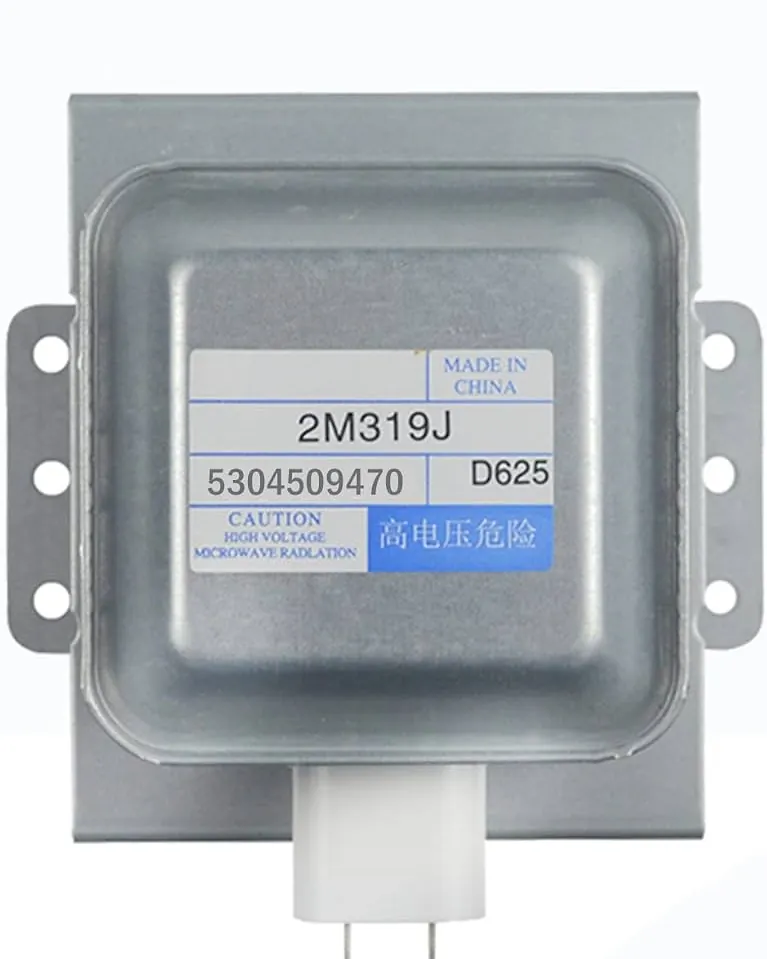
When your microwave runs but fails to heat your food, the issue is often related to the magnetron or the high-voltage diode. These components are responsible for generating the waves that cook your meal. Before assuming a hardware failure, ensure the unit isn’t in “Demo Mode,” which allows the display to function while disabling the heating elements. If the unit is heating intermittently, check the power levels settings, as accidental adjustments can significantly reduce cooking intensity.
| Component | Common Symptom | Likely Action |
|---|---|---|
| Magnetron | No heat, loud humming | Inspect for burning or damage |
| High-Voltage Diode | No heat, clicking sounds | Test for continuity with multimeter |
| Door Switch | Microwave runs but no heat | Ensure door latches fully closed |
| Control Board | Unresponsive buttons | Reset or replace control panel |
Is the display panel totally blank?
A blank display is typically caused by a loss of power or a blown fuse. Start by verifying that the outlet is providing electricity by plugging in a small lamp or appliance.
If the outlet works, the microwave’s internal thermal fuse may have tripped due to overheating. This is a safety mechanism designed to prevent fire hazards. If the fuse is intact, the issue may be a loose connection on the main control board, which can sometimes be jarred back into place or may require a full replacement.
How to fix a jammed door?
The door assembly is a critical safety component of your microwave. If the door doesn’t close securely, the unit won’t start. Inspect the door latch springs for wear, as these keep the hooks engaged with the frame.
Often, a buildup of grease or food particles around the hinges or the latch holes prevents the door from clicking into place. Gently clean the area with a damp cloth and mild detergent. If you notice physical damage to the door hooks, these must be replaced to ensure the interlock switches engage correctly.
Why are the buttons unresponsive?
When your control panel refuses to accept input, the first suspect is the membrane switch. Over time, the conductive layers inside the panel can wear out or become damaged by moisture.
If only specific buttons fail, you likely need to replace the control panel assembly. However, always check the child safety lock first. This feature is often activated accidentally by holding the “Stop/Clear” button for several seconds. When enabled, the display will usually show “LOCKED” or a small padlock icon, preventing any operation until deactivated.
Frigidaire FFMV1645TS vent fan troubleshooting
The vent fan is essential for removing smoke and heat from your cooktop. If the fan is noisy or fails to turn on, check the grease filters located on the underside of the unit. These filters become clogged with oil over time, forcing the fan motor to work harder and eventually fail.
If the fan runs but has poor suction, ensure the damper assembly in your wall or roof vent isn’t stuck shut. Cleaning the metal mesh filters every three months is recommended by the Frigidaire support guidelines to maintain optimal airflow.
Managing error codes on display
Your microwave may display specific error codes if it detects a malfunction in its internal sensors. Common codes usually start with an “E” followed by a number, such as E-11 or E-12. These often indicate a thermistor failure or a communication error between the control board and the display.
- E-11: Sensor open circuit; check internal wiring.
- E-12: Sensor short circuit; replace the humidity sensor.
- E-01: Control board communication error; perform a full power cycle.
- F-04: Keypad stuck; clean the panel surface.
How to check the turntable?
If the glass tray isn’t rotating, the food will heat unevenly. First, ensure the turntable motor coupler is properly aligned with the bottom of the tray. If the tray still doesn’t move, the motor itself may have burned out. Check the ring and rollers for debris that might cause friction. If you hear a grinding noise, the motor gear is likely stripped, and the drive motor will need to be replaced to restore smooth rotation during the cooking cycle.
Is the interior light flickering?
A flickering or dead light bulb is a minor inconvenience that’s easy to fix. The internal light bulb is usually accessed by removing the grill or a small panel on the side of the microwave. Ensure the unit is unplugged before attempting this.
If replacing the bulb doesn’t resolve the flickering, the light socket may have loose wiring or corrosion. Always use a bulb with the exact wattage specified in your manual to avoid overheating the socket housing and damaging the plastic lens.
Addressing excessive microwave noise
Unusual noises usually indicate mechanical stress. A loud buzzing or humming sound while the unit is running often points to a failing magnetron or a loose transformer. If the noise is more of a rattling or clicking, check the turntable ring and the fan blades.
Sometimes, a loose metal component inside the chassis can vibrate against the outer casing. If the sound is coming from the back, ensure the microwave is mounted securely to the wall bracket, as vibrations can be amplified if the unit isn’t flush against the surface.
Why does the microwave stop mid-cycle?
If your microwave quits unexpectedly while running, it’s likely hitting a thermal cutoff. This happens if the unit is overheating, often due to blocked air vents or a failing motor. Ensure that the top and side ventilation slots are clear of dust and debris.
If the microwave stops and restarts after a few minutes, the internal fan might be failing to cool the magnetron. Regularly cleaning the vents helps maintain the airflow efficiency required for the unit to complete longer cooking cycles without interruption.
Routine maintenance for longevity
Pro Tip: Clean the interior after every use, especially after boiling liquids, to prevent moisture from seeping into the control panel circuitry.
Taking a proactive approach to maintenance can prevent many of these issues from occurring in the first place. Use a soft, non-abrasive cloth to clean the exterior stainless steel to prevent scratching, which can lead to rust. Keep the door seal clean, as food buildup here can allow microwave energy to leak or prevent the door from sealing tightly. By following a consistent cleaning schedule, you can extend the operational life of your appliance significantly.
How to perform a hard reset
A hard reset is the “magic bullet” for many electronic issues. To perform this, locate the power cord behind the cabinet or unplug the unit from the wall outlet. Leave it disconnected for a full 60 seconds to allow the capacitors to fully discharge.
This clears the volatile memory of the control board and resets the software logic. After the time has passed, plug the unit back in and test the functions. This simple step resolves approximately 40% of minor software-related glitches found in modern over-the-range units.
Related guides
Frequently Asked Questions
Why does my microwave display say “LOCKED”?
This indicates that the child safety lock is active, which prevents the microwave from starting to ensure safety. To unlock it, look for a button labeled “Lock” or “Child Lock,” or press and hold the “Stop/Clear” button for three to five seconds. The display should beep, and the lock icon will disappear, allowing you to use the control panel normally again.
Can I replace the magnetron myself?
While it’s physically possible, it’s highly discouraged for the average user. The magnetron is part of the high-voltage circuit, which stores lethal amounts of electricity in the capacitor even when the unit is unplugged. This is a high-risk repair that should only be performed by a certified technician who has the proper equipment to discharge the high-voltage components safely before starting any work.
What should I do if the microwave smells like burning?
A burning smell often indicates an electrical short, a failing motor, or a buildup of grease. Stop using the microwave immediately and unplug it from the power source. Inspect the interior for any charred food debris. If the smell persists after cleaning, the issue is likely internal, such as a scorched wire or a failing transformer, and you should contact a professional for a safety inspection.
Why is my microwave sparking inside?
Sparking is usually caused by metal objects, such as aluminum foil or gold-rimmed dishes, being placed in the microwave. If no metal is present, check for burnt-on food particles or a damaged waveguide cover, which is the small rectangular piece on the side wall. If the waveguide cover is charred or missing, microwave energy can arc, causing sparks and potential damage to the interior wall.
How do I reset the clock on my FFMV1645TS?
To reset the clock, press the “Clock” button on the control panel. Enter the current time using the numeric keypad. Once the correct time is entered, press the “Clock” or “Start” button to save your settings. If the clock keeps resetting to 12:00, it suggests that the microwave is losing power intermittently, and you should check the stability of your electrical outlet and home circuit breaker.
Conclusion
Troubleshooting your appliance requires patience and a methodical approach to eliminate potential causes one by one. By addressing the most common culprits like power, door alignment, and control panel settings, you can often restore full functionality to your unit. Should these steps fail to resolve the problem, consult your owner’s manual for specific part numbers or contact a licensed technician to perform a professional diagnostic.