When your hearth system fails to respond to your commands, performing empire fireplace remote control troubleshooting is often a straightforward process that restores warmth to your home without requiring professional intervention. These systems, while robust, rely on a delicate chain of signals between the handheld transmitter, the receiver box hidden within the unit, and the gas valve assembly. Most issues stem from simple power disruptions or signal interference rather than mechanical failure of the fireplace itself. By systematically checking your batteries, synchronization settings, and wiring connections, you can quickly diagnose whether the issue is a minor power drain or a more complex component malfunction.
Key Takeaways
- Check all battery compartments in both the remote transmitter and the fireplace receiver box first.
- Perform a hard reset by toggling the receiver switch to “Off” and then back to “Remote.”
- Ensure the receiver isn’t blocked by metal shielding, which can severely degrade signal strength.
- Verify that your pilot light is burning steadily before attempting to engage the burner.
- Consult your specific model manual to identify the correct synchronization sequence for your device.
Troubleshooting Empire Fireplace Remote Control Symptoms
Identifying the specific behavior of your fireplace helps narrow down the cause. If the remote shows a signal icon but the fireplace doesn’t respond, the issue is likely a communication breakdown between the receiver and the valve. If the remote screen is blank, the problem is localized to the transmitter itself.
| Symptom | Primary Cause | Immediate Action |
|---|---|---|
| Blank LCD screen | Dead batteries | Replace with fresh alkaline cells |
| Clicking sound, no flame | Low gas or blocked pilot | Check gas valve and pilot status |
| Flame starts then dies | Faulty thermocouple | Clean the pilot assembly sensor |
| No response at all | Desynchronized signal | Re-pair remote and receiver |
Checking Your Power Sources
The most frequent culprit in remote control failure is a depleted battery. Even if the remote screen appears to have power, it may lack the voltage required to transmit a strong radio frequency signal to the receiver. Always replace batteries in both the transmitter and the receiver module, as the receiver also relies on a dedicated power supply, often consisting of four AA batteries located inside the fireplace base.
Warning: Always turn the gas control knob to the “Off” position before reaching inside the firebox to inspect wiring or replace receiver batteries to prevent accidental ignition.
Battery Selection and Maintenance
Use high-quality alkaline batteries for all fireplace components. Rechargeable batteries often have a lower nominal voltage that can cause intermittent signal drops. Ensure the contacts inside the battery compartments are free of corrosion. If you notice a white, chalky substance, use a small amount of white vinegar on a cotton swab to clean the terminals before inserting new batteries.
How to Resync Your Remote
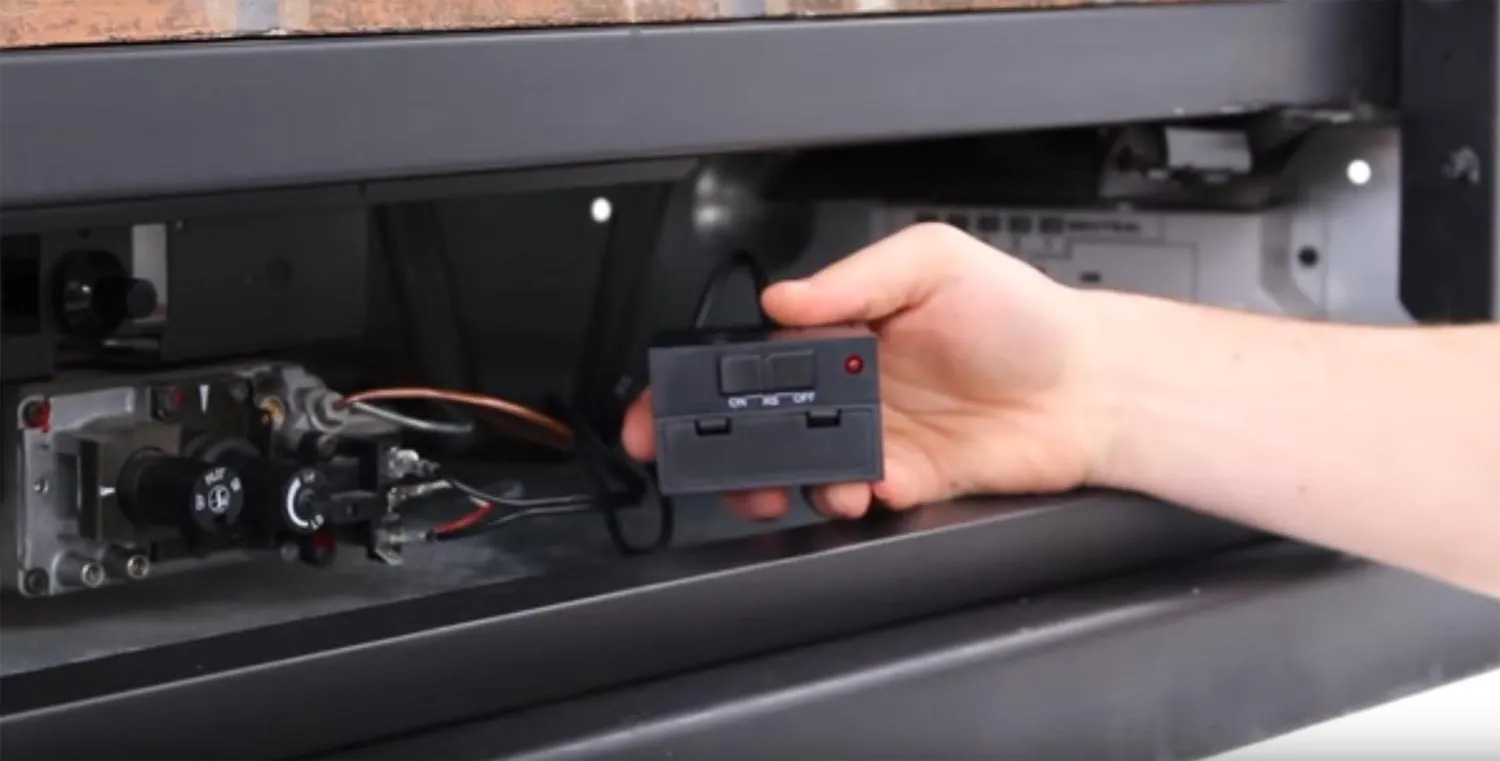
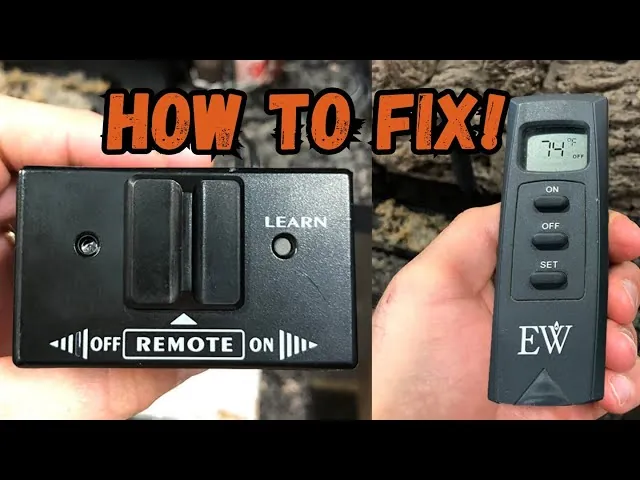
When a remote loses its connection, it stops talking to the receiver, effectively becoming a paperweight. Most Empire systems use a “learning” mode to pair the transmitter to the receiver. Locate the receiver box—usually found in the control cavity beneath the firebox—and find the switch labeled “Remote/Off/On.”
- Set the switch on the receiver to the “Off” position.
- Wait for thirty seconds to allow the internal capacitor to discharge.
- Move the switch to the “Remote” position.
- Immediately press the “Learn” or “Pair” button on the receiver box until you hear a series of beeps.
- Within the allotted timeframe, press the “On” or “Flame” button on your handheld remote.
- The receiver should provide an audible confirmation beep to indicate the devices are now synced.
Understanding Signal Interference
Radio frequency interference can prevent your remote from reaching the receiver. Large metal objects, such as decorative fire screens or nearby appliances, can act as a Faraday cage, blocking the signal. If your remote only works when held within a few inches of the fireplace, the signal is being obstructed or the antenna wire on the receiver is damaged or tucked away in a metallic corner.
Pro Tip: Extend the thin black antenna wire on your receiver box so that it points toward the front of the fireplace, ensuring it doesn’t touch any grounded metal parts of the chassis.
Is the Pilot Light Burning?
Your remote control system is designed to act as a safety secondary. If the standing pilot light is extinguished, the fireplace won’t ignite, regardless of whether the remote is sending a signal. This is a critical safety feature mandated by the American National Standards Institute to prevent the accumulation of unburned gas within the home.
Inspect the pilot assembly behind the logs. If the pilot is out, follow the lighting instructions printed on your fireplace’s rating plate or the inside of the control door.
Inspecting the Wiring Harness
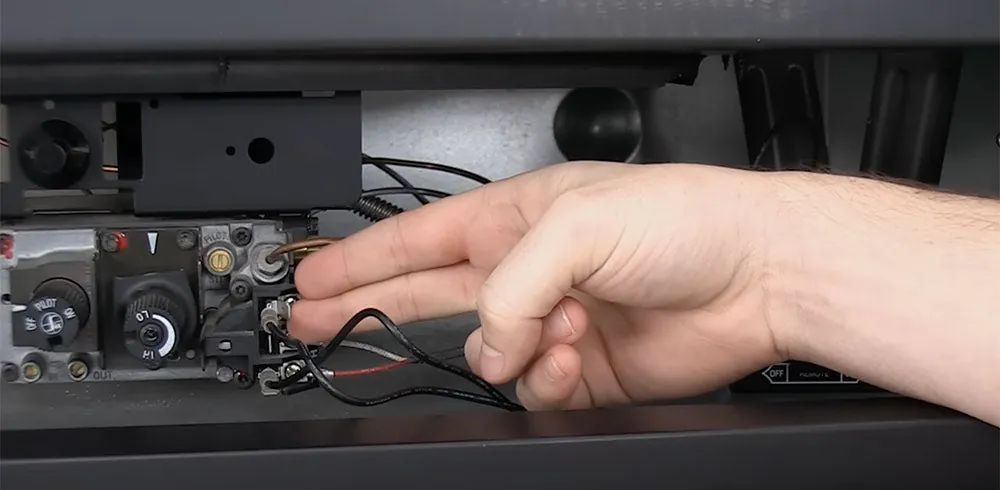
If the batteries are fresh and the signal is synced, the issue might be a loose wire connection. The receiver box connects to the gas valve via a wiring harness with spade connectors. Vibrations from the fireplace burner or heat expansion can occasionally cause these connectors to loosen over time.
- Ensure the “TH” and “TP/TH” terminals are securely connected.
- Check for frayed insulation or wires that have melted due to proximity to the burner.
- Verify that no wires have been pinched by the control door or the firebox frame.
Cleaning the Thermocouple Sensor
If the fireplace ignites but shuts off after a few seconds, the problem is likely the thermocouple or thermopile. This sensor generates a small electrical current when heated by the pilot flame. If the sensor is coated in soot or carbon, it can’t generate enough voltage to keep the gas valve open, causing the system to shut down as a fail-safe. Use a piece of fine-grit emery cloth to gently clean the surface of the sensor, removing any buildup.
Troubleshooting the Gas Valve
Sometimes the issue isn’t the remote, but the solenoid on the gas valve itself. The receiver sends an electrical pulse to the solenoid to open the gas flow. If you hear the click of the receiver but no gas flow is heard, the solenoid may be stuck or failed. This is a component that generally requires a qualified technician to replace, as it involves the primary gas supply line.
Testing With the Manual Switch
To isolate the problem, bypass the remote entirely. Every Empire fireplace has a manual “On/Off” switch on the receiver or the wall. If the fireplace turns on using this manual switch but not the remote, the fault is definitely in the handheld transmitter or the receiver’s remote-processing logic. If the fireplace fails to turn on even with the manual switch, the problem lies with the gas valve, the thermocouple, or the gas supply itself.
When to Call a Professional
If you have performed all the steps above and the unit remains unresponsive, you may be dealing with a faulty control module or a damaged wiring harness deep within the unit. At this stage, professional repair is recommended to ensure the integrity of the gas seals and the safety of the ignition sequence. Always seek out a certified gas technician who has experience with hearth appliances to perform these internal repairs.
Related guides
- Balsam Hill Remote Control Troubleshooting: Unlock the Secrets to a Stress-Free Experience!
- Somfy Remote Troubleshooting: Quick Fixes for Smooth Control
- Apple Tv Remote Troubleshooting: Easy Fixes for Quick Control
Frequently Asked Questions
Why does my fireplace remote have a delay?
A delay in response is often caused by low battery voltage or signal congestion. If the remote is struggling to communicate, the receiver may take several seconds to interpret the command. Start by replacing the batteries with high-quality lithium or alkaline versions. If the delay persists, move the receiver antenna away from any metal components that might be creating interference or weak signal reception.
Can I replace my remote with a universal one?
Most gas fireplace remotes are proprietary and operate on specific frequencies tied to the internal receiver module. A generic universal remote won’t work unless the receiver was specifically designed to accept multiple signal types. It’s best to purchase a replacement remote that matches your specific Empire model number to ensure full compatibility with your gas valve and ignition system.
What if the receiver beeps but nothing happens?
An audible beep from the receiver indicates that it’s receiving the signal from your remote. If you hear this but the fireplace doesn’t ignite, the problem is likely between the receiver and the gas valve. Check the wiring harness connecting the two components, ensuring all spade connectors are tight and free of oxidation. If the wiring is secure, the gas valve solenoid may have failed.
How long should the receiver batteries last?
Under normal usage, the batteries in the receiver box should last an entire heating season, typically four to six months. If you find yourself replacing them more frequently, check for a short circuit in the wiring or a sticky switch on the receiver. Always use fresh, high-quality batteries, as old batteries can leak acid, which damages the sensitive electronic board inside the receiver module.
Why does the fireplace turn on by itself?
If your fireplace ignites without you touching the remote, it’s likely experiencing signal interference from a neighbor’s device or a nearby electronic appliance operating on the same frequency. You can often resolve this by changing the “dip switch” settings inside both the remote and the receiver. Refer to your owner’s manual for instructions on changing the security code or frequency channel to prevent unauthorized activation.
Conclusion
Before you proceed with any further repairs, verify that your gas supply valve is fully open and that no debris has accumulated around the burner ports, which could prevent smooth ignition. If the unit still fails to respond after checking these points, consult your owner’s manual to locate the specific part number for your receiver module and contact an authorized local dealer to order a replacement component for your system.